
Is Your Phone Unlocked? Easy DIY Check
Is Your Phone Unlocked? Easy DIY Check
Understanding whether your phone is unlocked is crucial in today’s mobile landscape. An unlocked phone gives you the freedom to switch carriers, travel internationally, and avoid expensive contracts. Many people purchase phones without fully understanding their locking status, leading to frustration when they try to use a different SIM card or carrier. This comprehensive guide walks you through multiple methods to determine if your phone is truly unlocked, whether you own an iPhone or Android device.
The distinction between a locked and unlocked phone matters significantly for your flexibility and wallet. A locked phone is tied to a specific carrier and won’t accept SIM cards from other networks without carrier authorization. An unlocked phone, conversely, works with any carrier that uses compatible technology. Whether you’re planning to travel abroad, switch to a more affordable carrier, or simply want maximum flexibility, knowing your phone’s status is the first step.
What Does Unlocked Mean?
An unlocked phone is a device that isn’t restricted to a specific carrier’s network. When you purchase a phone directly from a manufacturer or through a carrier after meeting contract terms, it may come locked to that carrier’s network. Locked phones typically have software restrictions preventing them from accepting SIM cards from competing carriers. Understanding this distinction helps you make informed decisions about your mobile device and plan.
Carriers implement locking as a business practice to ensure customers complete their service agreements. However, many resources and guides explain consumer rights regarding phone unlocking. Most carriers now unlock phones after you’ve fulfilled contractual obligations or paid in full. Unlocking your phone doesn’t void warranties or cause technical issues—it simply removes carrier restrictions.
The benefits of an unlocked phone extend beyond carrier switching. When traveling internationally, an unlocked phone accepts local SIM cards, saving you from expensive roaming charges. You gain resale value since unlocked phones appeal to broader markets. Additionally, unlocked phones offer greater customization options and freedom in choosing service plans that match your actual usage patterns.
Check Your iPhone’s Lock Status
Apple provides straightforward methods to determine if your iPhone is unlocked. The most reliable approach involves navigating to your iPhone’s settings and checking carrier information. Go to Settings, then General, then About. Look for the “Carrier Lock” field in this menu. If it displays your carrier’s name (such as “AT&T,” “Verizon,” or “T-Mobile”), your phone remains locked to that network. If it shows “No SIM restrictions” or a similar message, your iPhone is unlocked.
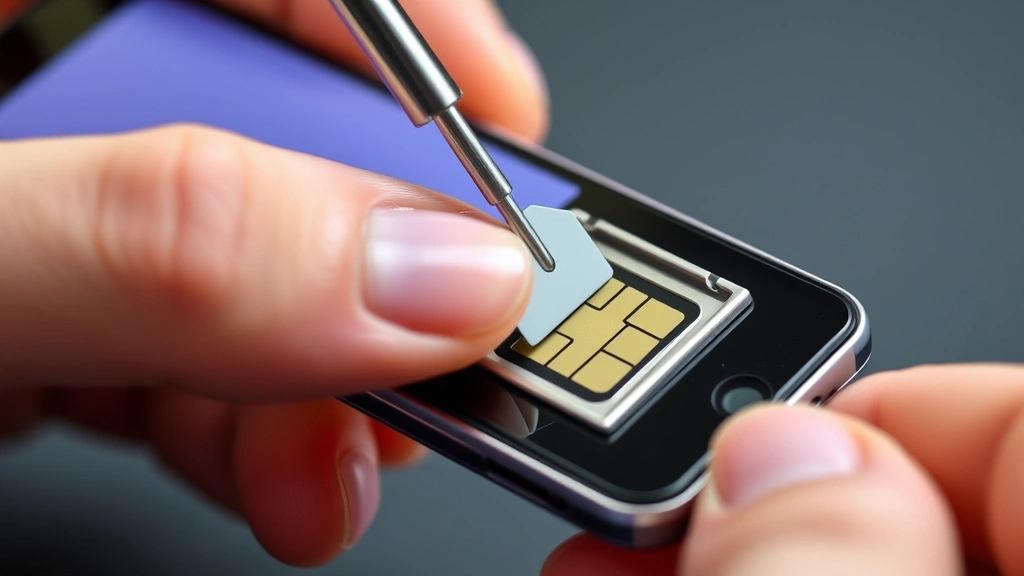
Another effective method involves inserting a SIM card from a different carrier into your iPhone. Power off your device completely, remove the current SIM card using the ejector tool, and insert a SIM card from an alternative carrier. Power your iPhone back on and observe the results. If your iPhone recognizes the new carrier and displays their network name in the status bar, your phone is unlocked. If you receive an error message or the phone doesn’t recognize the SIM card, your iPhone remains carrier-locked.
For newer iPhones running iOS 16 or later, Apple simplified the unlock status check. Navigate to Settings, then Cellular, then Cellular Plans. If you see multiple carrier options or the ability to add a new carrier, your phone is unlocked. If you only see your current carrier or cannot add new carriers, the device remains locked. This method provides the quickest verification without requiring external SIM cards.
Check Your Android Phone’s Lock Status
Android phones offer several methods to verify unlock status, though the process varies depending on your device manufacturer and Android version. Most Android phones allow you to check lock status through Settings. Open Settings, navigate to About Phone, and look for SIM Card Status or Network Status. Some Android devices display carrier lock information directly in this menu, while others may require accessing additional submenus.
The practical SIM card test works equally well on Android devices as iPhones. Power off your Android phone completely and remove your current SIM card. Insert a SIM card from a different carrier and restart your device. If your Android phone displays the alternative carrier’s network name and allows you to make calls or access data, your phone is unlocked. If the device rejects the foreign SIM card or displays error messages, it remains locked.
For Samsung devices specifically, navigate to Settings, then About Phone, then Status. Look for the “SIM Card Status” field. An unlocked Samsung phone typically shows “Ready” or indicates no carrier restrictions. If it displays your carrier’s name or “Locked,” your device requires unlocking. Google Pixel phones display this information under Settings, then About Phone, then Network. The interface may differ slightly between manufacturers, but the fundamental principle remains consistent across Android devices.
Some Android manufacturers include dedicated unlock verification apps. Check your phone’s app drawer or Google Play Store for your device’s official app. These applications often provide comprehensive device information, including lock status, directly from the manufacturer. Using official tools ensures accuracy and provides additional device details beyond just carrier lock status.
Contact Your Carrier Directly
When in-device methods prove inconclusive, contacting your carrier provides definitive answers about your phone’s lock status. Call your carrier’s customer service number, visit a physical store, or use their online chat support. Have your phone’s IMEI number ready when you contact them—carriers use this unique identifier to look up your account and device information.
Carriers maintain detailed records of every device associated with your account, including lock status and eligibility for unlocking. Customer service representatives can instantly confirm whether your phone is locked, and if locked, explain exactly what requirements you must meet for unlocking. They can also inform you about any outstanding balances or contract obligations preventing unlocking.
Most carriers offer unlocking through their websites now. Verizon, AT&T, T-Mobile, and other major carriers have online portals where you can request unlocking if eligible. This self-service option often completes within minutes, and you receive confirmation via email. The convenience of online unlocking has made the process significantly faster than previous years when unlocking required store visits or multiple phone calls.
IMEI Number Method
Your phone’s IMEI (International Mobile Equipment Identity) number is a unique 15-digit code identifying your specific device. This number allows carriers and manufacturers to track your phone and its lock status. Locating your IMEI provides another avenue for determining unlock status, especially useful if device menus don’t clearly display lock information.
To find your IMEI on any phone, dial *#06# on your device’s keypad. Your phone will immediately display the IMEI number on screen. Write down this number carefully. Alternatively, you can find your IMEI in Settings under About Phone on most devices. The IMEI also appears on your phone’s original packaging and receipt.
Several third-party websites offer IMEI checking services where you input your IMEI number and they verify lock status through carrier databases. However, use caution with these services—only use established, reputable websites and never pay for basic unlock status information. Legitimate carrier websites and manufacturer support pages provide free IMEI lookup services. This Old House and similar trusted resources occasionally reference phone management topics, though their primary focus differs.
Physical SIM Card Test
The practical SIM card test remains one of the most reliable methods for determining phone unlock status. This hands-on approach requires minimal technical knowledge and provides immediate results. The test works identically across iPhone and Android platforms, making it universally applicable regardless of your device type.
To perform this test properly, gather a SIM card from a different carrier than your current one. If you don’t have access to an alternative SIM card, visit a carrier store and request a test SIM card. Most carriers provide these free of charge for customers considering switching. Some prepaid carriers sell inexpensive SIM cards specifically for testing purposes.
Power off your phone completely before removing the SIM card. Use the ejector tool that came with your phone or a small paperclip to gently press the SIM card tray eject hole. The tray will pop out automatically. Remove your current SIM card and insert the alternative carrier’s SIM card into the empty slot. Push the tray back into your phone until it clicks securely. Power your phone back on and observe the results.
If your phone displays the alternative carrier’s network name in the status bar and allows you to make calls or use data (with an active plan), congratulations—your phone is unlocked. If your phone displays error messages such as “SIM Not Valid” or “Incorrect SIM,” your device remains carrier-locked. Some locked phones will display the alternative carrier’s name but won’t allow actual service usage, so the ability to make test calls confirms true unlocking.
Unlocking Your Phone if Locked
If you’ve determined your phone is locked and you own it outright (no outstanding payments or contracts), you’re eligible for unlocking through your carrier. The unlocking process varies slightly by carrier but generally follows similar steps. Contact your carrier’s customer service, provide your IMEI number and account information, and request an unlock. Most carriers complete this process within 24 to 48 hours.
Carriers have specific eligibility requirements for unlocking. You must have an active account with no outstanding balances, and typically the phone must be activated on the carrier’s network for a minimum period (often 40 days). If you purchased your phone outright from the carrier without a contract, you’re usually eligible for immediate unlocking. Prepaid customers can also request unlocking if they meet specific usage requirements.
Third-party unlocking services exist, but use extreme caution with these options. Legitimate unlocking services work with carriers to process official unlocks, but some unscrupulous services may employ risky methods that void warranties or damage your phone. Always exhaust official carrier unlocking options first. If your carrier refuses to unlock an eligible device, contact your state’s consumer protection agency or the FCC for assistance.
For international travelers or those with devices from other countries, unlocking becomes even more critical. Ensure your phone is unlocked before traveling to avoid expensive international roaming charges. Many travelers purchase local SIM cards in destination countries, which requires an unlocked phone. Planning ahead prevents frustration and saves significant money during trips.
FAQ
Can I use my locked phone with a different carrier?
No, a locked phone won’t accept SIM cards from other carriers. The phone’s software actively rejects foreign SIM cards and displays error messages. You must unlock your phone through your current carrier before switching to competitors.
Does unlocking my phone void the warranty?
No, official carrier unlocking doesn’t void your phone’s warranty. Unlocking is a standard, legitimate process supported by manufacturers and carriers. Your warranty remains valid after unlocking through official channels.
How long does phone unlocking take?
Official carrier unlocking typically completes within 24 to 48 hours. Some carriers process requests instantly through online portals. The timeline depends on your carrier’s procedures and whether you meet all eligibility requirements.
Is there a cost to unlock my phone?
Most carriers unlock eligible devices for free once you’ve met requirements. However, some carriers may charge fees if you request unlocking before fulfilling contract terms. Check with your specific carrier about their unlocking policies and any associated costs.
What’s the difference between locked and unlocked phones?
Locked phones are restricted to one carrier’s network, while unlocked phones work with any compatible carrier. Unlocked phones offer greater flexibility for switching carriers, traveling internationally, and choosing service plans. When researching how to verify information, apply similar critical thinking to phone specifications.
Can I unlock my phone myself?
You cannot unlock a carrier-locked phone yourself through software means. Only your carrier can remove the lock through their systems. Third-party unlocking methods are risky and may violate terms of service. Always request unlocking through official carrier channels.
What if my carrier refuses to unlock my phone?
If your carrier refuses to unlock an eligible device, file a complaint with the FCC or your state’s consumer protection agency. Federal regulations generally require carriers to unlock phones once contracts are fulfilled or phones are paid in full. These agencies can compel carriers to comply.
Do prepaid phones come unlocked?
Prepaid phones may come locked or unlocked depending on where you purchase them. Check with the retailer or prepaid carrier about lock status before purchasing. Some prepaid carriers unlock phones after meeting usage requirements, while others keep them permanently locked.
Will my phone work internationally if unlocked?
Yes, an unlocked phone will accept international SIM cards, allowing you to use local carriers abroad. This approach typically costs significantly less than international roaming. Simply purchase a local SIM card at your destination and insert it into your unlocked phone.
How do I know if my phone supports the carrier’s network bands?
Even with an unlocked phone, compatibility depends on whether your device supports the carrier’s network bands. Check your phone’s specifications and compare them to the carrier’s supported bands. Family Handyman occasionally covers technology topics, though their expertise centers on home improvement. Your phone’s settings menu typically displays supported network bands under About Phone.

Related Posts

Superscript in Google Docs: Expert Tips

Strikethrough in Excel: Easy Steps for Beginners
