

How to Make a Facebook Post Shareable: Simple Steps
How to Make a Facebook Post Shareable: Simple Steps
Facebook has become the digital equivalent of the town square, where millions of people gather daily to share stories, ideas, and moments that matter to them. If you’ve ever wondered why some posts seem to spread like wildfire while others barely get a glance, the answer often lies in shareability. Making your Facebook posts shareable isn’t just about hoping people will hit that share button—it’s about understanding the mechanics behind what makes content worth sharing and then intentionally crafting posts that encourage engagement.
Whether you’re a small business owner looking to expand your reach, a content creator wanting to amplify your message, or simply someone who wants their thoughts to resonate with a wider audience, learning how to make a Facebook post shareable is a game-changer. The good news? It’s not complicated, and you don’t need to be a tech wizard to master it. This guide walks you through the practical steps, settings adjustments, and content strategies that transform ordinary posts into shareable gold.
Understanding Facebook Shareability
Before diving into the how, let’s clarify what shareability actually means. A shareable Facebook post is one that viewers can easily pass along to their own networks with a single click. Think of it as giving your content wings—once someone shares your post, it appears on their timeline, reaching their friends and followers, and potentially their friends’ friends, creating an exponential ripple effect.
The mechanics of shareability on Facebook involve several interconnected factors. First, there’s the actual share button, which appears prominently on every post. But the presence of that button doesn’t guarantee people will use it. What really matters is whether your content resonates strongly enough that someone feels compelled to pass it along to people they know. This could be because it’s hilarious, inspiring, useful, controversial, or emotionally moving.
Understanding this distinction is crucial. You can’t force shareability, but you can create the conditions that make it more likely. This involves thinking about your audience’s perspective: what would they want to share? What would make them think, “My friends need to see this”? When you start asking these questions, you’re already on the path to creating more shareable content.

Adjusting Privacy Settings for Maximum Reach
Here’s something many people overlook: your privacy settings directly impact how shareable your posts are. If your post is set to “Friends Only” or “Private,” people outside your immediate circle can’t share it broadly. To maximize shareability, you need to ensure your privacy settings align with your sharing goals.
Start by accessing your Facebook settings. Click on the downward arrow in the top-right corner of your screen, then select “Settings & Privacy.” From there, choose “Settings.” Navigate to the “Privacy” section on the left sidebar. You’ll see options for who can see your posts. For maximum shareability, set your default privacy level to “Public.” This allows anyone on Facebook—and sometimes even non-users—to view and share your content.
However, public doesn’t mean you lose all control. You can still customize individual posts. When creating a new post, you’ll notice a privacy icon (usually showing a globe, lock, or group of people). Click this icon to choose who can see that specific post. If you want maximum shareability on a particular post, select “Public.” For more sensitive content, you might choose “Friends” or “Friends except…” to exclude certain people.
Another important setting involves who can comment on and share your posts. While you can’t force people to share, you can make it easy. Ensure that commenting is enabled and unrestricted (unless you’re dealing with spam issues). Posts that generate comments tend to have higher shareability rates because the engagement signals to Facebook’s algorithm that the content is valuable.
Think of privacy settings as the foundation of shareability. Without the right foundation, even excellent content won’t reach its full potential. It’s similar to how if you’re learning how to right click on a mac, you need to understand the basic interface first before executing advanced actions.
Crafting Content That Begs to Be Shared
Now we get to the heart of shareability: content quality and relevance. No amount of technical optimization will make a boring post viral. You need content that gives people a reason to share.
Tell Stories That Resonate
People share stories, not lectures. When you craft a post around a narrative—whether it’s a personal anecdote, a customer success story, or a before-and-after transformation—you tap into something deeply human. Stories create emotional connections, and emotions drive sharing behavior. If your post makes someone laugh, cry, feel inspired, or feel understood, they’re more likely to share it.
Provide Genuine Value
Shareable content doesn’t always have to be entertaining. Utility is equally powerful. Posts that teach something useful, provide a helpful resource, or solve a common problem get shared because people want to help their networks. Think of it as passing along a gift. If you’ve discovered something genuinely helpful, you want others to benefit too. Much like when you learn how to copy and paste on laptop, you might share that knowledge with someone struggling with basic computer tasks.
Spark Conversation
Posts that ask questions or invite perspectives generate comments, which increase visibility and shareability. Instead of making statements, try posing thoughtful questions. “What’s your biggest challenge with social media?” gets more engagement than “Social media is challenging.” The first invites participation; the second just sits there.
Use Visuals Strategically
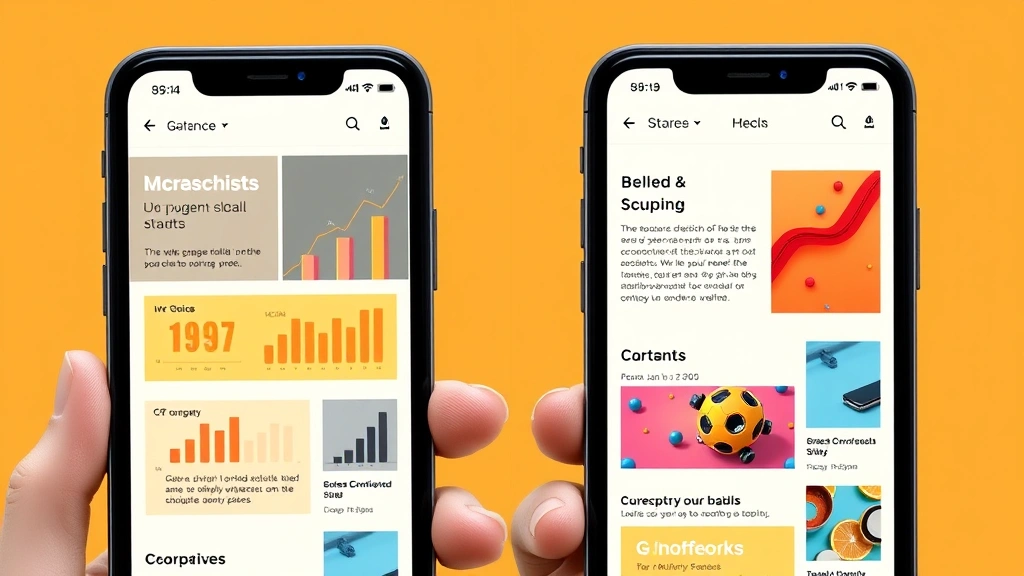
Posts with images get significantly more engagement than text-only posts. But not just any image—it needs to be relevant, high-quality, and attention-grabbing. When someone scrolls through their Facebook feed, they’re moving quickly. A striking visual stops the scroll. Include images that complement your message, whether that’s a photo, graphic, or video. Videos, in particular, have become incredibly shareable because they’re more engaging than static content.
Technical Elements That Boost Shareability
Beyond content and privacy settings, several technical factors influence how shareable your posts become.
Optimize Your Link Preview
When you include a link in your Facebook post, Facebook automatically generates a preview showing the page title, description, and image. This preview is crucial for shareability. If it looks appealing, people are more likely to click and share. To optimize this, ensure the webpage you’re linking to has a compelling title tag, meta description, and featured image. If the preview looks generic or broken, people are less inclined to engage.
Use Call-to-Action Buttons
Facebook allows you to add call-to-action buttons to posts. These buttons—labeled “Learn More,” “Shop Now,” “Sign Up,” etc.—make it clear what action you want people to take. While these buttons don’t directly increase sharing, they do increase engagement and click-through rates, which signals to Facebook that your content is valuable and worth showing to more people.
Format for Readability
Long, dense paragraphs of text are off-putting on social media. Break your post into shorter paragraphs, use line breaks, and consider using bullet points or numbered lists. This makes your post easier to scan and digest. People are more likely to share content they’ve actually read, and they’re more likely to read content that’s well-formatted and easy on the eyes.
Timing Matters
When you post affects how many people see it and, consequently, how many have the opportunity to share it. Post when your audience is most active. For many audiences, this is mid-morning or early evening on weekdays, but it varies by demographic. Check your Facebook Insights to see when your followers are typically online, then schedule posts accordingly. You might find this similar to how you’d how to schedule a text on iphone—timing can significantly impact engagement.
Engagement Tactics That Encourage Sharing
Creating shareable content is only half the battle. You also need to actively encourage sharing.
Ask Directly
Sometimes the simplest approach is the most effective. Explicitly ask people to share your post. Phrases like “Share this with someone who needs to hear it” or “Tag a friend who would love this” can significantly boost sharing rates. People often don’t share unless prompted, not because they don’t want to, but because they don’t think of it. A gentle nudge can work wonders.
Create Shareable Moments
Posts that celebrate milestones, achievements, or special occasions are inherently shareable. When you hit 1,000 followers, celebrate it. When you launch a new product, make it an event. These moments give people something concrete to share and be part of.
Engage With Shares
When someone shares your post, thank them. Reply to shares, acknowledge them, and show appreciation. This accomplishes two things: it makes the person who shared feel valued, encouraging them to share future posts, and it signals to Facebook that your content is generating valuable engagement.
Leverage User-Generated Content
Posts featuring content from your audience—customer photos, testimonials, or user submissions—are highly shareable. People love seeing themselves or their peers featured. It creates a sense of community and gives followers a reason to engage and share. When you repost customer content, tag them and give credit. This incentivizes others to create and share content related to your brand or message.
Managing these engagement tactics is similar to how you’d how to set out of office in outlook—you’re essentially managing communication flow and expectations with your audience.
Monitoring and Optimizing Performance
To continuously improve your shareability, you need to monitor how your posts perform. Facebook provides detailed analytics through Facebook Insights, a feature available to page administrators.
Track Key Metrics
Pay attention to these metrics: reach (how many people saw your post), engagement (likes, comments, shares), and share rate (the percentage of people who saw your post and shared it). These numbers tell you what’s working. If certain types of posts consistently get more shares, double down on that format or topic. If others underperform, adjust your approach.
Analyze Audience Demographics
Insights also shows you who’s engaging with your content. Understanding your audience’s age, location, and interests helps you tailor future posts to be more relevant and shareable for them. A post that resonates with 18-25 year-olds might not resonate with 45-60 year-olds, and that’s okay. Create content with your specific audience in mind.
Test and Iterate
Shareability isn’t a one-size-fits-all formula. What works for a fitness brand might not work for a financial services company. Experiment with different post types, formats, topics, and timing. Keep what works, discard what doesn’t, and refine continuously. This iterative approach is how successful content creators develop their voice and strategy.
For additional insights on optimizing your social media strategy, check out Facebook’s official business resources, which offer updated guidance on platform features and best practices.
Consider also consulting comprehensive social media strategy guides for broader perspective on shareability across platforms. Additionally, Hootsuite’s Facebook marketing blog provides data-driven insights into what makes content shareable in today’s landscape.
If you’re managing multiple communication channels, you might also benefit from learning how to retract an email in outlook, as managing your overall digital presence involves understanding various platforms and communication tools.
Frequently Asked Questions
Can I make an old post shareable again?
Yes, you can repost content. While you can’t retroactively make an old post more shareable (the share count stays with the original), you can create a new post with similar or updated content. This is actually a smart strategy—if a post performed well, resharing it with slight variations can capture new audiences who didn’t see it the first time.
Does Facebook penalize posts that ask for shares?
Not exactly, but there’s nuance here. Facebook’s algorithm doesn’t favor posts that ask for shares purely to game the system (like “Share this for good luck”). However, organic requests to share relevant content—”Share this if you agree” or “Share this with someone who needs it”—are generally fine and can actually boost engagement.
Why isn’t my public post getting shared?
Several factors could be at play. The content might not resonate with your audience, the post might not be visually appealing, you might not be asking for shares, or your timing might be off. Review your analytics to see engagement rates, and compare successful posts to underperforming ones. Look for patterns in what works.
Are video posts more shareable than image posts?
Generally, yes. Video content tends to generate higher engagement and shareability rates than static images or text. However, this doesn’t mean you should only post videos. The best strategy is a mix of content types. The most important factor is whether the content itself is valuable and relevant to your audience.
How long should my post be to maximize shareability?
There’s no magic word count, but research suggests that posts between 100-150 words perform well. They’re long enough to provide substance but short enough to not overwhelm people scrolling on mobile devices. However, the quality of those words matters infinitely more than the quantity. A 50-word post that’s brilliant will outperform a 300-word post that’s mediocre.
Can I share my own posts to increase visibility?
You can share your page’s posts to your personal timeline, which can increase visibility. However, this should be done strategically, not constantly. Overdoing it can come across as spammy and might actually reduce engagement. Use this tactic for your most important posts—major announcements, valuable content, or posts that didn’t get as much traction as you’d hoped.

Related Posts

How Long to Boil Lobster Tails: Cooking Guide

How Long to Fly from New York to London? Travel Times
