
How to Finetune LLaMA 4: Expert Guide
How to Finetune LLaMA 4: Expert Guide
If you’ve been following the AI landscape, you’ve probably heard the buzz around LLaMA 4. This powerful language model has captured the attention of developers, researchers, and AI enthusiasts alike. But here’s the thing: out-of-the-box models rarely fit your specific needs perfectly. That’s where finetuning comes in. Whether you’re looking to adapt LLaMA 4 for specialized medical terminology, legal documents, or custom business logic, finetuning lets you transform a general-purpose model into a precision instrument tailored to your exact requirements.
The process might sound intimidating if you’re new to machine learning, but finetuning LLaMA 4 is far more accessible than you’d think. With the right approach, even developers without extensive ML experience can successfully customize this model. In this guide, we’ll walk through everything you need to know—from setting up your environment to evaluating your finetuned model’s performance.
Think of finetuning like taking a versatile Swiss Army knife and sharpening one blade to perfection for a specific task. You’re not rebuilding the knife from scratch; you’re leveraging the existing craftsmanship and making targeted improvements. That’s exactly what we’re doing with LLaMA 4.
Understanding LLaMA 4 and Finetuning Basics
LLaMA 4 represents a significant leap in open-source language models. Built on transformer architecture, it’s been trained on massive datasets to understand and generate human-like text. But this general training means it’s optimized for broad use cases rather than specialized domains.
Finetuning is the process of taking a pre-trained model and training it further on a smaller, domain-specific dataset. Imagine you’re learning to cook: you start with foundational skills (pre-training), then you specialize in French cuisine (finetuning). The base skills remain, but your expertise becomes laser-focused.
When you finetune LLaMA 4, you’re adjusting the model’s weights—those mathematical parameters that determine how it processes and generates text. Full finetuning adjusts all parameters, but more efficient methods like LoRA (Low-Rank Adaptation) and QLoRA only modify a small percentage of parameters, dramatically reducing computational requirements.
The beauty of finetuning is that you don’t need the massive computational resources used in the original training. You can finetune LLaMA 4 on consumer-grade GPUs or even CPUs, though GPUs significantly speed up the process.
Prerequisites and Environment Setup
Before diving into finetuning, let’s ensure you have everything in place. You’ll need Python 3.8 or higher, PyTorch, and several supporting libraries. The good news? Setting this up is straightforward with modern package managers.
Start by creating a dedicated Python environment. This keeps your project isolated and prevents dependency conflicts. Here’s what you need:
- Python 3.8+: Your programming foundation
- PyTorch: The deep learning framework powering LLaMA 4
- Transformers library: Hugging Face’s essential toolkit for working with pre-trained models
- PEFT (Parameter-Efficient Fine-Tuning): Tools for efficient finetuning methods like LoRA
- Datasets library: For loading and processing your training data
- Accelerate library: Simplifies distributed training across multiple GPUs
If you’re wondering how to install these tools properly, start with creating your virtual environment:
python -m venv llama_env
source llama_env/bin/activate # On Windows: llama_env\Scripts\activate
pip install torch torchvision torchaudio
pip install transformers peft datasets accelerate bitsandbytes
Your hardware matters too. For efficient finetuning, you ideally want a GPU with at least 8GB VRAM. NVIDIA GPUs are recommended since PyTorch has excellent CUDA support. If you’re working with limited resources, QLoRA enables finetuning on GPUs with as little as 4GB VRAM.
Verify your setup by checking PyTorch can access your GPU:
python -c "import torch; print(torch.cuda.is_available()); print(torch.cuda.get_device_name(0))"Preparing Your Training Data
Quality data is everything in machine learning. You can have perfect code and hardware, but poor training data will produce poor results. Think of it like building a house—no matter how skilled your contractor, a weak foundation ruins everything.
Your training data should be representative of how you want LLaMA 4 to perform. If you’re finetuning for medical applications, use medical texts. For legal documents, source legal data. The model learns patterns from what you feed it, so specificity matters.
Data format typically follows a conversational structure. Here’s a simple example:
{
 "instruction": "Explain photosynthesis",
 "input": "",
 "output": "Photosynthesis is the process by which plants convert light energy into chemical energy..."
}
{
 "instruction": "What is the capital of France?",
 "input": "",
 "output": "Paris is the capital of France."
}
For numerical analysis, understanding concepts like how to find the range can help you understand data distribution and prepare your datasets more effectively. Similarly, grasping how to find relative frequency helps you balance your training data appropriately.
Here’s what makes good training data:
- Diversity: Varied examples prevent overfitting to specific patterns
- Clarity: Well-written, grammatically correct examples teach the model proper behavior
- Volume: Generally, 1,000-10,000 examples is a good starting point for effective finetuning
- Balance: If you’re doing classification, ensure each category has roughly equal representation
- Relevance: Every example should relate to your target domain
Clean your data meticulously. Remove duplicates, fix encoding issues, and standardize formats. A dataset with 2,000 pristine examples beats 20,000 messy ones.
Choosing Your Finetuning Method
Several finetuning approaches exist, each with different computational requirements and effectiveness trade-offs. Your choice depends on your resources and goals.
Full Finetuning: Updates all model parameters. This offers maximum customization but requires substantial computational resources. You’re essentially retraining the entire model, which takes time and GPU memory. Reserve this for well-funded projects or when computational resources aren’t constrained.
LoRA (Low-Rank Adaptation): Instead of updating all weights, LoRA introduces small, trainable adapter modules. It reduces memory usage by 90% and speeds up training significantly while maintaining performance. This is the sweet spot for most projects.
QLoRA: Combines LoRA with quantization, further reducing memory requirements. You can finetune on a single GPU with 4GB VRAM. It’s slightly slower than LoRA but dramatically more accessible.
Prefix Tuning: Prepends learnable parameters to the model input. It’s memory-efficient but sometimes produces less effective results than LoRA.
Prompt Engineering: Not technically finetuning, but crafting sophisticated prompts can achieve similar results without any training. It’s the fastest approach but lacks the permanence of true finetuning.
For most practitioners, LoRA represents the optimal balance. It’s efficient, effective, and well-supported across tools and libraries. That’s what we’ll focus on in our step-by-step guide.
Step-by-Step Finetuning Process
Now for the hands-on work. Here’s how to actually finetune LLaMA 4 using LoRA. Think of this like following a recipe—precision matters, but the fundamentals are straightforward.
Step 1: Load Your Model
from transformers import AutoModelForCausalLM, AutoTokenizer
from peft import get_peft_model, LoraConfig, TaskType

model_name = "meta-llama/Llama-2-7b-hf" # Using Llama 2 as proxy for Llama 4
model = AutoModelForCausalLM.from_pretrained(
 model_name,
 device_map="auto",
 load_in_8bit=True
)
tokenizer = AutoTokenizer.from_pretrained(model_name)
Step 2: Configure LoRA Parameters
lora_config = LoraConfig(
 r=8,
 lora_alpha=16,
 target_modules=["q_proj", "v_proj"],
 lora_dropout=0.05,
 bias="none",
 task_type=TaskType.CAUSAL_LM
)

model = get_peft_model(model, lora_config)
The `r` parameter controls adapter rank (higher = more capacity, more parameters), `lora_alpha` scales the LoRA updates, and `target_modules` specifies which layers to adapt. These defaults work well for most scenarios.
Step 3: Prepare Your Dataset
from datasets import load_dataset

# Load your data
dataset = load_dataset("json", data_files="your_data.jsonl")

def preprocess_function(examples):
 inputs = [f"Instruction: {inst}\nInput: {inp}\nOutput: "
 for inst, inp in zip(examples["instruction"], examples["input"])]
 targets = examples["output"]

 model_inputs = tokenizer(inputs, truncation=True, max_length=512)
 labels = tokenizer(targets, truncation=True, max_length=512)["input_ids"]
 model_inputs["labels"] = labels
 return model_inputs

tokenized_dataset = dataset.map(preprocess_function, batched=True)
Step 4: Configure Training Parameters
from transformers import TrainingArguments, Trainer

training_args = TrainingArguments(
 output_dir="./llama_finetuned",
 learning_rate=2e-4,
 per_device_train_batch_size=4,
 per_device_eval_batch_size=4,
 num_train_epochs=3,
 weight_decay=0.01,
 save_strategy="epoch",
 logging_steps=100,
 warmup_steps=100,
 optim="paged_adamw_8bit",
 gradient_checkpointing=True
)
These settings work well for most scenarios. The learning rate of 2e-4 is conservative—it prevents the model from forgetting its original knowledge. Batch size depends on your GPU memory; reduce if you encounter out-of-memory errors.
Step 5: Train Your Model
trainer = Trainer(
 model=model,
 args=training_args,
 train_dataset=tokenized_dataset,
 tokenizer=tokenizer
)

trainer.train()
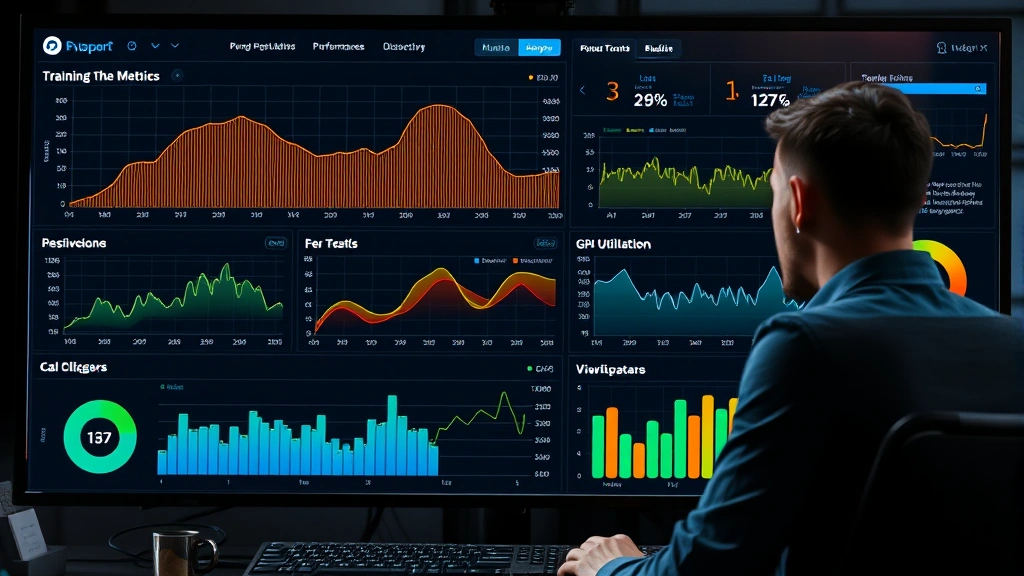
Training begins. Depending on your dataset size and hardware, this might take hours or days. Monitor GPU usage and loss curves. Decreasing loss indicates the model is learning.
If you’re working with chemistry or physics-related finetuning, understanding fundamentals like how to find limiting reactant or how to find neutrons helps you create domain-specific training examples. These computational concepts parallel the precision needed in model finetuning.
Optimizing Performance and Parameters
Finetuning isn’t set-and-forget. Fine-tuning your hyperparameters dramatically improves results. Here’s how to optimize:
Learning Rate: Start with 2e-4 for LoRA. If loss plateaus, try 5e-4. If loss becomes erratic, reduce to 1e-4. The right learning rate makes training smooth and stable.
Batch Size: Larger batches (8, 16) provide more stable gradients but require more memory. Smaller batches (2, 4) are more memory-efficient but noisier. Start at 4 and adjust based on your GPU.
Number of Epochs: More epochs mean more training. Start with 3 epochs. If validation performance plateaus before epoch 3, you’re done. If it’s still improving, try 4-5 epochs.
LoRA Rank (r): Higher ranks (16, 32) increase model capacity but computational cost. Lower ranks (4, 8) are more efficient. For most tasks, 8 is optimal.
Warmup Steps: Gradually increase learning rate at the start. This prevents training instability. Set to 10% of total training steps.
Use validation data to guide these decisions. If your model overfits (perfect training loss but poor validation loss), you’re training too long or the learning rate is too high. If underfitting (poor loss on both), increase training duration or learning rate.
Consider external resources like Hugging Face’s training documentation for deeper parameter exploration and advanced optimization techniques.
Evaluation and Testing
You’ve trained your model. Now comes the critical part: does it actually work?
Manual Testing: Ask your finetuned model questions relevant to your domain. Does it respond appropriately? Compare responses with the base model. Is the finetuned version better?
from peft import AutoPeftModelForCausalLM

model = AutoPeftModelForCausalLM.from_pretrained("./llama_finetuned")
inputs = tokenizer("Your test prompt here", return_tensors="pt").to("cuda")
outputs = model.generate(**inputs, max_length=200, temperature=0.7)
print(tokenizer.decode(outputs[0]))
Quantitative Metrics: For classification tasks, use accuracy, precision, and recall. For generation tasks, use BLEU scores or human evaluation. These numbers tell you if improvements are real or coincidental.
Benchmark Datasets: Test on standard benchmarks relevant to your domain. If you’re finetuning for legal documents, use legal benchmark datasets. This provides objective comparison.
A/B Testing: Deploy both your base model and finetuned version. Have users or automated systems compare outputs. Real-world performance matters more than metrics.
Avoid Common Pitfalls: Don’t evaluate on your training data—that’s not meaningful. Always use held-out test data. Don’t cherry-pick results; evaluate comprehensively. Don’t overtrain; watch for validation loss plateauing.
Check authoritative resources like Amazon Mechanical Turk for professional human evaluation services, or explore FastChat’s evaluation tools for automated benchmarking.
Deployment Considerations
Your finetuned model is ready. How do you deploy it?
Model Size: LLaMA 4 comes in different sizes (7B, 13B, 70B parameters). Larger models are more capable but slower and memory-hungry. Choose based on your latency requirements and available resources.
Quantization: Convert your model to lower precision (int8 or int4). This reduces file size by 75-90% with minimal quality loss. Essential for production deployment.
Serving Infrastructure: Use frameworks like vLLM or Text Generation WebUI for efficient serving. These handle batching, caching, and optimization automatically.
API Deployment: Wrap your model in an API (Flask, FastAPI) for easy integration. This separates your model from user-facing applications.
Cost Optimization: Running large language models costs money. Optimize by quantizing, using smaller model variants, batching requests, and caching responses. Every optimization compounds.
Safety Considerations: Your finetuned model inherits biases from training data. Implement content filtering and monitoring. Test for harmful outputs before production deployment.
Explore vLLM’s GitHub repository for production-grade serving solutions and scaling strategies.
Frequently Asked Questions
How long does finetuning LLaMA 4 take?
With LoRA on a modern GPU (RTX 3090 or better) and 5,000 training examples, expect 2-8 hours for 3 epochs. Full finetuning takes 24-72 hours. QLoRA is slightly slower but more memory-efficient.
Can I finetune LLaMA 4 without a GPU?
Technically yes, but it’s painfully slow. CPU training might take days for modest datasets. If you’re serious about finetuning, invest in GPU access. Cloud providers like Lambda Labs or Paperspace offer affordable hourly GPU rental.
How much training data do I need?
Quality over quantity. 1,000 high-quality examples often outperforms 100,000 mediocre ones. Start with 2,000-5,000 examples and evaluate. If performance plateaus, collect more data.
Will finetuning make my model worse?
Only if you train incorrectly. With proper learning rates and sufficient data diversity, finetuning improves performance on your target domain without harming general capabilities. If you notice degradation, you’re likely overfitting.
Can I combine multiple finetuned adapters?
Yes! LoRA adapters can be merged or run in sequence. You could have one adapter for medical terminology and another for formal tone. PEFT supports this advanced use case.
What’s the difference between finetuning and prompt engineering?
Prompt engineering is free and instant—craft the right prompt and get good results. Finetuning requires training time but produces permanent improvements. For production systems, finetuning is more robust. For experimentation, prompt engineering is faster.
Should I finetune or use a different model?
If you have domain-specific needs and training data, finetune LLaMA 4. If you need specialized capabilities that don’t exist in LLaMA (like vision), use a different model. LLaMA 4 is flexible enough for most language tasks.
How do I know if my finetuning worked?
Evaluate on held-out test data. Compare metrics (accuracy, BLEU scores) between base and finetuned models. Manual testing on representative examples is equally important. If test performance improves and training loss decreases, it worked.

Related Posts

How Long to Boil Lobster Tails: Cooking Guide

How Long to Fly from New York to London? Travel Times
