

How to Comment Anonymously in Facebook Groups
How to Comment Anonymously in Facebook Groups: A Complete Guide
Facebook Groups have become digital gathering spaces where people share everything from home renovation tips to lifestyle advice. But let’s be honest—sometimes you want to contribute to a conversation without broadcasting your identity to everyone in the group. Whether you’re asking a sensitive question, sharing an unpopular opinion, or simply prefer to maintain your privacy, commenting anonymously in Facebook Groups is a practical solution that more people should know about.
The challenge? Facebook doesn’t make anonymous commenting obvious or straightforward. The platform is built on the premise of real identity and transparency, which means you’ll need to get a bit creative to mask your presence. The good news is that it’s entirely possible, and we’re going to walk you through every method available to you.
This guide covers everything from creating a secondary Facebook profile to using privacy settings strategically. We’ll explore the legitimate ways to maintain anonymity while respecting Facebook’s community guidelines and group rules. By the end, you’ll know exactly how to participate in group discussions while keeping your identity under wraps.
Why Comment Anonymously in Facebook Groups?
Before diving into the how, let’s address the why. There are legitimate reasons someone might want to maintain anonymity in a Facebook Group. Perhaps you’re seeking advice on a deeply personal matter—health concerns, relationship struggles, or financial difficulties. Posting under your real name might feel exposing, especially if your Facebook friends include colleagues, family members, or acquaintances who aren’t aware of your situation.
Professional concerns also come into play. If you work in a specific industry and want to ask questions or share perspectives that might be misunderstood by your employer or professional network, anonymity offers protection. Some groups discuss controversial topics where having your name attached could affect your reputation or employment.
There’s also the simple matter of preference. Some people just prefer a separation between their public Facebook identity and their group participation. It’s not about hiding anything nefarious—it’s about maintaining boundaries and controlling what different circles of your life know about you.
Method 1: Create a Secondary Facebook Profile
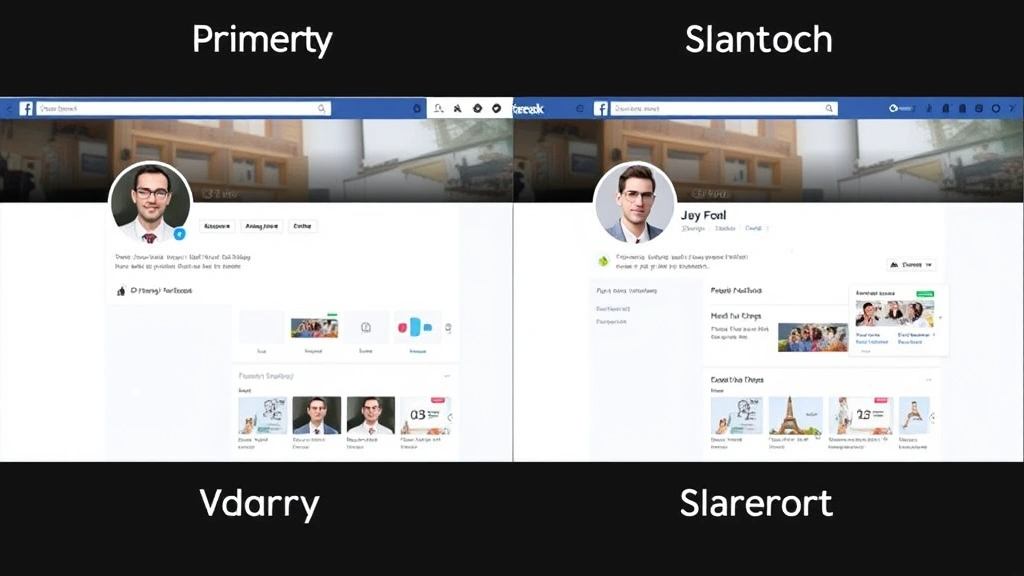
The most straightforward approach to commenting anonymously in Facebook Groups is creating a secondary Facebook profile with a pseudonym. This method gives you complete control over what information is visible and what you choose to share.
Step 1: Set Up Your Secondary Profile
Start by logging out of your primary Facebook account or opening a new browser window in incognito mode. Go to Facebook.com and click “Create New Facebook Account.” You’ll need to provide basic information, but here’s where you maintain anonymity: use a fictional name rather than your real one. Choose something generic—avoid using your actual name, nickname, or anything that could be traced back to you.
For the email address, create a new one specifically for this account. Don’t use your primary email. Services like Gmail allow you to create multiple accounts quickly and easily. This separation ensures that if someone tries to track the email, it won’t lead back to your primary identity.
Step 2: Minimize Profile Information
Once your account is created, resist the urge to fill out every detail. Don’t add a profile picture that’s recognizable—you can use a generic image, an illustration, or leave it blank. Skip adding your birthday, workplace, education history, and hometown. The fewer identifying details available, the more anonymous you remain.
Keep your “About” section minimal or leave it empty. Don’t connect this account to your phone number or any personal contact information. The goal is to create a profile that exists primarily to participate in groups without revealing who you are.
Step 3: Join Your Target Groups
Search for the Facebook Groups you want to participate in and request to join using your secondary profile. Group administrators will see your pseudonym, not your real identity. Once approved, you can comment freely without your primary profile being associated with your activity.
Important Consideration: Facebook’s terms of service technically prohibit creating multiple accounts for the purpose of circumventing restrictions or engaging in deceptive practices. However, having a secondary account for privacy purposes is generally acceptable as long as you’re not using it to violate community guidelines or group rules. Always check your target group’s specific policies about multiple accounts.
Method 2: Use Privacy Settings Strategically
If creating a secondary account feels like overkill, you can maximize your existing profile’s privacy settings to limit visibility of your group activity. This method doesn’t make you completely anonymous within the group, but it significantly reduces who can see your participation outside of it.
Controlling Who Sees Your Posts
When you comment in a Facebook Group, that comment is visible to all group members by default. However, you can control whether non-group members see your activity. Go to your privacy settings and adjust who can see your posts. Set it to “Friends Only” or “Only Me” if you want to prevent people outside the group from seeing your comments.
Additionally, you can control who sees your profile by adjusting your overall privacy settings. Limit your profile visibility to friends only, which means group members who aren’t your friends will see a restricted version of your profile when they click on your name.
Disabling Activity Status
Turn off your “Active Status” so people can’t see when you’re online. This prevents group members from noticing your activity patterns or reaching out to you directly via Messenger when you’re active. Go to Settings & Privacy, then Settings, then find “Active Status” and toggle it off.
Limiting Tag Visibility
Adjust your tag settings so you can review tags before they appear on your profile. This prevents other group members from tagging you in posts or comments, which could expose your participation to your broader network.
Method 3: Leverage Facebook Pages for Indirect Participation
Here’s a creative workaround: some people create a Facebook Page rather than a profile for anonymous participation. While pages operate differently than profiles, they can be used to engage with group content in specific ways. When you comment as a page, your page name appears instead of your personal name. If you’ve created a Facebook Business Page with a generic name, comments will display under that page’s name rather than your personal identity.
However, this method has limitations. Some groups restrict who can comment or require personal profiles for participation. Additionally, it’s obvious you’re using a page rather than a profile, which might draw questions from group members or administrators.
The advantage is that if you have a legitimate reason to maintain a business or hobby page, you’re already set up for this type of participation. Just ensure your page name is generic enough that it doesn’t reveal your identity.
Best Practices for Anonymous Group Participation
Maintain Consistent Behavior Across Accounts
If you’re using a secondary profile, develop a consistent voice and persona. Don’t suddenly switch writing styles or knowledge areas between your primary and secondary accounts. Group members who know you might recognize patterns in how you communicate. Consistency in your anonymous account makes it feel more authentic and less suspicious.
Respect Group Rules and Community Guidelines
Anonymity doesn’t give you permission to violate group rules or Facebook’s community standards. In fact, maintaining anonymity while breaking rules is particularly problematic because it allows you to cause disruption without accountability. Use your anonymity responsibly—participate genuinely and respectfully.
Don’t Use Anonymity to Harass or Deceive
This should be obvious, but it bears stating: don’t use anonymous accounts to harass, catfish, or deceive other group members. If you’re asking for advice or sharing perspectives, do so honestly. Anonymity is about privacy, not about being dishonest or harmful.
Be Cautious About Sharing Identifying Information
Even with an anonymous account, be mindful of what you share in comments. Specific details about your life, location, workplace, or circumstances could allow someone to identify you. If you’re sharing something sensitive, generalize details where possible without losing the substance of your question or comment.
Understand That Complete Anonymity Is Difficult
Facebook collects metadata about accounts—IP addresses, device information, and usage patterns. While other group members won’t see this information, Facebook itself tracks it. If you’re concerned about Facebook knowing your secondary account is connected to your primary one, understand that this is a technical limitation you can’t entirely overcome.
However, for the purposes of remaining anonymous to other group members, the methods outlined here are effective. Group members won’t be able to connect your secondary account to your primary identity unless you give them information that allows them to do so.
Risks and Ethical Considerations
Potential Consequences of Violating Facebook’s Terms
Creating multiple accounts technically violates Facebook’s terms of service if done for deceptive purposes. While having a secondary account for privacy isn’t inherently deceptive, Facebook could theoretically disable it if they determine it’s being used inappropriately. The risk is low for legitimate use, but it exists.
Group Administrator Oversight
Group administrators have tools to manage who participates in their communities. Some groups have strict policies about anonymous or pseudonymous participation. If you join a group with a secondary account and the administrator discovers it’s a fake profile, you could be removed from the group or even banned.
Limited Accountability
Anonymity creates a distance between you and the consequences of your words. Without your real identity attached, it’s easier to be careless or harsh in your comments. This doesn’t just affect others—it reflects on you. Make sure your anonymous participation is something you’d be comfortable with if your identity were revealed.
Privacy vs. Transparency
Consider the broader implications of anonymous participation. While you have the right to privacy, groups function best when members take some responsibility for their contributions. If everyone in a group was anonymous, it might become harder to build trust and genuine community. Use your anonymity thoughtfully rather than defaulting to it.
Digital Hygiene Matters
When managing multiple accounts, security becomes more important. Use unique, strong passwords for each account. Enable two-factor authentication if possible. Keep your secondary account’s email secure. The more accounts you manage, the more potential entry points exist for hackers or bad actors.
Frequently Asked Questions
Can Facebook detect if I’m using a secondary account?
Facebook has sophisticated tools to detect accounts that may violate their policies, but they primarily look for patterns that suggest deceptive behavior—like using multiple accounts to artificially amplify posts or evade bans. A legitimate secondary account used responsibly is unlikely to trigger detection. However, Facebook does track IP addresses and device information, so they technically know the accounts are connected. Other group members, though, won’t have access to this information.
Is it illegal to comment anonymously in Facebook Groups?
No, commenting anonymously isn’t illegal. You have the right to privacy in most jurisdictions. Facebook’s terms of service are a civil matter between you and the platform, not a legal issue. That said, if you use anonymity to harass, defame, or defraud others, you could face legal consequences. Anonymity doesn’t protect you from laws against harassment, fraud, or other illegal activities.
Will group members be able to see my real profile if I use a secondary account?
No, unless you accidentally provide information that connects the two accounts or your secondary profile has identifying information that matches your primary one. Group members will only see what’s visible on your secondary profile. If you keep that profile separate and generic, your real identity remains hidden.
Can I use my secondary account for other purposes besides group participation?
Yes, you can use a secondary account for anything you’d use a primary account for—following pages, joining groups, sharing content. The key is maintaining separation between your accounts. Don’t friend yourself, don’t follow the same pages obsessively, and don’t create obvious connections that would reveal the accounts belong to the same person.
What if a group administrator asks about my secondary account?
Be honest. If an administrator questions your secondary account, explain that you prefer to maintain privacy for certain discussions. Most reasonable administrators will understand. If they have a policy against secondary accounts, respect it and choose whether to participate under your primary account or leave the group.
Are there groups that specifically allow or encourage anonymous participation?
Some groups do allow members to participate under pseudonyms, though truly anonymous accounts (not tied to any identity) are rare on Facebook. Check your target group’s rules before joining. If anonymity is important to you, look for groups that explicitly welcome it or don’t require personal information.
How do I make sure my secondary account doesn’t accidentally get linked to my primary one?
Use different email addresses, create accounts from different devices or networks if possible, avoid using the same password patterns, don’t add the same friends, and don’t interact between accounts. Be especially careful not to accidentally log into both accounts on the same device in ways that create cookies or tracking data linking them.
If I comment anonymously, can group members trace me through my writing style?
It’s theoretically possible for someone to identify you based on distinctive writing patterns, especially if they know you well. If you’re concerned about this, try to vary your writing style slightly in your anonymous account compared to how you write in your primary account. Avoid using unique phrases, jokes, or reference patterns that are distinctly yours.
Should I use a VPN to hide my IP address when accessing my secondary account?
Using a VPN adds an extra layer of privacy protection, but it’s not necessary for most purposes. If you’re simply maintaining a secondary profile for privacy in group discussions, a VPN is overkill. However, if you’re concerned about Facebook tracking your accounts or you want maximum privacy protection, a reputable VPN service adds another barrier between your activity and identification.

Related Posts

How Long to Boil Lobster Tails: Cooking Guide

How Long to Fly from New York to London? Travel Times
