
How to Cancel a DoorDash Order: Step-by-Step Guide
How to Cancel a DoorDash Order: Step-by-Step Guide
We’ve all been there—you’ve placed a DoorDash order, hit submit, and immediately realized you made a mistake. Maybe you ordered from the wrong restaurant, changed your mind about what you wanted, or simply forgot you had leftovers in the fridge. The good news? Canceling a DoorDash order is straightforward, but timing is everything. The sooner you act, the better your chances of getting a full refund without any hassle.
Unlike some services where cancellations feel like navigating a bureaucratic maze, DoorDash keeps things relatively simple. However, there are critical windows of time and specific circumstances that determine whether you’ll get your money back or end up eating the cost. This guide walks you through every scenario, from canceling before the restaurant accepts your order to handling refunds when things go sideways.
Whether you’re a frequent DoorDash user or someone who orders occasionally, understanding the cancellation process can save you money and frustration. Let’s dive into the details.
Cancel Before the Restaurant Accepts Your Order
The absolute best time to cancel a DoorDash order is immediately after placing it, before the restaurant even sees it. This is when you have maximum flexibility and the highest likelihood of receiving a full refund. The process is dead simple.
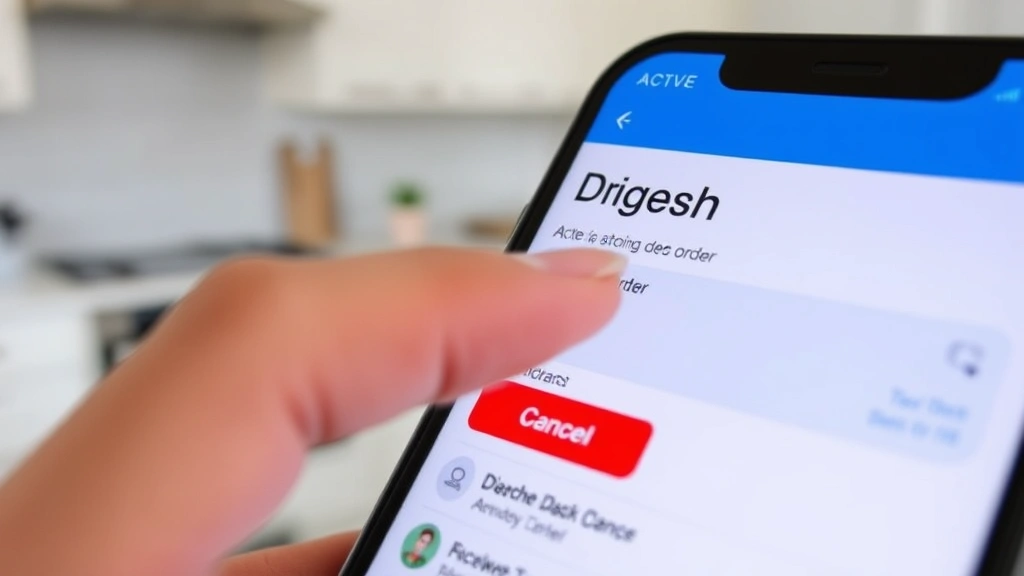
Open the DoorDash app on your phone and navigate to your active orders. You’ll see your current order displayed prominently at the top. Look for a button or link that says “Cancel Order”—it’s usually in red or clearly visible near the order details. Tap it, and DoorDash will ask you to confirm your cancellation and provide a reason (optional, but helpful for their records).
Once confirmed, the cancellation processes almost instantly. You’ll receive a notification confirming that your order has been canceled, and if you paid with a credit or debit card, the refund typically appears in your account within 3-5 business days. If you used DoorDash credits or a promotional code, those credits return to your account immediately.
The key here is speed. Most restaurants have a grace period of a few minutes after an order comes through before they start preparing it. If you cancel within this window—typically 2-5 minutes depending on the restaurant—you’re golden. But hesitate too long, and you might miss this opportunity.
Cancel After the Restaurant Accepts Your Order
Once the restaurant has accepted your order, the cancellation process becomes more complicated. At this point, they’ve likely already started preparing your food, and DoorDash’s policy becomes stricter about refunds.
You can still attempt to cancel through the app by following the same steps as before, but here’s what happens behind the scenes: DoorDash will try to contact the restaurant to stop preparation. If they succeed, you might still get a full refund or a partial refund depending on how much work the restaurant has already completed. If they can’t reach the restaurant in time or the food is already prepared, you’ll likely be out of luck regarding a refund.
When you request a cancellation after the restaurant has accepted the order, DoorDash shows you a message explaining that you may not receive a refund. They give you the option to proceed anyway. If you do, the cancellation gets sent to the restaurant, but there’s no guarantee they’ll honor it. Some restaurants are more flexible than others, and their response time varies.
The best approach here is to act immediately. Every second counts. If you realize your mistake within 30 seconds of the restaurant accepting your order, you have a reasonable shot at a full cancellation. After a minute or two, your chances diminish significantly.
What to Do When a Dasher Is Already Assigned
Once a Dasher has been assigned to your order and they’re on their way to pick it up, canceling becomes even trickier. At this point, the restaurant has definitely prepared your food, and a driver is actively working on your delivery.
You can still attempt to cancel through the app, but DoorDash will clearly warn you that you may not receive a refund. If the Dasher hasn’t picked up your order yet from the restaurant, there’s a small chance you might get a partial refund or credit. Once they’ve picked it up, your options are extremely limited.
Your best bet at this stage is to contact the Dasher directly through the in-app messaging feature. Explain your situation honestly—maybe you have a dietary restriction you forgot to mention, or you ordered duplicate items by accident. Some Dashers are sympathetic and might be willing to cancel the delivery before they arrive at your location, though they’re under no obligation to do so.
If the Dasher has already picked up your food and is en route, canceling becomes virtually impossible without losing your money. At this point, you might consider accepting the delivery and either eating the food, giving it away, or donating it.
Understanding the Refund Process
DoorDash’s refund timeline depends on several factors, including when you canceled and how you paid. Let’s break down the specifics.
Credit or Debit Card Payments: Refunds typically appear in your account within 3-5 business days. However, your bank might take an additional 1-2 business days to process the credit, depending on their internal procedures. So while DoorDash initiates the refund quickly, the actual money in your account might take up to a week.
DoorDash Credits: If you used DoorDash credits to pay for your order, the credit returns to your account immediately upon cancellation. You’ll see it available in your wallet right away.
Promotional Codes: Promo codes and discount codes typically return to your account if you cancel before the restaurant accepts your order. If the restaurant has already started preparing your food, the promo code might be forfeited. Check your order confirmation email or app notifications for specific terms related to your promotion.
If your refund doesn’t appear after the stated timeframe, you can contact DoorDash support through the app. Go to your account, select “Help,” and then “Contact Support.” Describe your situation, include your order number, and provide screenshots if possible. DoorDash’s support team typically responds within 24-48 hours.
Special Circumstances and Edge Cases
Some situations don’t fit neatly into the standard cancellation framework. Here are a few scenarios you might encounter:
Restaurant Closed or Unavailable: Occasionally, you’ll place an order only to discover the restaurant is closed or temporarily unavailable. DoorDash should automatically cancel such orders and issue a full refund. If this doesn’t happen automatically, contact support immediately.
Order Never Picked Up: In rare cases, a Dasher accepts an order but never picks it up from the restaurant. After waiting an extended period (usually 30+ minutes past the estimated pickup time), DoorDash typically cancels the order automatically and refunds you. If this doesn’t happen, reach out to support.
Dasher Cancels on You: Sometimes a Dasher accepts your order but then cancels before picking it up. When this happens, DoorDash automatically refunds your order in full and reassigns it to another driver (unless you cancel it yourself). You won’t lose money in this scenario.
Food Quality Issues: If you accept delivery but the food arrives cold, incomplete, or damaged, this is different from a cancellation. You can report the issue through the app and request a refund or credit. DoorDash evaluates these claims and typically grants credits for legitimate complaints.
Understanding how to cancel DashPass is also useful if you want to stop your subscription service entirely, which is a different process from canceling individual orders.
DashPass and Cancellation Fees
DashPass is DoorDash’s subscription service that offers free delivery on eligible orders over a certain amount (usually $12). Here’s how it affects order cancellations:
If you have an active DashPass subscription and you cancel an order, the subscription itself isn’t affected. You’ll still have DashPass active, and you can continue ordering with free delivery on other purchases. However, if you’re considering whether to keep DashPass based on this single cancellation, that’s a separate decision. For guidance on that front, learn how to cancel DashPass if you decide the subscription isn’t worth it for you.
DoorDash doesn’t typically charge cancellation fees for individual orders if you cancel before the restaurant accepts them. However, if you cancel after acceptance or after a Dasher has been assigned, DoorDash reserves the right to charge a cancellation fee to cover restaurant losses and driver compensation. This fee is usually around $5, but it can vary.
The cancellation fee is more likely to be applied if you have a pattern of frequent cancellations. DoorDash monitors this behavior, and repeat offenders might face increased fees or temporary account restrictions.
Frequently Asked Questions
Can I cancel a DoorDash order after the Dasher has picked it up?
Technically yes, you can attempt to cancel, but you’ll almost certainly lose your money. Once a Dasher has picked up your order, DoorDash considers the transaction essentially complete. Your only recourse at this point is to contact the Dasher directly and ask them to cancel the delivery before arriving at your location, but they have no obligation to do so. If they deliver the food anyway, you’ll need to refuse the delivery or accept it and request a refund through customer support (which is rarely granted in this scenario).
How long do I have to cancel a DoorDash order?
You have the longest window to cancel before the restaurant accepts your order—typically a few minutes. After that, your window shrinks significantly. Once a Dasher is assigned, you have very little time before they pick up the food. The exact timeframe varies depending on the restaurant, the Dasher’s location, and traffic conditions. The golden rule: cancel as soon as you realize your mistake.
Will I get a full refund if I cancel after the restaurant accepts my order?
Maybe. It depends on how far along the restaurant is with food preparation. If you cancel within a minute or two of acceptance, you might get a full refund. If more time has passed, you might receive a partial refund or no refund at all. DoorDash evaluates each situation individually, and the restaurant has some say in whether they’ll halt preparation.
What if I cancel but the Dasher still delivers my food?
This is frustrating but can happen. If a Dasher delivers food after you’ve canceled, you have a few options: refuse the delivery (the Dasher will take the food back), accept it and request a refund through the app, or contact DoorDash support to dispute the charge. Document everything with screenshots and timestamps. DoorDash’s support team will investigate and likely issue a refund if you can prove you canceled.
Can I cancel a DoorDash order through customer support?
Yes, you can contact DoorDash support to request a cancellation, but it’s slower than canceling through the app. If you’re trying to cancel an active order, using the app is always faster. Customer support is better suited for handling refund disputes or special circumstances where the app cancellation button isn’t working properly.
Do cancellation fees apply to DashPass members?
Not specifically. DashPass membership doesn’t exempt you from cancellation fees, but it also doesn’t increase the likelihood of facing them. Cancellation fees are applied based on when you cancel and DoorDash’s assessment of losses, not on your subscription status.
How is canceling a DoorDash order different from canceling other services?
Similar to how you might need to archive an Amazon order for record-keeping or retract an email in Outlook if you send something by mistake, DoorDash cancellations require quick action. The main difference is that with DoorDash, the time window is extremely tight because you’re dealing with perishable food and a real person (the Dasher) already en route. Amazon orders can usually be canceled up until they ship, and emails can be retracted within a few seconds, but DoorDash operates on a much tighter timeline.
What if I want to cancel my entire DoorDash account?
That’s different from canceling individual orders. If you want to close your account entirely, you’ll need to contact DoorDash support. However, if you’re primarily concerned about canceling your DashPass subscription, you can do that directly through the app settings without closing your account. Learn more about how to cancel DashPass for specific steps.
Can I get a refund if the food arrives late?
Yes, but it’s not the same as a cancellation. If your order arrives significantly later than the estimated delivery time, you can report the issue through the app and request a credit or refund. DoorDash evaluates these claims and typically grants credits for delays exceeding 15-20 minutes past the estimate, depending on circumstances.
What happens to my DoorDash credits if I cancel my order?
If you used DoorDash credits to pay for your order and you cancel before the restaurant accepts it, the credits return to your account immediately. If you cancel after the restaurant accepts it, you might not get the credits back, depending on DoorDash’s assessment of the situation. Check your account after cancellation to confirm.
The bottom line on canceling DoorDash orders: speed is your greatest ally. The moment you realize you’ve made a mistake, open the app and cancel. The earlier you act, the better your chances of getting a full refund without complications. While DoorDash’s cancellation policies aren’t as forgiving as some other services, they’re still reasonable if you understand the timing windows and act decisively. And if you ever need to reconsider your overall relationship with the service, you can always cancel your DashPass subscription or explore other options.

Related Posts

How Long to Boil Lobster Tails: Cooking Guide

How Long to Fly from New York to London? Travel Times
