
Block Your Phone Number: Expert Tips Inside
Block Your Phone Number: Expert Tips Inside
Privacy is increasingly important in today’s connected world, and controlling who sees your phone number is a fundamental part of protecting yourself. Whether you’re concerned about unwanted calls, protecting your personal information, or simply prefer to keep your number private during certain communications, learning how to block your phone number is an essential skill. This comprehensive guide walks you through multiple methods to hide your caller ID across different devices and situations.
Blocking your phone number prevents recipients from seeing your number on their caller ID display. This feature, sometimes called caller ID blocking or anonymous calling, works differently depending on your phone type, service provider, and location. Understanding your options empowers you to make informed decisions about your privacy and communication preferences.

Understanding Caller ID Blocking
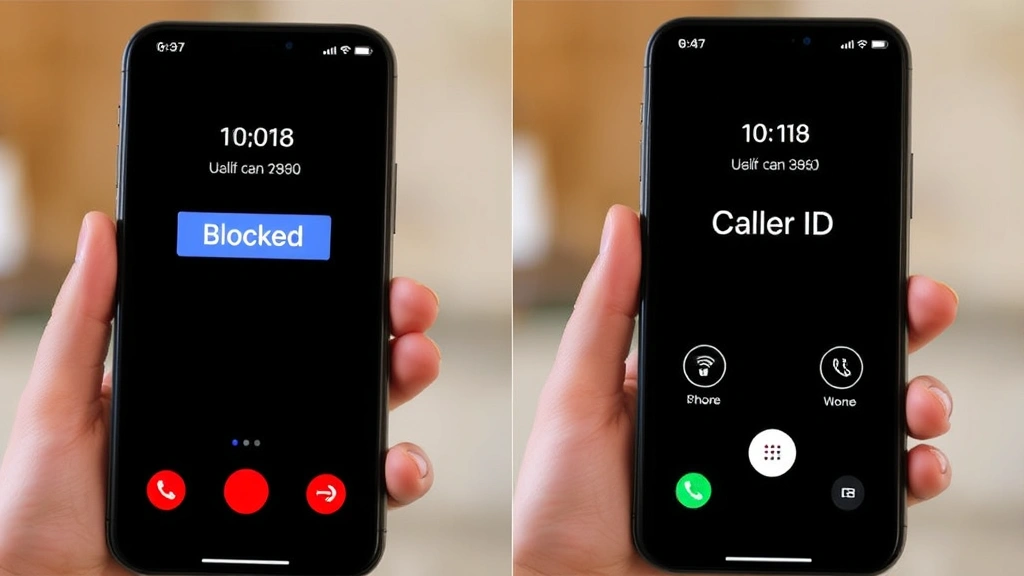
Caller ID blocking is a telecommunications feature that prevents your phone number from appearing on the recipient’s caller ID display. When you activate this feature, the person you’re calling sees “Blocked,” “Private,” “Unknown,” or “Restricted” instead of your actual number. This technology has been available for decades and remains one of the most straightforward privacy tools available to phone users.
There are two primary types of caller ID blocking: per-call blocking and permanent blocking. Per-call blocking allows you to hide your number for individual calls without affecting your default settings. Permanent blocking hides your number on every outgoing call unless you specifically disable it for certain calls. Most phone carriers and devices support both options, giving you flexibility based on your needs.
It’s important to understand that blocking your caller ID doesn’t prevent the call from reaching the recipient—it simply hides the identifying information. Emergency services may still be able to trace your location, and some recipients may have settings that reject calls from blocked numbers. Additionally, some businesses and government agencies require caller ID to be visible, so your call may not connect in those cases.
Blocking Your Number on iPhone
iPhone users have multiple options for blocking their phone number, ranging from simple per-call methods to permanent settings. The process varies slightly depending on your iOS version, but the fundamental steps remain consistent across most recent iPhone models.
Per-Call Blocking on iPhone: The easiest method to hide your number for a single call is using the per-call blocking feature. Open the Phone app and navigate to the Keypad tab. Dial #31# followed by the phone number you want to call. For example, if you’re calling 555-123-4567, you would dial #31#5551234567. Press the call button, and your number will be blocked for that specific call. This method works with most carriers and doesn’t require any setup.
Permanent Caller ID Blocking: To hide your number on all outgoing calls, access your iPhone’s Settings app. Navigate to Phone, then scroll down to find the “Show My Caller ID” option. Tap this setting and toggle it off. Your caller ID will now be hidden on all outgoing calls. If you later want to show your number again, simply return to this setting and toggle it back on.
Some carriers may require you to contact them directly to enable permanent caller ID blocking, as certain service plans have restrictions. If you don’t see the “Show My Caller ID” option in your settings, contact your carrier’s customer service for assistance. They can activate this feature on your account, which may take 24-48 hours to take effect.
Blocking Your Number on Android
Android devices offer comparable caller ID blocking features, though the exact steps depend on your device manufacturer and Android version. Most Android phones provide intuitive options through the Phone app settings.
Per-Call Blocking on Android: Similar to iPhone, you can block your number for individual calls by dialing a code. Open your Phone app’s Keypad and enter #31# before the phone number you’re calling. For instance, to call 555-987-6543 anonymously, dial #31#5559876543. Press the call button to complete the call with your number hidden. This method works universally across most Android carriers and devices.
Permanent Caller ID Blocking: The process for setting permanent caller ID blocking on Android varies by manufacturer. For most Android phones, open the Phone app and access Settings or Preferences. Look for options labeled “Caller ID,” “Show My Number,” or “Anonymous Call Rejection.” Select the option to hide or block your caller ID. Some devices may have this setting under Call Settings or Additional Settings.
If you use Google’s Pixel phone, access Settings, navigate to Apps and Notifications, select Phone, then go to Advanced or Call Settings. Find the option for caller ID and select “Hide” or “Block.” For Samsung devices, open the Phone app, tap the three-line menu icon, select Settings, then Call Settings, and look for Caller ID options.
Contacting Your Carrier: If you cannot find these settings on your Android device, your carrier may restrict caller ID blocking to account-level settings. Contact your carrier’s customer service, and they can enable permanent caller ID blocking on your phone line. This typically takes effect within 24 hours.
Using Carrier Services
Your mobile carrier offers official caller ID blocking services that work across all devices on your account. These carrier-level services often provide more reliable and consistent blocking than device-specific settings.
Major Carrier Options: Verizon offers the “Anonymous Call Rejection” service, which blocks calls from people using caller ID blocking—though you can also use their service to block your own number. AT&T provides “Caller ID Blocking” as a feature available through My AT&T app or by contacting customer service. T-Mobile offers “Caller ID Blocking” through their customer portal or by calling 611 from your T-Mobile phone. You can learn more about your specific carrier’s offerings by visiting their official website or calling their customer service line.
Activating Through Your Carrier: To enable permanent caller ID blocking through your carrier, call their customer service number (typically found on your monthly bill or their website). Provide your account information and request to activate caller ID blocking. Some carriers may charge a small monthly fee (typically $1-3), while others include it as a complimentary feature. Ask your carrier about any associated costs before activation.
Carrier-Specific Codes: Many carriers allow you to activate temporary caller ID blocking through phone codes. Dialing *67 before a phone number blocks your caller ID for that single call on most North American carriers. This is often the quickest method for per-call blocking and requires no prior setup or account changes.
Landline and VoIP Solutions
If you use a traditional landline or Voice over Internet Protocol (VoIP) service, blocking your phone number requires different approaches than mobile phones.
Landline Blocking: Traditional landline users can typically activate caller ID blocking by contacting their telephone provider directly. Call the customer service number on your phone bill and request to enable caller ID blocking. Most providers offer this as a free or low-cost feature. You can also use the #31# code before dialing to block your number for individual calls, just as you would with a mobile phone.
VoIP Services: If you use services like VoIP.com or similar providers, access your account settings through their online portal. Look for caller ID or privacy settings within your account dashboard. Most VoIP providers allow you to enable caller ID blocking directly through your account settings without contacting customer service. Some VoIP services even allow you to choose what number displays as your caller ID, providing additional privacy options.
For business VoIP systems and tech-focused solutions, your system administrator may need to configure caller ID blocking settings. Contact your IT department or VoIP provider’s technical support for assistance with business lines.
Legal Considerations
While blocking your phone number is legal in most circumstances, certain restrictions apply depending on your location and the nature of your calls.
Personal Calls: Blocking your caller ID for personal calls is legal throughout the United States and most countries. You have the right to privacy in your personal communications, and carriers are required to support this feature upon request.
Business and Emergency Calls: Some regulations restrict caller ID blocking for business purposes. If you operate a business, check your local regulations regarding caller ID requirements. Emergency services and government agencies may require visible caller ID for compliance with telecommunications laws. Certain industries, such as debt collection or telemarketing, face strict regulations about caller ID requirements.
Potential Call Rejection: Be aware that some recipients have settings that automatically reject calls from blocked numbers. Government offices, financial institutions, and healthcare providers may decline calls without visible caller ID. If your call is important and requires a response, the recipient may not accept it if your number is blocked.
Documentation and Records: Telephone carriers maintain records of all calls, including those made with blocked caller ID. If legal disputes arise, law enforcement can subpoena these records to identify the caller. Blocking your number provides privacy from casual observation but not from legal investigation.
Troubleshooting Common Issues
Even with proper setup, you may encounter issues when blocking your phone number. Understanding common problems helps you resolve them quickly.
Number Still Showing: If your number appears despite blocking settings, verify that caller ID blocking is enabled in your phone settings and through your carrier. Some carriers require 24-48 hours for changes to take effect. If the problem persists, contact your carrier to confirm the feature is activated on your account. Restart your phone after enabling the feature, as this often resolves synchronization issues.
Calls Being Rejected: If recipients consistently don’t answer or your calls go to voicemail, they may have settings that reject blocked calls. Try making a test call to a friend and ask if they see your caller ID. If they confirm it’s blocked, the issue is on the recipient’s end, and you may need to call from an unblocked line if the communication is urgent.
Per-Call Code Not Working: If dialing #31# doesn’t block your number, your carrier may not support this feature. Try using *67 instead, which works with most North American carriers. If neither code works, contact your carrier to confirm they support per-call caller ID blocking.
Settings Disappearing: After a software update, your caller ID blocking settings may reset to default. Check your settings after any iOS or Android update to ensure your preferences are still enabled. Reapply the settings if necessary.
International Calling Issues: Caller ID blocking may not work when calling internationally, as different countries use different telecommunications standards. When calling outside your country, your number may display regardless of your blocking settings. Contact your carrier for information about international calling privacy options.
For additional help with phone and communication issues, explore resources like technical support communities or your carrier’s official help center. If you’re interested in learning more about protecting your digital privacy in general, check out the FixWiseHub Blog for additional how-to guides.
FAQ
Is blocking my phone number illegal?
No, blocking your phone number for personal calls is legal in the United States and most countries. You have the right to privacy in personal communications. However, certain business and professional contexts may have regulations requiring visible caller ID. Check local regulations if you’re using blocking for business purposes.
Will blocking my number prevent emergency services from reaching me?
No. Blocking your caller ID only affects outgoing calls you make. Emergency services can still reach you on incoming calls normally. Additionally, if you call 911, emergency services can trace your location regardless of caller ID blocking.
Can I block my number on international calls?
Caller ID blocking may not work consistently on international calls due to different telecommunications standards in various countries. Your number may display despite blocking settings. Contact your carrier for information about international calling privacy options.
Why would a business reject my call if my number is blocked?
Many businesses, government offices, and healthcare providers have settings that reject or send to voicemail calls from blocked numbers as a security measure. If you need to reach a business, unblock your number or call from an unblocked line.
How long does it take for permanent caller ID blocking to activate?
Carrier-level caller ID blocking typically takes effect within 24-48 hours after activation. Device-level settings usually activate immediately. If changes haven’t taken effect after 48 hours, contact your carrier to confirm the feature is properly enabled on your account.
Can I block my number for some calls but not others?
Yes. You can use per-call blocking codes like #31# or *67 to block your number for individual calls while keeping your default settings unchanged. This allows you to choose which calls display your number and which don’t.
What’s the difference between #31# and *67?
#31# is the international standard code for per-call caller ID blocking and works with most carriers worldwide. *67 is primarily used in North America. Both achieve the same result—blocking your number for a single call. Try #31# first, and if it doesn’t work, use *67.

Related Posts

Superscript in Google Docs: Expert Tips

Strikethrough in Excel: Easy Steps for Beginners
