

Did They Block You on Facebook? Signs to Check
Did They Block You on Facebook? Signs to Check
Facebook blocking can feel like social media rejection, leaving you wondering if someone intentionally cut off communication or if it’s just a misunderstanding. Whether you suspect a friend, family member, or acquaintance has blocked you, there are several practical methods to confirm your suspicions. Understanding how to know if someone facebook blocked you involves checking specific profile indicators, search functions, and messenger activity that Facebook leaves as digital breadcrumbs.
The uncertainty of being blocked can be frustrating and emotionally draining. Unlike some social media platforms that notify you directly, Facebook keeps blocking relatively quiet. However, the platform does leave telltale signs if you know where to look. This comprehensive guide walks you through every method to determine if you’ve been blocked, from the most obvious indicators to subtle clues that require closer investigation.

Search for Their Profile Directly
The most straightforward way to begin investigating is by searching for the person’s name in Facebook’s search bar. If you can’t find their profile at all, this could indicate blocking, but it might also mean they’ve deactivated their account, changed their privacy settings, or changed their name. When you search and the person appears in results, click on their profile. If you’re blocked, you’ll see a message stating that the content isn’t available or that the page doesn’t exist.
Pay attention to what Facebook displays. Sometimes you’ll see a generic error message, while other times the search results simply won’t include the person’s profile. This first test is crucial because it eliminates one possibility immediately. If you can find their profile and access it normally, you’re likely not blocked—though other explanations could still apply to why you haven’t seen their activity.
Try searching for variations of their name. People sometimes use nicknames, middle names, or different spelling variations on Facebook. If you find a profile that might be theirs but you’re uncertain, compare the profile picture and mutual friends to confirm it’s the right person before concluding anything.
Check Your Friends List
Navigate to your own friends list and search for the person’s name within it. If they were previously your friend and you can no longer find them, they’ve either unfriended you or blocked you. Unfortunately, Facebook doesn’t distinguish between these two actions in your friends list. The person will simply be absent. However, this is an important clue when combined with other indicators.
To access your friends list, click on your profile picture, select “Friends,” and use the search function to look for the specific person. If you remember approximately when you were friends with them, try scrolling through your friends list chronologically to see if you can spot them. This manual method takes longer but sometimes triggers your memory about the friendship status.
If you had mutual friends with this person, ask yourself: have you seen any recent posts from them in your feed? Have they commented on mutual friends’ posts? These activities would still be visible to you if you were unfriended but not blocked. This distinction helps narrow down which action the person took.
Look for Their Posts in Your Feed
Scroll through your Facebook feed and search for recent posts from this person. If they were active on Facebook but you haven’t seen their posts in a while, this could suggest blocking. When someone blocks you, their posts won’t appear in your feed, and you won’t see their comments on mutual friends’ posts or their reactions to shared content.
However, this method has limitations. Facebook’s algorithm determines what appears in your feed based on engagement and relevance. Just because you haven’t seen someone’s posts doesn’t automatically mean you’re blocked—they might simply be less active, or Facebook’s algorithm might not be showing their content to you. For a more reliable test, look for posts from mutual friends and check if this person has commented on them. If mutual friends are active but this person’s comments are absent from their posts, blocking becomes more likely.
Try searching for the person’s name directly in the search bar and filtering results to show only their posts. If nothing appears, or if you see an error message, this strengthens the possibility that you’re blocked. When combined with other signs, this becomes stronger evidence.
Visit Their Profile Through Messenger
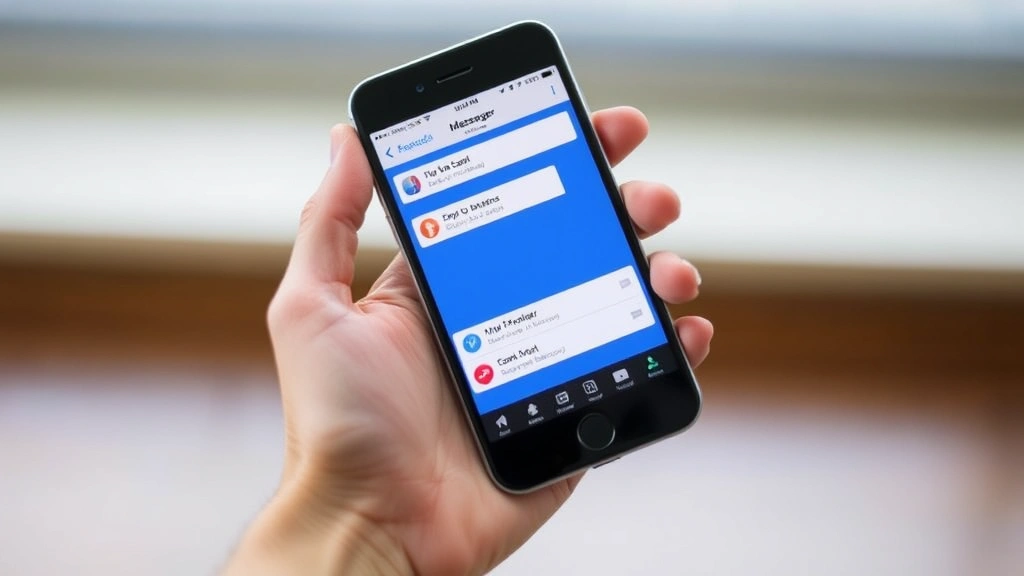
Open Facebook Messenger and look for your conversation history with this person. If you had previous conversations, click on their name or profile picture to visit their profile through Messenger. Sometimes you can access someone’s profile through Messenger even if you can’t find them through the main Facebook search. This is because Messenger maintains conversation threads separately.
When you click on their profile from Messenger, observe what information loads. If you see their profile picture, name, and some basic information, you might not be blocked. However, if the profile appears blank or shows limited information, blocking is a strong possibility. Some users also report seeing a message that says “This person isn’t available” or similar language when they’re blocked.
If your conversation thread with them still exists in Messenger but appears grayed out or shows limited functionality, this is another sign of blocking. You may see that you can’t send new messages or that previous messages are inaccessible. These are important clues that, combined with other tests, help confirm blocking.
Examine Your Conversation History
Look at your previous messages with this person. In a normal unfriend situation, your message history remains intact and you can still see all past conversations. However, if you’ve been blocked, your message history with that person may disappear entirely, or you might see limited access to previous conversations. Some users report that blocked conversations show but can’t be opened.
Try scrolling back through your message thread with this person. If the conversation vanishes or shows an error message, this indicates blocking. Facebook sometimes removes message threads for blocked users, though this isn’t consistent across all accounts. The behavior can vary depending on your device, browser, or app version.
If your messages are still there but you notice you can’t send new messages, and the text input field is grayed out or missing, this strongly suggests blocking. When you’re blocked, Messenger typically prevents you from initiating new conversations or sending messages to that person, though you may still see the old conversation for reference.
Try Messaging Them
Attempt to send a message to the person through Facebook Messenger. If you’re blocked, you’ll typically see one of several indicators. The most common sign is that your message won’t send, or it will appear to send but won’t actually deliver. You might see an error message, or the message might remain in a “pending” state indefinitely.
Some blocked users report that they can type and hit send, but the message never shows a delivery confirmation. In normal messaging, you’ll see indicators like “Sent,” “Delivered,” or “Seen.” When blocked, these status indicators won’t appear, and the message will remain in limbo. This is one of the most reliable indicators of blocking.
Try sending a simple test message. Wait a few minutes and check if it shows as delivered or read. If nothing changes and the message appears stuck in sending mode, blocking is very likely. However, be aware that poor internet connection or temporary Messenger glitches can also cause this, so this test should be combined with others for confirmation.
Use a Secondary Account
If you have access to another Facebook account—whether it’s a family member’s, friend’s, or a secondary account you created—use it to search for the person in question. This method bypasses any blocking restrictions on your primary account. Log into the secondary account and search for the person’s name.
If you can find their profile through the secondary account and view their posts, photos, and information normally, but you cannot do the same through your primary account, blocking is confirmed. This is one of the most definitive tests because it isolates the blocking specifically to your account relationship with that person.
Be respectful with this method. Don’t use another account to contact the person or circumvent their blocking intentionally. The goal is simply to verify whether they’ve blocked you specifically or if their account is deactivated or private. Once you’ve confirmed the blocking, respect their decision and don’t attempt to contact them through alternate means.
Check Mutual Friends
If you have mutual friends with this person, visit one of their profiles. Look at the mutual friends list and see if the person in question appears there. If they do, click on their name from the mutual friend’s profile. This sometimes allows you to access their profile even if they’ve blocked you through your own search.
Once you’re on their profile (accessed through a mutual friend), try to add them as a friend or send a message. If you’re blocked, you typically won’t see an “Add Friend” button. Instead, you might see a message saying you can’t perform this action. This is another confirmation of blocking.
Ask a mutual friend directly about the person’s recent activity. Don’t accuse anyone of blocking you, but casually inquire if they’ve seen the person online recently or if they know anything about their account status. Your mutual friend might provide context about whether the person deactivated their account, changed privacy settings, or is simply inactive. This human confirmation can complement your technical investigation.
Understanding the Difference: Blocked vs. Unfriended
It’s important to understand that blocking and unfriending are different actions with different consequences. When someone unfriends you, you can still see their public posts, view their profile if it’s public, and send them messages (depending on their privacy settings). When someone blocks you, you lose access to almost all of their information and interaction capabilities.
If you can still see the person’s profile, their posts, and their photos, you’ve likely been unfriended rather than blocked. Unfriending is a gentler action—it simply removes someone from your friends list without restricting your ability to view their public content. Blocking, on the other hand, is a complete restriction.
Some people unfriend others for privacy reasons or to clean up their friends list, while blocking usually indicates a deliberate desire to cut off all contact. Understanding this distinction helps you interpret the situation appropriately and respond with the right emotional perspective.
What to Do If You’re Blocked
If you’ve confirmed that someone has blocked you, respect their decision. Blocking is a clear boundary that someone has set, and attempting to circumvent it through secondary accounts, fake profiles, or mutual friends is inappropriate and could escalate the situation. Accept that for whatever reason, this person wants no contact with you.
Use this as an opportunity for reflection. Consider whether there was a conflict or misunderstanding that led to the blocking. If you believe the blocking was a mistake or if you want to reconcile, the appropriate action is to reach out through a different channel—a text message, email, or phone call—and ask to discuss the situation respectfully. However, be prepared for the possibility that they may not respond or may not want to reconnect.
Moving forward, focus on the relationships that are healthy and reciprocal. Respect others’ boundaries just as you’d want yours respected. If you notice a pattern of being blocked or having conflicts with multiple people, it might be worth examining your own communication style and making adjustments. Like maintaining fresh food, as you’d learn from how to know if eggs are still good, relationships require regular attention and care.
FAQ
Can I tell if someone blocked me without trying to contact them?
Yes, you can use several methods like searching for their profile, checking your friends list, looking for their posts in your feed, and using a secondary account. These methods don’t require you to contact them directly.
If someone blocks me, can they unblock me later?
Yes, the person who blocked you can unblock you at any time. If they do, you’ll regain access to their profile and the ability to interact with them on Facebook. However, they won’t notify you when they unblock you—you’ll only know if you check.
Does Facebook notify someone if I check if they blocked me?
No, Facebook doesn’t send notifications when you search for someone’s profile or check if they’ve blocked you. Your investigation is private, and the person won’t know you were checking.
Can I message someone who has blocked me?
No, if someone has blocked you, you cannot send them messages through Messenger or Facebook. Any attempt to message them will fail or result in an error message.
Is there a difference between being blocked and restricted on Facebook?
Yes, they’re different. Restricting someone limits what they can see of your posts and activity, but they’re still technically your friend. Blocking removes them from your friends list and restricts their access to almost all of your information.
If I’m blocked, can I see the person’s comments on mutual friends’ posts?
No, if you’re blocked, you won’t see any of their comments, posts, or reactions anywhere on Facebook, including on mutual friends’ content.
Can I get unblocked by apologizing through a mutual friend?
You could ask a mutual friend to relay a message, but ultimately the decision to unblock you is entirely up to the person who blocked you. They may choose to unblock you if they feel the apology is sincere, but there’s no guarantee.
What if I think I’m blocked but I’m not sure?
Combine multiple methods from this guide to confirm. Use a secondary account, check through mutual friends, try messaging, and search for their profile. If most of these methods show the same result, you can be fairly confident about blocking.
How long does Facebook blocking last?
Facebook blocking lasts until the person who blocked you chooses to unblock you. There’s no automatic expiration date. Some people block temporarily when they’re upset, while others maintain the block indefinitely.
Can I block someone who has already blocked me?
Yes, you can still block someone even if they’ve already blocked you. However, since they’re already blocked, blocking them back won’t change your ability to interact with them—it’s already restricted.

Related Posts

Superscript in Google Docs: Expert Tips

Strikethrough in Excel: Easy Steps for Beginners
