
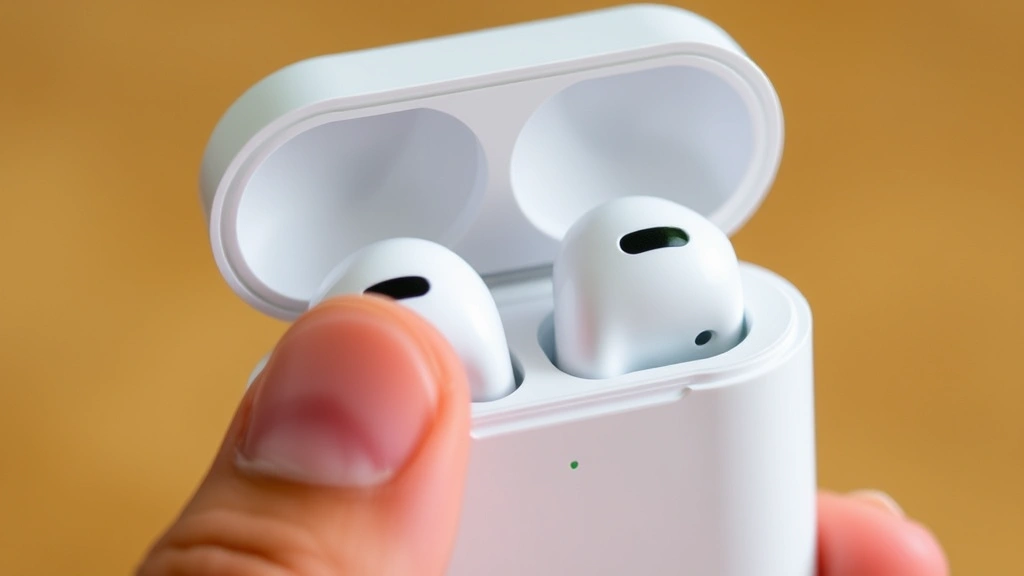
How Long to Charge AirPods? Expert Insights
How Long to Charge AirPods? Expert Insights and Complete Guide
AirPods have revolutionized the way we listen to music and take calls on the go. Whether you own the standard AirPods, AirPods Pro, or AirPods Max, understanding their charging requirements is essential for keeping your devices powered and ready to use. Many users wonder exactly how long it takes to charge their AirPods and what factors might affect charging times. This comprehensive guide will walk you through everything you need to know about AirPods charging, from initial setup to troubleshooting common charging issues.
Charging times can vary significantly depending on which AirPods model you own, the charging method you’re using, and even environmental factors. By learning the specifics of your device’s charging needs, you can optimize your daily routine and ensure your AirPods are always ready when you need them. Whether you’re preparing for a long commute or want to maintain optimal battery health over time, this guide provides expert insights and practical tips.
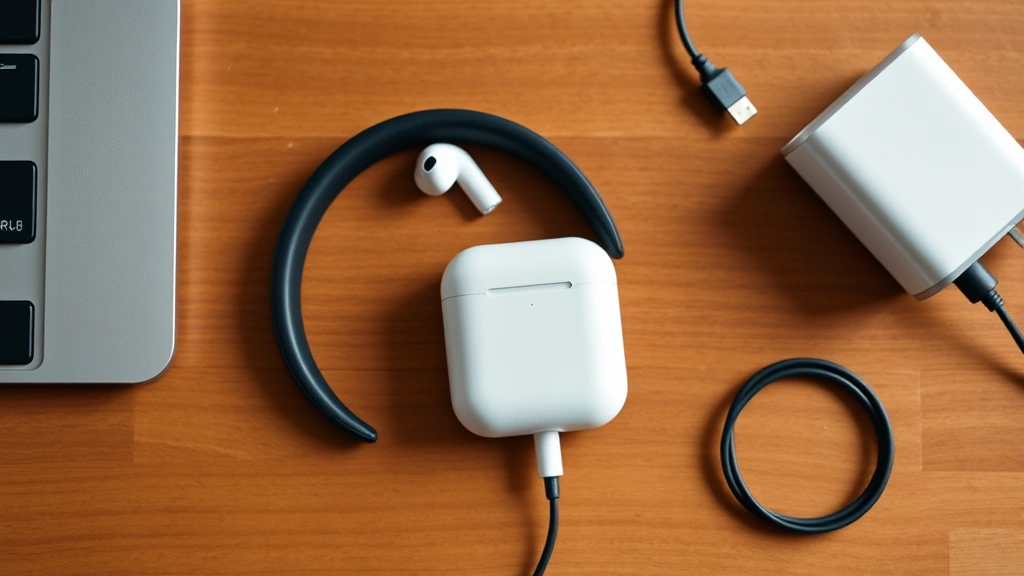
Standard AirPods Charging Time
The original AirPods and AirPods 2 typically take approximately 15 to 20 minutes to reach a full charge when placed in their charging case. This quick charging capability is one of the standout features that makes AirPods so convenient for daily use. The individual earbuds themselves charge relatively fast, allowing you to get back to listening within minutes if you’re in a hurry.
When charging the AirPods case itself—the device that powers your earbuds—you’ll need to allow for 30 to 45 minutes for a complete charge using the standard Lightning cable. This is an important distinction because many users focus on the earbud charging time but overlook the case charging time. The case is essentially a portable battery, and it requires its own charging cycle.
For quick top-ups, even just 5 to 10 minutes in the case can provide your AirPods with several hours of additional listening time. This makes the AirPods system incredibly practical for people with busy schedules who might not have time for a full charging session.

AirPods Pro Charging Duration
AirPods Pro, Apple’s premium wireless earbuds, follow a similar charging timeline to the standard AirPods but with some nuanced differences. The individual AirPods Pro earbuds take approximately 20 to 30 minutes to fully charge when placed in their charging case. This slightly longer duration compared to standard AirPods is partly due to the more advanced technology packed into these premium earbuds, including active noise cancellation and superior audio processing.
The AirPods Pro charging case requires approximately 45 to 60 minutes for a complete charge. The larger battery capacity in the Pro case reflects the increased power demands of the Pro earbuds’ advanced features. Despite the longer charging time, many users find it worthwhile given the enhanced functionality and sound quality.
One of the advantages of AirPods Pro is that you can check the exact battery percentage of both your earbuds and case directly on your connected Apple device. This real-time information helps you plan your charging sessions more effectively. When your battery is running low, you’ll receive notifications on your device, giving you ample warning to charge before the battery dies completely.
AirPods Max Charging Requirements
AirPods Max, Apple’s over-ear headphone offering, represents a significant step up in terms of battery capacity and charging requirements. These premium headphones take approximately 30 to 45 minutes to reach a full charge using the included USB-C cable. The USB-C connector is a modern upgrade from the Lightning cables used on smaller AirPods models.
The extended charging time for AirPods Max is justified by the impressive 20-hour battery life on a single charge. This means you’re charging less frequently than with the smaller AirPods models, even though each charging session takes longer. The efficient battery management system in AirPods Max helps maintain battery health over extended periods of use.
AirPods Max also feature an innovative smart feature: they automatically go into a low-power mode when not in use, which helps preserve battery life between charging sessions. If you haven’t used your AirPods Max for three days, they’ll enter an ultra-low power state to prevent battery drain. This thoughtful design means you can leave them unused for weeks without the battery completely depleting.
Charging Methods and Options
There are several ways to charge your AirPods, depending on which model you own and what devices you have available. Understanding these options gives you flexibility in maintaining your device’s battery.
Lightning Cable Charging
The most straightforward charging method for standard AirPods and AirPods Pro is using the included Lightning cable. Simply connect the case to a power adapter and plug it into a wall outlet. This method is reliable and provides consistent charging speeds. Many users appreciate having a dedicated Lightning cable for their AirPods to avoid unplugging their iPhone or iPad charger.
Wireless Charging Pad
Both the standard AirPods and AirPods Pro cases support wireless charging with a compatible Qi-certified pad. This is an optional feature that requires purchasing a separate wireless charging pad, but it offers convenience for users who have multiple wireless-enabled devices. Wireless charging typically takes slightly longer than wired charging, usually about 45 to 60 minutes for a full charge, depending on the pad’s power output.
USB-C Charging for AirPods Max
AirPods Max exclusively use USB-C charging, which is faster and more versatile than Lightning. You can charge AirPods Max with any standard USB-C power adapter, making it easier to use the same cable for multiple devices. This modern connector standard is becoming increasingly common across Apple’s product lineup.
Multi-Device Charging Stations
For users with multiple Apple devices, integrated charging stations can simultaneously charge your iPhone, iPad, Apple Watch, and AirPods. While these are optional purchases, they provide an organized charging solution that maximizes desk space and keeps all your devices in one convenient location.
Factors Affecting Charge Speed
Several variables can influence how quickly your AirPods charge. Being aware of these factors helps you optimize your charging experience and troubleshoot issues if charging seems unusually slow.
Power Adapter Quality
The wattage and quality of your power adapter directly impact charging speed. Using Apple’s recommended power adapters ensures optimal charging performance. Third-party adapters with lower wattage may charge your AirPods more slowly. For AirPods Max, a higher-wattage USB-C adapter will charge faster than a lower-power option.
Cable Condition
Damaged or worn Lightning or USB-C cables can reduce charging efficiency. If your AirPods are charging more slowly than expected, inspect your cable for visible damage, fraying, or bent connectors. A deteriorated cable may require replacement to restore normal charging speeds. Check out our guide on how-to guides and tutorials for tips on maintaining your tech accessories.
Temperature and Environment
Ambient temperature significantly affects battery charging. Extremely cold or hot environments can slow down charging speed. Apple recommends charging your AirPods in temperatures between 50°F and 95°F (10°C to 35°C). If your AirPods feel warm during charging, allow them to cool down before continuing.
Battery Age and Health
As your AirPods battery ages, it may charge more slowly and hold less charge overall. This is a natural degradation that occurs with all lithium-ion batteries over time. Typically, AirPods maintain about 80% of their original battery capacity after 1,000 charge cycles.
Simultaneous Device Usage
If you’re using your AirPods while they’re charging in the case, the charging process will be slower. For optimal charging speed, allow your AirPods to rest in the case without active use. This is particularly important when using power-intensive features like active noise cancellation.
Battery Health and Longevity
Maintaining your AirPods’ battery health ensures they’ll perform well for years to come. Understanding best practices for charging extends the lifespan of your investment significantly.
Avoid Overcharging
Modern AirPods, like most Apple devices, are designed with smart charging technology that prevents overcharging. Once your AirPods reach 100%, the charging system automatically stops delivering power. You can safely leave your AirPods in their case overnight without damaging the battery.
Regular Charging Cycles
Lithium-ion batteries, which power your AirPods, actually benefit from regular charging cycles. Rather than letting your battery completely drain before charging, it’s better to charge your AirPods regularly. Try to keep your battery between 20% and 80% charged for optimal long-term health.
Optimal Storage Conditions
If you’re storing your AirPods for an extended period, charge them to about 50% and keep them in a cool, dry location. Storing fully charged batteries in hot environments can accelerate degradation. When you’re ready to use them again, they should charge and perform normally.
Battery Replacement Options
After approximately two years of regular use, you may notice your AirPods don’t hold a charge as long as they used to. Apple offers battery replacement services for AirPods, though it’s often more cost-effective to consider the replacement options. Check Apple’s support page or visit an Apple Store for specific pricing and availability in your area.
Troubleshooting Charging Problems
If your AirPods aren’t charging as quickly as expected or won’t charge at all, several troubleshooting steps can help resolve the issue.
Clean the Charging Contacts
Over time, dust and debris can accumulate on the charging contacts inside your AirPods case and on the earbuds themselves. Use a soft, dry, lint-free cloth to gently clean the gold-colored charging contacts on both the AirPods and the interior of the case. This simple maintenance step often resolves slow charging issues. For more detailed cleaning techniques, refer to our guide on proper cleaning methods which includes principles applicable to delicate electronics.
Reset Your AirPods
If charging still seems problematic, try resetting your AirPods to their factory settings. For most AirPods models, place them in the case, go to Settings on your connected device, find your AirPods in the Bluetooth menu, and select “Forget This Device.” Then press and hold the setup button on the back of the case for 15 seconds until the status light flashes amber and white. This reset often resolves charging and connectivity issues.
Update Firmware
AirPods receive firmware updates automatically when connected to a paired device with an internet connection. Ensure your connected device is up to date with the latest iOS or macOS version. Outdated firmware can sometimes cause charging irregularities.
Check for Hardware Damage
Inspect your AirPods case and earbuds for physical damage. Water damage is a common cause of charging problems. If you’ve accidentally exposed your AirPods to moisture, allow them to dry completely in a warm, dry location for several days before attempting to charge again. For extensive water damage, professional repair or replacement may be necessary.
Try a Different Power Source
Test your charging setup with a different power adapter and cable to determine if the issue is with your charging equipment rather than the AirPods themselves. Borrow a friend’s Apple power adapter or try a different wall outlet to isolate the problem. If your AirPods charge normally with different equipment, you’ll need to replace your original cable or adapter.
Contact Apple Support
If none of these troubleshooting steps resolve your charging issues, contact Apple Support for professional assistance. They can diagnose hardware issues and discuss replacement or repair options. Your AirPods may be covered under warranty or AppleCare+ if you purchased that protection plan.
FAQ
How long do AirPods take to charge from completely dead?
From a completely depleted battery, standard AirPods take approximately 20-30 minutes to reach a full charge in their case. AirPods Pro require slightly longer at 25-35 minutes. AirPods Max need 30-45 minutes for a complete charge from zero. These times assume you’re using the official Apple charging equipment.
Can I charge my AirPods while using them?
Yes, you can use your AirPods while they’re charging in the case, though charging will proceed more slowly. The case will still provide power to your earbuds, but the charging rate decreases when active power is being drawn. For fastest charging, place your AirPods in the case and leave them unused.
Is it bad to leave AirPods charging overnight?
No, it’s completely safe to leave your AirPods charging overnight. Apple’s smart charging technology prevents overcharging by automatically stopping power delivery once the battery reaches 100%. Your AirPods won’t experience damage from extended charging sessions.
Why are my AirPods charging slowly?
Slow charging can result from several factors: dirty charging contacts, a damaged cable, low-quality third-party adapters, cold temperature, or aging battery. Start by cleaning the charging contacts with a soft cloth. If the problem persists, try a different power adapter and cable to identify the cause.
How often should I charge my AirPods?
The frequency depends on your usage patterns. Most people charge their AirPods daily or every other day. Standard AirPods provide about 5 hours of listening time, while AirPods Pro offer 6 hours with active noise cancellation enabled. AirPods Max provide up to 20 hours, requiring less frequent charging.
What’s the difference between wired and wireless charging speed?
Wired Lightning cable charging is typically faster than wireless charging. Expect wired charging to take 15-45 minutes depending on the model, while wireless charging usually requires 45-60 minutes. The difference is usually 10-20 minutes slower for wireless options.
Can I use any USB-C cable for AirPods Max?
Yes, AirPods Max are compatible with any standard USB-C cable and power adapter. However, using Apple’s recommended USB-C power adapter ensures optimal charging speed. Third-party USB-C cables work fine, but lower-wattage adapters will charge more slowly.
How long does the AirPods case battery last?
The case battery lifespan depends on usage. With regular charging cycles, expect your case battery to remain in good condition for 2-3 years. The case provides multiple full charges for your earbuds before needing to be recharged itself. A single case charge typically provides enough power for 3-4 additional earbud charges.

Related Posts

Superscript in Google Docs: Expert Tips

Strikethrough in Excel: Easy Steps for Beginners
