
Can You Cancel Uber Eats? Here’s How!
Can You Cancel Uber Eats? Here’s How!
Whether you’ve changed your mind about your order, realized you ordered from the wrong restaurant, or simply want to cancel your Uber Eats subscription, understanding the cancellation process is essential. Uber Eats makes it relatively straightforward to cancel orders before they’re prepared, though the options vary depending on your situation and how far along your order is in the preparation process.
This comprehensive guide walks you through every scenario—from canceling an active food order to managing your account subscriptions. We’ll cover the step-by-step process, refund policies, and what to do if you encounter issues during cancellation. By the end, you’ll know exactly how to handle any Uber Eats cancellation situation.
How to Cancel an Uber Eats Order
Canceling an Uber Eats order is one of the easiest tasks you can perform within the app. The process takes just a few taps and can be completed in under a minute. However, the ability to cancel depends on your order’s current status. If the restaurant hasn’t started preparing your food yet, you’ll have the best chance of a full refund.
Step-by-Step Cancellation Process:
- Open the Uber Eats app on your smartphone or visit the website
- Navigate to your active order by tapping the order details at the bottom of your screen
- Look for the “Cancel Order” button, typically displayed in red near the bottom of the order details page
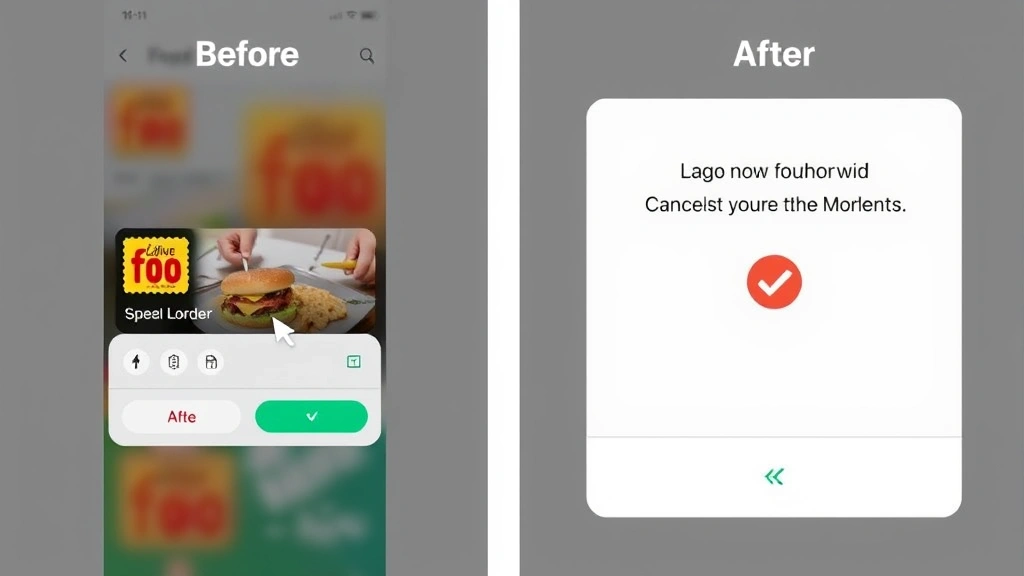
- Select a reason for your cancellation from the provided dropdown menu
- Confirm your cancellation by tapping the final confirmation button
- Wait for the cancellation to process—you should receive an immediate confirmation notification
The entire process usually completes within seconds. You’ll receive a notification confirming the cancellation, and your refund will be processed to your original payment method. Most refunds appear within 5-10 business days, though some may take slightly longer depending on your bank or payment processor.
If you’re using a FixWiseHub guide for other cancellations, you’ll notice Uber Eats follows a similar straightforward approach. Like learning how to cancel Sling TV, the key is acting quickly before your order progresses too far.
Important Timing Consideration: Once a restaurant begins preparing your order, cancellation becomes impossible through the app. At this point, you’ll need to contact Uber Eats customer support directly. The window for app-based cancellation is typically 2-5 minutes from when you place your order, though this varies by restaurant and location.
Canceling Uber Eats Pass Subscription
Uber Eats Pass is a paid subscription service that offers unlimited free delivery on orders over a certain amount. If you’ve subscribed to this service and want to cancel, the process differs slightly from canceling individual orders.
For Mobile App Users:
- Open Uber Eats and tap the account icon in the bottom right corner
- Select “Promotions” or “Subscriptions” from your account menu
- Find your active Uber Eats Pass subscription
- Tap “Cancel Pass” or “Manage Subscription”
- Choose your cancellation reason
- Confirm the cancellation
For Web Users:
- Visit the Uber Eats website and log into your account
- Click on your profile icon in the upper right corner
- Select “Account” or “Settings”
- Navigate to “Subscriptions” or “Billing”
- Locate your Uber Eats Pass subscription
- Click “Cancel Subscription” and confirm
When you cancel Uber Eats Pass, your subscription ends immediately, though you may retain benefits through the end of your current billing cycle depending on Uber’s current policy. No refunds are typically issued for partial months, so timing your cancellation strategically can help you maximize value.
The subscription cancellation process is similar to managing other digital services. If you’re familiar with managing digital accounts and subscriptions, you’ll find the interface intuitive and user-friendly.
Understanding Refund Policies
Uber Eats’ refund policy is straightforward but has important nuances you should understand before canceling an order.
Full Refund Scenarios: You’ll receive a full refund if you cancel before the restaurant starts preparing your order. This includes all food costs, taxes, and delivery fees. The only exception is promotional credits or vouchers, which may not be refundable depending on their terms.
Partial Refund Scenarios: If the restaurant has already started preparing your food when you request cancellation, you may receive a partial refund or no refund at all. Uber Eats will typically refund delivery fees but keep the food costs since preparation has begun.
No Refund Scenarios: If your order has already been picked up by the driver or delivered, cancellation isn’t possible through standard channels. You’ll need to contact customer support and explain the situation. In rare cases, Uber may issue a courtesy refund if the food was damaged or the order was incorrect.
Refunds are processed to your original payment method. Credit card refunds typically appear within 3-5 business days, while debit card refunds may take 5-10 business days. If you paid with a third-party service like Google Pay or Apple Pay, the refund goes back to that service first, then to your bank.
For promotional or discounted orders, the refund amount may be reduced by the discount applied. Always check your order details before canceling to understand exactly what you’ll receive back.
Timing and Deadlines for Cancellation
The critical factor in successful Uber Eats cancellation is timing. Understanding the different stages of order processing helps you act quickly when needed.
Stage 1: Confirmation Phase (0-2 minutes) Your order is being confirmed by the restaurant system. During this window, cancellation is always possible with a full refund. This is the easiest time to cancel.
Stage 2: Preparation Phase (2-5+ minutes) The restaurant has confirmed your order and begun preparing it. Cancellation becomes more difficult during this phase. Some restaurants allow cancellation at the beginning of this stage, but most do not. Your refund options are limited.
Stage 3: Ready for Pickup (5-10+ minutes) Your order is complete and waiting for the driver. Cancellation is typically impossible at this stage unless the driver hasn’t yet picked it up. Contact support immediately if you need to cancel at this point.
Stage 4: Out for Delivery A driver has your order and is en route to you. Cancellation is extremely difficult and usually impossible. You may be able to refuse the delivery when it arrives, but you’ll likely not receive a refund.
Stage 5: Delivered Your order has been delivered. Standard cancellation is no longer an option. Only contact support if there’s a legitimate issue like an incorrect order or damaged food.
The exact timing of these stages varies significantly based on restaurant type, location, and current demand. During busy periods, orders move through stages faster, giving you less time to cancel. Always check your order status in the app to see which stage you’re in before attempting cancellation.
Troubleshooting Cancellation Issues
Sometimes the cancellation process doesn’t go smoothly. Here are solutions to common problems you might encounter.
“Cancel Order” Button Not Appearing: If you don’t see a cancel button, your order has likely progressed too far. The restaurant may have already begun preparing it. Try refreshing the app or checking again in a few seconds. If the button still doesn’t appear after 30 seconds, contact customer support immediately.
Cancellation Request Rejected: Uber Eats may reject your cancellation if the restaurant has already started preparing your order. In this case, contact support and explain your situation. They may be able to override the system and process a refund as a courtesy.
Refund Not Received: If you cancelled your order but haven’t received a refund within the expected timeframe, check your bank account and payment app. Sometimes refunds process slowly. If 10+ business days have passed, contact Uber Eats support with your order number and request a refund status update.
Technical Glitches: Occasionally, the app may freeze or crash during cancellation. If this happens, force close the app, wait 30 seconds, and reopen it. Check your order status—it may have already been cancelled. If not, try again or contact support.
Unable to Contact Support: Uber Eats support is typically available 24/7 through the app. Tap your account icon, then select “Help” to access support options. You can usually chat with a representative or submit a support ticket. Response times are typically 1-4 hours.
When troubleshooting cancellation issues, always have your order number ready. You can find this in your order history or in your confirmation email. Providing this information to support significantly speeds up the resolution process.
Deleting Your Uber Eats Account
If you want to completely remove yourself from Uber Eats rather than just canceling an order, you’ll need to delete your account. This is a permanent action that cannot be easily reversed.
Steps to Delete Your Account:
- Open the Uber Eats app and navigate to your account icon
- Tap “Account” or “Settings”
- Scroll down to find “Delete Account” or “Close Account”
- Select this option and read the warning about permanent deletion
- Confirm your decision by entering your password or using biometric authentication
- Your account will be marked for deletion and removed within a short period
Before Deleting Your Account, Consider: Any active Uber Eats Pass subscriptions will be automatically cancelled. Saved payment methods and addresses will be deleted. You won’t be able to access order history. Any unused promotional credits will be forfeited. You can create a new account with the same email address after deletion, though it may take several hours.
If you’re only experiencing temporary frustration with the service, consider simply canceling individual orders or your subscription instead. Account deletion is best reserved for when you’re absolutely certain you won’t use Uber Eats again.
Managing multiple subscriptions and accounts can be complex. Whether you’re learning new ways to do things without certain tools or deciding which services to keep, taking time to make informed decisions helps you manage your digital life effectively.
FAQ
Can I cancel my Uber Eats order after the restaurant has started preparing it?
Once the restaurant begins preparing your order, you cannot cancel through the app. However, you may be able to contact Uber Eats support immediately and request cancellation. Success depends on how far along preparation is. The restaurant may refuse to stop preparing, in which case you’ll receive no refund or a partial refund for delivery fees only.
How long does it take to receive a refund after canceling an Uber Eats order?
Refunds typically process within 3-10 business days, depending on your payment method. Credit card refunds usually appear faster than debit card refunds. If you paid through a digital wallet like Apple Pay or Google Pay, the refund goes to that service first, then to your bank. Always check with your bank if a refund hasn’t appeared after 10 business days.
Will I lose my Uber Eats Pass benefits if I cancel my subscription?
When you cancel Uber Eats Pass, your subscription ends immediately. However, you may retain benefits through the end of your current billing cycle. You won’t receive a refund for the unused portion of your subscription. If you’re close to the end of your billing cycle, consider waiting to cancel until after it ends to maximize value.
What if the driver has already picked up my order?
If the driver has picked up your order, you cannot cancel through the app. Your best option is to contact the driver directly through the app’s messaging feature and ask them to return the order. Alternatively, you can refuse delivery when the driver arrives. However, you likely won’t receive a refund if the food has already been picked up.
Can I get a refund if I receive the wrong order?
Yes. If you receive an incorrect order, contact Uber Eats support immediately with photos of what you received. Most incorrect orders result in a full refund plus a credit toward a future order. Keep the incorrect food and take clear photos showing the order number or receipt to support your claim.
Is there a fee for canceling an Uber Eats order?
No. Uber Eats does not charge a cancellation fee if you cancel before the restaurant begins preparing your order. If the restaurant has already started preparing, you may lose the food cost but typically won’t face an additional cancellation fee. Always check your account to confirm no unexpected charges appear after cancellation.
Can I cancel an order that’s already been delivered?
No. Once an order is delivered, standard cancellation is not possible. If the food is damaged, incorrect, or otherwise problematic, contact support immediately. Explain the issue and provide photos if possible. Support may issue a refund or credit depending on the situation, but this is handled on a case-by-case basis rather than through automatic cancellation.
Will canceling my order affect my Uber Eats rating?
Canceling orders does not directly affect your customer rating on Uber Eats. However, if you frequently cancel orders, it may impact your ability to use certain promotions or your relationship with specific restaurants. One or two cancellations won’t cause problems, but a pattern of cancellations might be noted by the system.
How do I cancel an Uber Eats order if I don’t have the app?
You can cancel orders through the Uber Eats website at ubereats.com. Log into your account, find your active order, and look for the cancellation option. The process is nearly identical to the mobile app. If you don’t have an account set up, create one using your email address before attempting to cancel.
What should I do if my cancellation isn’t processing?
If your cancellation request isn’t going through, first try refreshing the app or clearing your browser cache if using the website. Force close the app completely and reopen it. If the issue persists, contact Uber Eats support through the “Help” section. They can manually process your cancellation and investigate why the system isn’t responding normally. Always have your order number ready when contacting support.

Related Posts

Superscript in Google Docs: Expert Tips

Strikethrough in Excel: Easy Steps for Beginners
