

Add Promotion on LinkedIn? Expert Tips Inside
How to Add Promotion on LinkedIn: Expert Tips Inside
LinkedIn has evolved far beyond a simple job board—it’s now a powerful platform for professionals to showcase their expertise, build their brand, and promote their services or products. Whether you’re a freelancer, small business owner, or corporate professional, knowing how to effectively add and manage promotions on LinkedIn can significantly boost your visibility and credibility. This guide walks you through the process step-by-step, ensuring you maximize the platform’s promotional features to reach your target audience.
Promotions on LinkedIn serve multiple purposes: they help you highlight achievements, announce new services, share success stories, or drive traffic to your website. The key is understanding which promotional tools are available and how to use them strategically. From sponsored content to direct messaging campaigns, LinkedIn offers numerous ways to get your message in front of the right people.
Understanding LinkedIn Promotion Types
Before diving into the mechanics of adding promotions, it’s essential to understand the different promotional formats available on LinkedIn. Each serves distinct purposes and reaches audiences in different ways. The platform offers several native advertising options that integrate seamlessly with user experience while delivering measurable results.
Sponsored Content appears directly in the LinkedIn feed and looks like regular posts from connections. This format works exceptionally well for brand awareness and engagement because it doesn’t feel intrusive. Sponsored InMail delivers personalized messages directly to user inboxes, making it ideal for time-sensitive offers. Text ads appear on the sidebar and are perfect for driving traffic to landing pages or specific offers.
Additionally, LinkedIn provides organic promotion opportunities through native content posting. By crafting compelling articles, posts, and updates on your company page or personal profile, you can reach audiences without paid promotion—though paid amplification often yields better results. Understanding when to use organic versus paid strategies is crucial for maximizing your promotional budget.

Setting Up Your LinkedIn Business Profile
The foundation of any successful LinkedIn promotion strategy is a well-optimized business profile. Before launching any paid campaigns, ensure your profile or company page is complete, professional, and compelling. This is where potential customers or clients will land after seeing your promotion.
Start by creating or upgrading to a LinkedIn Company Page if you don’t already have one. Your company page should include:
- A professional logo and banner image that represents your brand
- A compelling company description (up to 2,000 characters) that clearly explains what you do
- Your website URL and contact information
- Industry classification and company size details
- Recent posts, articles, and updates that demonstrate active engagement
- Employee profiles linked to your company page
Complete your profile with a professional headshot, detailed headline, and compelling summary. Your headline should be keyword-rich and immediately communicate your value proposition. For example, instead of “Marketing Manager,” try “Digital Marketing Manager | B2B Growth Strategy | Content Marketing Expert.” This helps with discoverability when people search for professionals in your field.
Creating Sponsored Content Campaigns
Sponsored content is one of the most effective ways to promote your message on LinkedIn. This format allows your posts to appear in the feeds of your target audience, similar to how they’d see posts from their connections. Here’s how to create and launch a sponsored content campaign:
Step 1: Access the Campaign Manager. Log into your LinkedIn account and navigate to the Campaign Manager, typically found in the top-right menu under “Advertise.” If you don’t have a Campaign Manager account, you’ll need to create one. This is LinkedIn’s central hub for managing all paid advertising activities.
Step 2: Set Your Campaign Objective. LinkedIn offers several campaign objectives including Website Visits, Engagement, Video Views, Lead Generation, Website Conversions, and Job Applicants. Choose the objective that aligns with your promotion goals. For most promotional purposes, Website Visits or Engagement works best.
Step 3: Define Your Target Audience. This is critical for promotion success. Use LinkedIn’s detailed targeting options to reach the right people:
- Geographic location (countries, regions, or cities)
- Job title and seniority level
- Industry and company size
- Skills and interests
- LinkedIn Groups and followers
- Degree of education
- Years of experience
The more specific your targeting, the better your return on investment. Avoid casting too wide a net, as this dilutes your budget on uninterested audiences.
Step 4: Create Your Ad Content. Write a compelling headline (up to 200 characters) that grabs attention immediately. Your primary text should be concise, benefit-focused, and include a clear call-to-action. Add a high-quality image or video that visually supports your message. According to This Old House’s content strategy, visual content performs significantly better than text-only promotions.
Step 5: Set Your Budget and Duration. Decide on a daily budget and campaign duration. LinkedIn allows both daily and total campaign budgets. Start with a modest budget to test effectiveness, then scale up successful campaigns. Most campaigns require a minimum daily budget of around $10.
Step 6: Choose Your Bidding Strategy. LinkedIn offers automatic bidding (where the platform optimizes for your objective) or manual bidding (where you set the maximum you’ll pay per click or impression). For beginners, automatic bidding is usually recommended.
Using LinkedIn Text Ads
Text ads are another powerful promotional tool on LinkedIn, appearing in the sidebar and providing a more traditional advertising experience. These ads work particularly well for driving traffic to specific landing pages or promoting limited-time offers.
To create text ads:
- Navigate to Campaign Manager and select “Create Campaign”
- Choose “Awareness” or “Consideration” as your campaign group
- Select “Text ads” as your ad format
- Define your audience targeting parameters
- Write your ad copy with a compelling headline and description
- Include a clear call-to-action button (Learn More, Sign Up, Download, etc.)
- Set your budget and bidding preferences
- Review and launch your campaign
Text ads typically have lower engagement rates than sponsored content but can be extremely cost-effective for driving qualified traffic. They’re ideal when you have a specific landing page, webinar registration, or product offering to promote.
Leveraging Native Content Promotion
Beyond paid advertising, LinkedIn allows you to promote your organic content through native posting features. When you post content on your company page or personal profile, you can boost visibility by pinning posts, encouraging engagement, and using strategic hashtags and keywords.
To maximize native promotion:
- Post Consistently: Share valuable content regularly to keep your audience engaged and increase algorithmic visibility
- Use Relevant Hashtags: Include 3-5 relevant hashtags to expand reach beyond your immediate network
- Encourage Engagement: Ask questions, request comments, and respond promptly to build conversation momentum
- Share Employee Content: Encourage team members to share company posts, significantly expanding reach
- Link to Resources: Direct readers to your how-to guides or helpful resources that provide genuine value
- Time Your Posts: Post when your audience is most active—typically Tuesday through Thursday, 8 AM to 10 AM in your target timezone
Native content is less intrusive and often performs better with audiences who are skeptical of traditional advertising. It builds trust and establishes you as a thought leader in your industry.
Best Practices for LinkedIn Promotions
Successful LinkedIn promotions follow proven best practices that maximize engagement and conversion. These strategies have been refined through years of platform usage and are backed by data from professional marketers.
Focus on Value, Not Just Sales. The most successful promotions on LinkedIn offer genuine value to the audience. Instead of purely selling, provide insights, tips, industry news, or helpful resources. When readers feel they’ve gained something valuable, they’re more likely to engage with your brand and consider your offerings.
Use Video Content. Video promotions significantly outperform static images on LinkedIn. Videos can be product demos, customer testimonials, behind-the-scenes looks, or educational content. Aim for videos between 15-30 seconds for optimal engagement.
Include Social Proof. Testimonials, case studies, and success metrics build credibility. When promoting services or products, always include evidence of success—client results, awards, certifications, or user numbers.
Maintain Brand Consistency. Ensure your promotional messaging aligns with your overall brand voice and visual identity. Consistency builds recognition and trust over time.
Test and Optimize. Create variations of your ads with different headlines, images, and calls-to-action. Test which combinations perform best, then scale successful versions. This A/B testing approach continuously improves your results.
Align with Platform Culture. LinkedIn users are professionals seeking industry insights and career growth. Tailor your promotions to this context rather than using overly casual or entertainment-focused messaging. According to Family Handyman’s professional content approach, audience-appropriate messaging is crucial for engagement.
Measuring Your Promotion Success
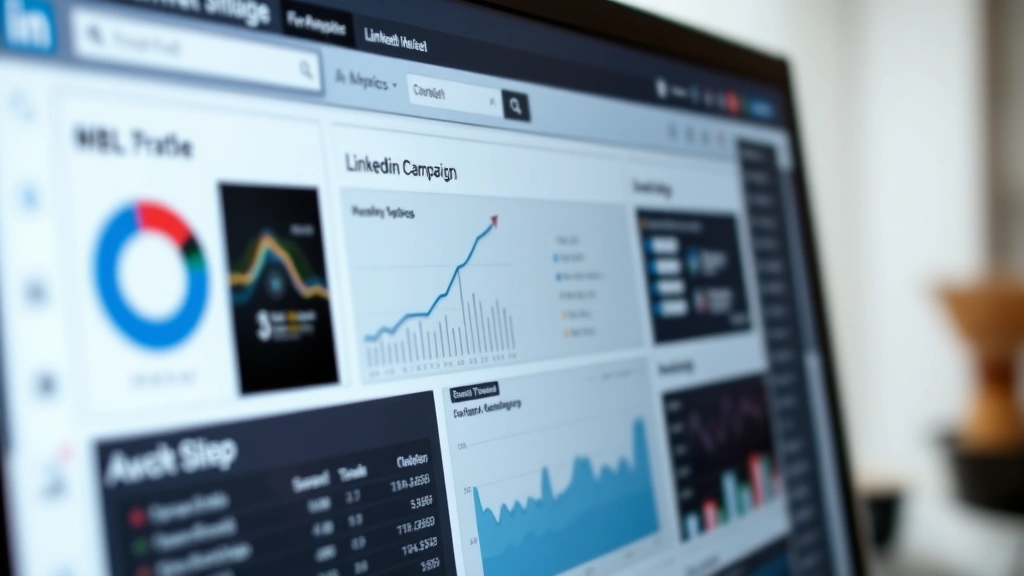
To understand whether your LinkedIn promotions are working, you need to track and analyze key metrics. LinkedIn Campaign Manager provides comprehensive analytics for all paid campaigns.
Important Metrics to Monitor:
- Impressions: How many times your ad was displayed
- Click-Through Rate (CTR): Percentage of people who clicked your ad
- Engagement Rate: Percentage of people who liked, commented, or shared
- Cost Per Click (CPC): Average cost for each click on your ad
- Conversion Rate: Percentage of clicks that resulted in desired action
- Return on Ad Spend (ROAS): Revenue generated divided by ad spend
Use these metrics to refine your promotional strategy. If your CTR is low, test different headlines or images. If your conversion rate is poor, review your landing page experience. Continuous optimization based on data is essential for improving results over time.
Set up conversion tracking to understand which promotions actually drive business results. Link your LinkedIn ads to your website and use tools like Google Analytics to track user behavior after they click your ads. This helps you calculate true return on investment rather than just engagement metrics.
FAQ
How much does it cost to add a promotion on LinkedIn?
LinkedIn promotions operate on a pay-per-click or pay-per-impression model. Minimum daily budgets typically start around $10, with costs varying based on your industry, targeting specificity, and competition. Most companies spend between $300-$1,000 per month on LinkedIn advertising, though you can start smaller to test effectiveness.
Can I promote on LinkedIn for free?
Yes, you can promote content organically by posting regularly on your company page, using relevant hashtags, and encouraging employee sharing. However, organic reach is limited. Most companies combine organic posting with paid promotion to maximize visibility. Learning how to be useful in your content improves organic performance naturally.
How long does it take to see results from LinkedIn promotions?
Most campaigns begin generating engagement and clicks immediately. However, meaningful data typically emerges after 1-2 weeks of running. For conversion-focused campaigns, allow 4-6 weeks to gather sufficient data for optimization decisions.
What’s the best type of promotion for lead generation?
LinkedIn Lead Gen Forms are specifically designed for lead generation, allowing users to submit information without leaving LinkedIn. Sponsored InMail is also highly effective for qualified lead nurturing. Both formats typically generate higher-quality leads than website traffic campaigns.
Can I promote my personal profile on LinkedIn?
Yes, individual professionals can use LinkedIn’s advertising platform to promote their personal brand. However, you’ll need a Campaign Manager account. Personal promotion works well for consultants, coaches, and freelancers looking to attract clients directly.
How do I target the right audience for my promotion?
Use LinkedIn’s detailed targeting filters to define your ideal customer. Combine job titles, industries, company sizes, skills, and geographic location. Start with broad targeting, analyze which segments perform best, then create custom audiences for your most responsive segments. Continuously refine based on performance data and customer feedback.

Related Posts

Superscript in Google Docs: Expert Tips

Strikethrough in Excel: Easy Steps for Beginners
