
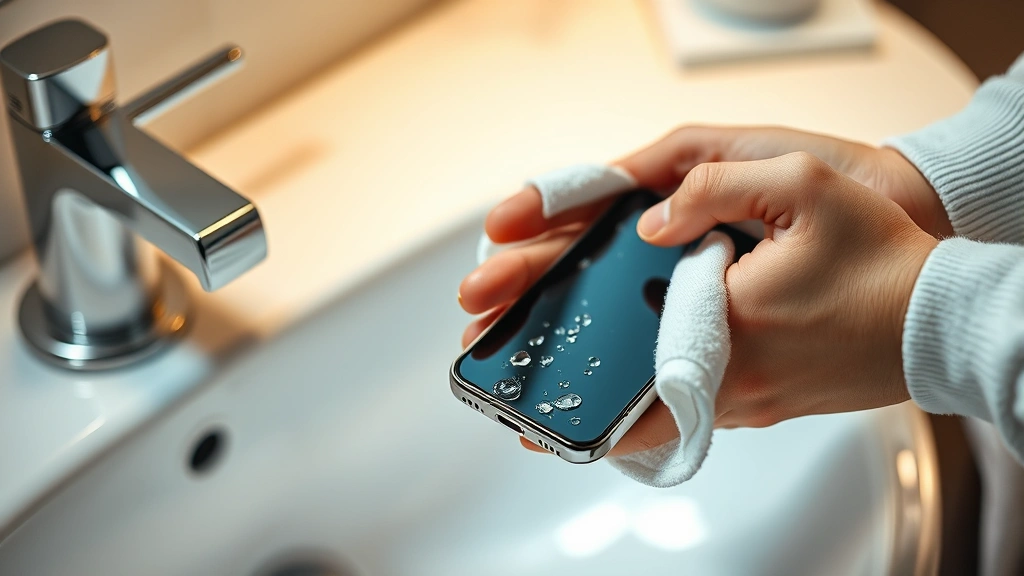
Fix Water-Damaged Phone? Expert Tips Here
Fix Water-Damaged Phone? Expert Tips Here
Dropping your phone in water is one of those heart-stopping moments that can leave you feeling helpless. Whether it’s a toilet mishap, a poolside accident, or getting caught in heavy rain, water damage is one of the most common reasons phones stop working. The good news is that immediate action can often save your device from permanent damage. Modern smartphones are increasingly water-resistant, but that doesn’t mean they’re waterproof—there’s an important distinction that could determine whether your phone survives.
The key to successfully recovering a water-damaged phone lies in understanding what happens when moisture enters your device and knowing the right steps to take within the first few hours. Unlike other types of damage, water damage doesn’t always mean your phone is permanently ruined. Many phones can be fully restored if you act quickly and follow proper recovery procedures. This comprehensive guide will walk you through expert-approved methods to get water out of your phone and restore it to working condition.
Immediate Steps After Water Exposure
The moments immediately following water exposure are critical. Your first instinct might be to turn on the phone to check if it still works, but resist this urge at all costs. Powering on a wet phone can cause short circuits and permanently damage internal components. Instead, follow these essential first steps:
Power down immediately: If your phone is still on, hold the power button and shut it down completely. Don’t wait to see if it’s responsive. The longer electricity flows through wet circuits, the more damage occurs. This is similar to how you’d handle other electrical emergencies in your home—moisture and electricity are a dangerous combination.
Remove the SIM card and battery (if possible): For phones with removable components, eject the SIM card tray and remove the battery if your model allows it. This stops any electrical current from flowing through the device. Even if your phone has a non-removable battery, opening the SIM tray allows some internal moisture to escape.
Dry the exterior: Use a soft, lint-free cloth to gently pat the outside of your phone. Don’t rub aggressively, as this can push water deeper into crevices. Pay special attention to ports, speaker grilles, and the charging connector. Tilt the phone at different angles to encourage water to flow out of openings.
Remove the case and screen protector: If your phone has a protective case or screen protector, remove these immediately. They trap moisture against the device and prevent proper drying. Set them aside to dry separately.
Effective Drying Methods
Once you’ve completed immediate damage control, the next phase is strategic drying. There are several proven methods, and the most effective approach often combines multiple techniques. Understanding the science behind each method helps you choose the right approach for your situation.
The silica gel method: Silica gel packets are far superior to rice for absorbing moisture from electronics. These tiny beads are specifically designed to pull moisture from the air and are used in packaging for electronics, vitamins, and other moisture-sensitive products. If you don’t have silica gel packets on hand, you can find them at Home Depot or order them online. Place your phone in a container with a generous amount of silica gel and seal it tightly. Leave it for 24-48 hours. You can also purchase reusable silica gel packets that you can use repeatedly.
Uncooked rice alternative: While not ideal, uncooked rice can absorb some moisture if silica gel isn’t available. Bury your phone completely in uncooked rice in a sealed container for 24-48 hours. The downside is that rice dust can get into your phone’s ports and crevices, potentially causing additional problems. If you use this method, place your phone in a small plastic bag first to minimize rice contact.
Air drying with airflow: Position your phone in a warm, dry location with good air circulation. A room with a dehumidifier or near an air conditioning vent works well. Avoid direct sunlight or heat sources like hair dryers, as extreme temperature changes can damage components. The goal is gentle, consistent drying over several days. This method works best when combined with silica gel or rice.
The oven method (low heat): Some experts recommend using an oven set to the lowest temperature (around 150-170°F or 65-75°C) for 15-30 minute intervals. Place your phone on a baking sheet and monitor it carefully. This method should only be attempted if your phone has been powered down for at least 24 hours. However, many professionals caution against this method due to the risk of damaging heat-sensitive components, so proceed with extreme caution.
The Rice Myth: What Really Works
The popular advice to bury a wet phone in rice has become almost legendary in phone rescue lore, but science shows there are better options. Rice can absorb some moisture, but it’s far less effective than purpose-designed desiccants. More problematically, rice dust can infiltrate ports and internal components, creating new problems while attempting to solve the original issue.
Research from Rice University and other institutions has demonstrated that silica gel absorbs moisture approximately 40% faster than rice. Additionally, rice releases starch and dust particles that can clog speaker grilles and charging ports. If your phone already has issues with internal moisture accumulation, introducing foreign particles makes recovery more difficult.
The best practice is to use food-grade silica gel packets, which you can harvest from supplement bottles, electronics packaging, or purchase new ones. If silica gel is absolutely unavailable, rice is better than nothing, but wrap your phone in paper towels first to create a barrier against dust particles. Modern phone repair professionals almost universally recommend silica gel as the primary drying method for water-damaged devices.
When to Seek Professional Help
Some water damage situations require professional intervention. Knowing when to call experts versus attempting DIY recovery can mean the difference between a fully restored phone and a permanently damaged one. Professional repair technicians have specialized equipment, including moisture meters and controlled drying chambers, that aren’t available to consumers.
Signs you need professional help: If your phone was submerged in saltwater, brackish water, or contaminated liquid (like toilet water or seawater), professional cleaning is essential. Salt deposits corrode circuit boards, and bacterial contamination can cause long-term problems. If your phone was submerged for more than a few minutes, or if it was exposed to water under pressure (like in a washing machine), the damage is likely extensive enough to warrant professional assessment.
Additionally, if after 48-72 hours of drying your phone shows signs of malfunction—such as screen flickering, speaker distortion, or unresponsive touchscreen areas—professional repair is your best option. Attempting further DIY methods could exacerbate the damage. Many manufacturers offer water damage repair services, and independent phone repair shops often have better success rates and lower costs than manufacturer services.
Look for repair facilities with certified technicians and positive customer reviews. Ask about their drying process, warranty on repairs, and whether they’ll assess your phone for free. Reputable shops will use controlled environments and professional-grade desiccants rather than rice or improvised methods.
Prevention Strategies
While knowing how to rescue a water-damaged phone is valuable, preventing the damage in the first place is always preferable. Modern phones offer varying degrees of water resistance, indicated by their IP rating. Understanding these ratings helps you make informed decisions about your phone’s vulnerability.
IP ratings explained: IP ratings consist of two numbers. The first indicates dust resistance (0-6), and the second indicates water resistance (0-9). An IP67 rating means dust-tight and can withstand immersion in up to 1 meter of water for 30 minutes. IP68 offers the same dust protection but can handle deeper water immersion for longer periods. Check your phone’s specification sheet to understand its actual water resistance capabilities.
Use protective accessories: Waterproof cases designed specifically for your phone model provide genuine protection. These aren’t the same as regular protective cases—they create a sealed barrier against water. Brands like LifeProof and OtterBox offer certified waterproof cases that meet specific protection standards. For beach or pool use, a waterproof pouch is an affordable alternative.
Avoid common risk situations: Keep your phone away from bathroom counters where water splashing is common. Don’t carry it in your pocket while swimming or near water. When it’s raining, keep your phone in a bag or pocket rather than in your hand. If you work in environments with water exposure, establish a protocol for storing your phone safely.
Regular maintenance: Periodically inspect your phone’s ports and speaker grilles for debris. Keep them clean and dry. If your phone spends time in humid environments, occasionally place it in a sealed container with silica gel for a few hours to remove accumulated moisture. This preventive maintenance can extend your phone’s lifespan significantly.
Recovery Timeline and Expectations
Understanding realistic timelines for phone recovery helps you manage expectations and know when to move forward with alternative solutions. The recovery process isn’t instantaneous, and patience is essential for success.
First 24 hours: Complete power down, exterior drying, and begin desiccant drying. Don’t attempt to power on or test your phone during this period. Any moisture still inside needs time to be absorbed by drying agents. Resist the urge to check progress by turning it on.
24-48 hours: Continue desiccant drying. For phones exposed to freshwater only, this period is often sufficient for recovery. Your phone should still not be powered on. Check the exterior occasionally to ensure it’s completely dry to the touch.
48-72 hours: After 48 hours minimum (longer for saltwater exposure), you can attempt to power on your phone in a dry location. Power it on slowly and watch for any signs of malfunction. If it powers on and functions normally, you’re likely in the clear. However, continue to monitor it for the next week for any intermittent issues.
Days 3-7: Even after successful power-on, continue monitoring. Sometimes internal moisture causes problems that appear days later. If your phone functions normally through this week, the risk of water damage complications drops significantly. However, some issues like corrosion take weeks or months to manifest fully.
Long-term considerations: Even fully recovered phones may have slightly reduced lifespan in water-resistant seals. Consider using protective cases going forward and being extra cautious around water. If you notice any recurring issues like battery drain or periodic screen glitches, these could indicate residual moisture damage that might worsen over time.
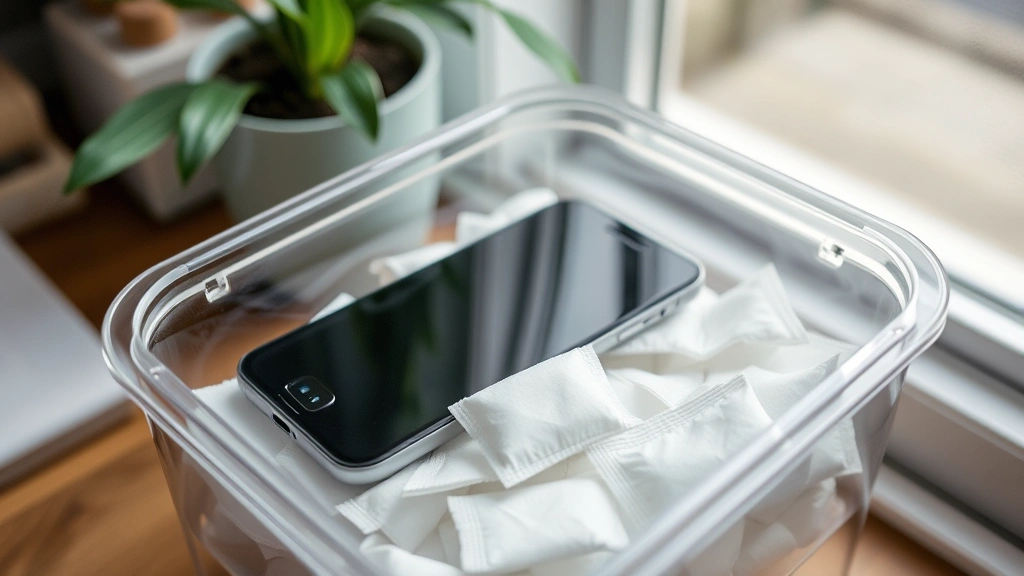
Professional phone repair technicians use specialized equipment to assess and dry water-damaged devices, often achieving success rates higher than DIY methods. Their controlled environments and professional-grade desiccants provide optimal conditions for moisture removal without risking additional damage to sensitive components.
When attempting DIY recovery, document your process with photos. This documentation can be valuable if you need to claim warranty coverage or insurance reimbursement. Also, take note of exactly what liquid your phone contacted—this information helps professionals understand the contamination level if you eventually need professional help.
Consider whether your phone’s data is backed up. If your phone is severely damaged, you’ll want access to your contacts, photos, and other important information. Most phones automatically back up to cloud services like iCloud or Google Drive, but verify this before attempting recovery. If your phone is completely unrecoverable, you’ll appreciate having your data safely stored elsewhere.
FAQ
Can a phone survive being dropped in water?
Yes, many phones can survive water exposure if you act quickly. The key is powering down immediately, removing moisture from the exterior, and using proper drying methods like silica gel. Newer phones with higher IP ratings are more likely to survive than older models. The type of water matters too—freshwater exposure is less damaging than saltwater or contaminated water.
How long should I wait before turning on a water-damaged phone?
Wait at least 24-48 hours before attempting to power on your phone. This gives desiccants time to absorb internal moisture. For phones submerged in saltwater or contaminated water, wait 72 hours or longer. Rushing to power on your phone can cause short circuits and permanent damage to internal components.
Is rice really bad for phones?
Rice is less effective than silica gel and can introduce dust particles into your phone’s ports and internal components. While rice can absorb some moisture, silica gel absorbs moisture approximately 40% faster. If you must use rice, wrap your phone in paper towels first to minimize dust contact. However, silica gel is always the better choice.
What should I do if my phone won’t turn on after drying?
If your phone won’t power on after proper drying, try charging it for several hours. Sometimes the battery is drained but the phone is still functional. If it still won’t power on, or if it powers on but shows signs of malfunction, seek professional repair. Continuing DIY attempts could worsen the damage.
Does homeowners insurance cover water-damaged phones?
Most homeowners insurance policies don’t cover water damage to personal electronics. However, some renters insurance policies or phone manufacturer warranties may provide coverage depending on the cause of damage. Check your specific policy or contact your insurance provider. Some phone manufacturers offer accidental damage protection plans that cover water damage.
Can I use a hair dryer to dry my phone?
Avoid using a hair dryer on your water-damaged phone. The heat can damage temperature-sensitive internal components, and the air pressure can push moisture deeper into the device. Stick to passive drying methods using desiccants and air circulation in dry environments.
How do I know if my phone is truly water-resistant?
Check your phone’s specifications for its IP rating. Look up your phone model on the manufacturer’s website or in the user manual. The IP rating tells you the exact level of water and dust resistance. Keep in mind that IP ratings are tested under controlled conditions—real-world exposure may be more damaging, especially under water pressure or with contaminated liquids.
What’s the difference between water-resistant and waterproof?
Water-resistant phones can withstand some water exposure but aren’t completely protected. Waterproof would mean absolutely no water can enter, which is nearly impossible for phones with ports and speakers. Manufacturers use “water-resistant” with an IP rating to accurately describe protection levels. Understanding your phone’s specific rating helps you know its real limitations.

Related Posts

Superscript in Google Docs: Expert Tips

Strikethrough in Excel: Easy Steps for Beginners
