
Can You Clean iPhone Speaker? Expert Tips
Your iPhone speaker is one of the most-used components on your device, yet it’s often overlooked when it comes to maintenance. Over time, dust, lint, and debris accumulate in the speaker grilles, causing muffled audio, reduced volume, and poor sound quality. The good news is that cleaning your iPhone speaker is a straightforward process that requires only basic tools and a few minutes of your time. Whether you’re dealing with a clogged speaker or simply performing routine maintenance, this guide will walk you through every step to restore crystal-clear audio.
Many iPhone owners don’t realize that regular cleaning can significantly extend the lifespan of their device’s audio components and prevent costly repairs. Unlike some home improvement tasks that require specialized equipment, cleaning your iPhone speaker is something anyone can do at home with items you likely already have on hand.
Why Your iPhone Speaker Gets Dirty
Understanding why your iPhone speaker accumulates debris is the first step toward effective maintenance. Your iPhone speaker grille is designed to allow sound waves to pass through while protecting the internal speaker mechanism. However, this same design makes it a magnet for dust, pocket lint, and other particles. Every time you place your phone in your pocket or bag, tiny fibers can lodge themselves in the speaker openings.
Environmental factors also play a significant role. If you use your iPhone outdoors, pollen and dirt particles can settle into the speaker grille. Even indoor environments contribute dust and lint that eventually find their way into these small openings. Additionally, if you eat while using your phone or expose it to food crumbs, these particles can accumulate and harden over time, creating a more stubborn blockage.
The speaker grille’s mesh design, while excellent for sound projection, creates multiple tiny crevices where debris can hide. When enough material builds up, it acts as a sound barrier, muffling your audio output. This is why many people notice their iPhone speaker gradually becoming quieter without realizing the cause is simply accumulated dirt rather than a hardware failure.
Tools and Materials You’ll Need
Before you start cleaning your iPhone speaker, gather the necessary tools. The beauty of this task is that most items are inexpensive and commonly available. Here’s what you’ll need:
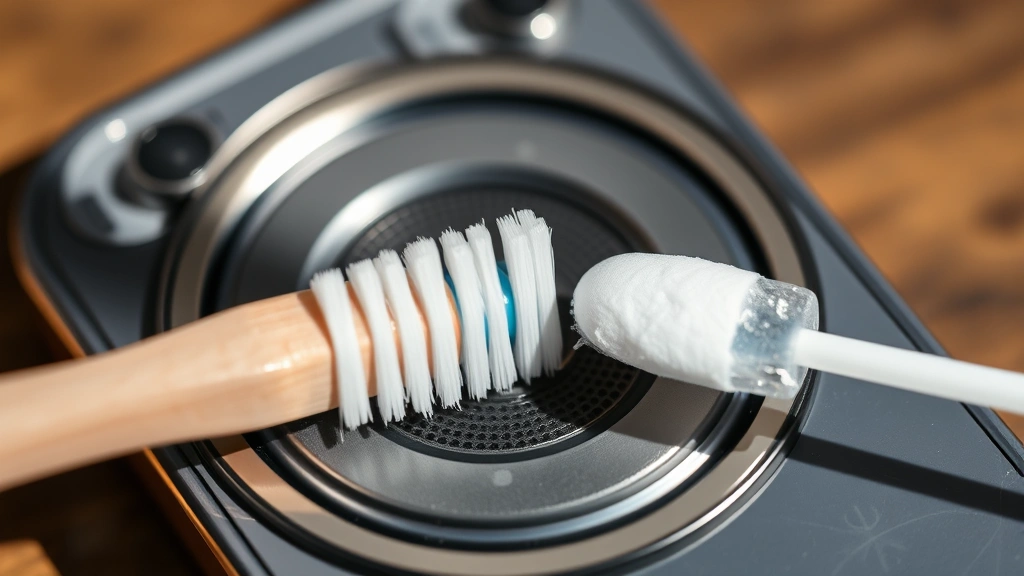
- Soft-bristled toothbrush: An old toothbrush with soft bristles is ideal for gentle scrubbing without damaging the speaker grille.
- Compressed air canister: This is one of the most effective tools for dislodging stubborn debris from speaker openings.
- Lint-free cloth: Microfiber cloths are perfect for wiping down your device without leaving residue.
- Isopropyl alcohol (70% concentration): This evaporates quickly and won’t damage your phone’s components.
- Wooden or plastic picks: These can help remove stubborn debris without scratching the speaker grille.
- Cotton swabs: Useful for reaching tight spaces and applying cleaning solutions precisely.
You can find most of these items at any pharmacy, electronics store, or through online retailers. If you’re looking for guidance on maintaining other household items, check out our article on how to clean grill grates, which uses similar techniques for removing buildup.
Safety Precautions Before Cleaning
Your iPhone is a delicate electronic device, so taking proper safety precautions is essential. The most important step is to power off your phone completely before cleaning the speaker. This prevents any accidental activation of features and reduces the risk of liquid damage to internal components.
Never use excessive water or liquid-based cleaners directly on your speaker grille. While isopropyl alcohol is safe in small quantities, you should only apply it to a cloth or cotton swab, never directly onto the phone. Avoid using abrasive materials like steel wool or hard-bristled brushes that could scratch or damage the speaker mesh.
Keep your iPhone away from moisture and humidity during the cleaning process. If you live in a damp climate, consider cleaning your speaker in a dry room or on a dry day. After cleaning, allow any moisture to evaporate completely before powering your phone back on. Most professionals recommend waiting at least 30 minutes after using any liquid cleaners.
Don’t apply excessive pressure when scrubbing or using tools to remove debris. The speaker grille is relatively delicate, and aggressive cleaning can cause permanent damage. Work slowly and methodically, focusing on gentle motions rather than forceful scrubbing.
Step-by-Step Cleaning Methods
Method 1: Compressed Air Cleaning
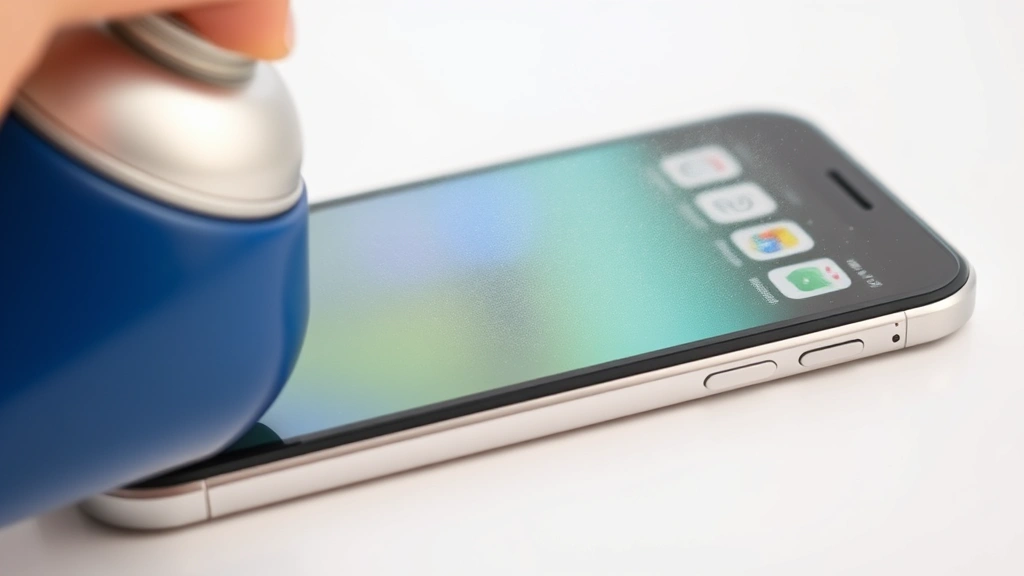
Compressed air is often the first and most effective approach for light to moderate speaker debris. Start by powering off your iPhone completely. Hold the compressed air canister upright and use short bursts of air directed at the speaker grille at a slight angle. Don’t hold the nozzle directly against the speaker, as this can force debris deeper into the opening.
Work in short, controlled bursts rather than one long stream. This gives loose particles time to escape. You should see dust and lint being dislodged from the speaker grille. Repeat this process several times, rotating your phone slightly to ensure you’re addressing the entire speaker opening from different angles.
Method 2: Soft Brush Cleaning
For debris that compressed air alone won’t remove, use a soft-bristled toothbrush. Dip the brush lightly in isopropyl alcohol (don’t soak it) and gently scrub the speaker grille in small circular motions. The alcohol helps dissolve any sticky residue while the soft bristles dislodge particles without damaging the mesh.
Work systematically across the entire speaker opening, paying special attention to the corners and edges where debris tends to accumulate. After brushing, use compressed air again to blow away the loosened particles. Wipe the area with a lint-free cloth to remove any remaining moisture or residue.
Method 3: Cotton Swab Precision Cleaning
For stubborn debris in specific spots, dampen a cotton swab with isopropyl alcohol and gently work it into problem areas. This method offers more precision than a toothbrush and is useful for targeting visible particles. Never force the cotton swab into the speaker opening; instead, let it work gently to absorb and lift debris.
You may need to repeat this process with several fresh cotton swabs as they become dirty. This method is particularly effective for hardened debris that won’t respond to air or brushing alone. The alcohol helps soften stubborn particles, making them easier to remove.
Method 4: Wooden Pick Technique
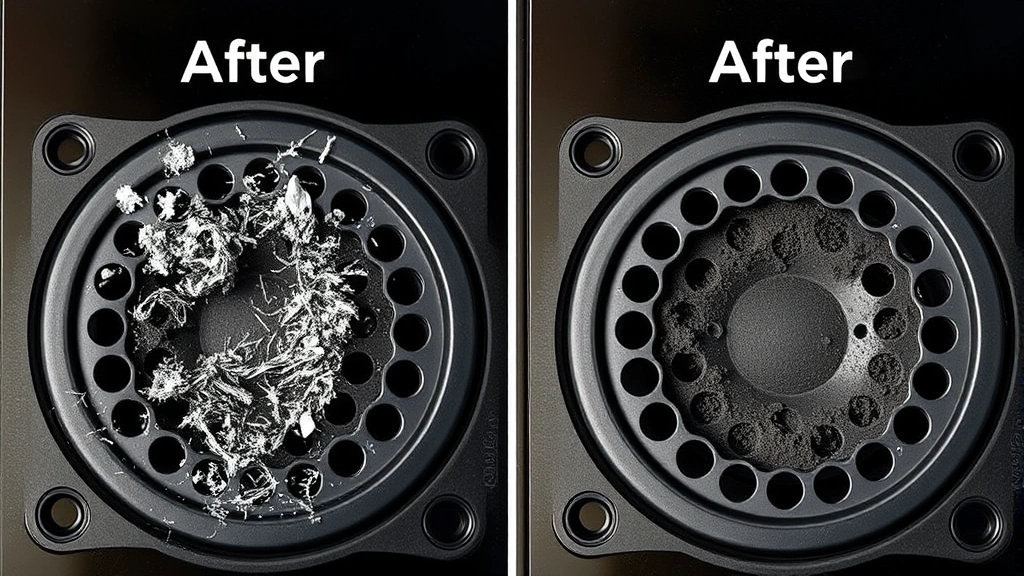
In extreme cases where debris is lodged firmly in the speaker grille, a wooden or plastic pick can help. Hold the pick at a very shallow angle and gently work at the debris without pushing it deeper into the speaker. This is a delicate operation that requires patience and a light touch.
Never use metal picks or sharp objects that could puncture the speaker mesh. Wood and plastic are soft enough to avoid damage while still providing enough rigidity to work stubborn particles loose. After using a pick, follow up with compressed air and a brush to remove all loosened material.
Cleaning Different iPhone Models
While the basic cleaning principles apply to all iPhone models, there are some model-specific considerations. If you’re working on an older iPhone, the speaker grille design might be slightly different from newer models. Our comprehensive guide on how-to guides and tutorials covers various device types and their maintenance requirements.
iPhone 13, 14, and 15 Models
These newer models have refined speaker grilles with smaller mesh openings. This means they’re less prone to large debris accumulation but can trap finer particles more easily. Use compressed air as your primary cleaning method for these models, as the small mesh can be sensitive to brush bristles. If you need to use a brush, ensure it has very soft bristles and apply minimal pressure.
iPhone 12 and Earlier Models
Older iPhone models generally have slightly larger speaker grille openings, making them easier to clean with traditional methods. These phones can handle slightly more aggressive cleaning techniques, though you should still proceed with caution. The soft brush method works particularly well for these models.
iPhone X and XS Series
These models feature dual speakers in some cases, so you may need to clean multiple speaker locations. Check your specific model’s design to identify all speaker locations, as some are positioned differently than on other models. Refer to our detailed cleaning guides for understanding how to work with multiple components, a principle that applies to multi-speaker iPhones.
Prevention Tips for Long-Term Maintenance
Preventing speaker debris accumulation is far easier than dealing with significant buildup. Simple daily habits can dramatically reduce how often you need to clean your speaker. Keep your phone in a clean pocket or bag rather than one that collects lint and debris. If you use a phone case, choose one with a speaker opening that doesn’t trap material around the edges.
Avoid eating while using your iPhone, as food particles are among the most stubborn types of debris to remove. If you do eat while using your phone, wash your hands before handling it to minimize crumb transfer. Store your phone in a clean, dry location when not in use.
Consider using a screen protector and a case designed to minimize dust and lint accumulation. Some premium phone cases have speaker-friendly designs that protect without trapping debris. Regular weekly inspections of your speaker grille can help you catch buildup early before it becomes a significant problem.
Create a maintenance schedule to clean your speaker grille every month or two, depending on your usage environment. If you frequently use your phone outdoors or in dusty conditions, you might need to clean more often. This preventative approach keeps your audio quality consistently high and prevents the need for intensive cleaning sessions.
When to Seek Professional Help
Most speaker cleaning tasks can be handled at home, but certain situations warrant professional assistance. If you’ve attempted cleaning multiple times and your speaker still sounds muffled or quiet, the problem might not be debris-related. Internal speaker damage, water damage, or hardware failures require professional diagnosis and repair.
If you notice liquid inside your iPhone or suspect water damage, stop cleaning immediately and take your phone to an authorized Apple service center. Attempting to clean water-damaged electronics can cause additional damage. Similarly, if you accidentally drop your phone or notice physical damage to the speaker area, professional repair is safer than DIY cleaning.
If your iPhone is still under warranty, Apple’s service coverage might include speaker cleaning or replacement at no cost. Check your warranty status before attempting extensive cleaning, as DIY efforts could potentially void coverage. For devices out of warranty, professional cleaning services are often inexpensive and can save you from accidentally damaging your phone.
Some third-party repair shops offer professional speaker cleaning services that use specialized equipment like ultrasonic cleaners. These services can be particularly effective for severely contaminated speakers and come with professional guarantees. If you’re uncomfortable cleaning your phone yourself, these services are a worthwhile investment.
Frequently Asked Questions
Is it safe to use water to clean my iPhone speaker?
While iPhones have some water resistance, you should avoid using tap water on your speaker. Tap water contains minerals and impurities that can damage electronics. If you must use liquid, use only 70% isopropyl alcohol applied to a cloth or cotton swab, never directly on the phone. Always power off your device first and allow it to dry completely before turning it back on.
How often should I clean my iPhone speaker?
For most users, monthly or bi-monthly cleaning is sufficient to maintain optimal audio quality. If you frequently use your phone outdoors, work in dusty environments, or notice your speaker gradually becoming quieter, you might need to clean more often. Regular inspection helps you catch buildup early before it significantly affects audio quality.
Can I use a vacuum to clean my iPhone speaker?
Avoid using vacuums on your iPhone speaker. The suction can be too strong and potentially damage the speaker mesh or internal components. Additionally, vacuums can generate static electricity that might harm your device. Stick with compressed air for air-based cleaning methods.
What if my speaker still sounds muffled after cleaning?
If cleaning doesn’t resolve muffled audio, the issue might be software-related rather than physical debris. Check your volume settings and ensure no apps are using the speaker in unexpected ways. If the problem persists, it could indicate internal speaker damage or water damage requiring professional repair. You might also want to review our guide on removing stubborn buildup for techniques that apply to persistent debris.
Is it necessary to remove the SIM card before cleaning?
You don’t need to remove the SIM card to clean your speaker. The SIM card slot is separate from the speaker, and normal cleaning methods won’t affect it. However, if you’re uncomfortable working around the SIM card slot, you can remove it for peace of mind.
Can I use rubbing alcohol instead of isopropyl alcohol?
While rubbing alcohol and isopropyl alcohol are similar, isopropyl alcohol is preferable because it evaporates faster and leaves fewer residues. If you must use rubbing alcohol, ensure it’s at least 70% concentration and use it sparingly. Always allow your phone to dry completely before powering it back on.
Will cleaning my speaker void my warranty?
Gentle cleaning using recommended methods typically won’t void your warranty. However, if you damage your phone during cleaning attempts, Apple may not cover repairs. If your phone is under warranty and you’re concerned, contact Apple support before cleaning. For out-of-warranty devices, you have more freedom to attempt DIY cleaning.

Related Posts

Superscript in Google Docs: Expert Tips

Strikethrough in Excel: Easy Steps for Beginners
