

Cancel Xfinity Service? Expert Tips Inside
How to Cancel Xfinity Service: Expert Tips and Step-by-Step Guide
Canceling your Xfinity service doesn’t have to be complicated, but understanding the process beforehand can save you time, frustration, and potentially unexpected fees. Whether you’re switching to a different provider, cutting the cord, or simply looking to reduce your monthly expenses, knowing the right steps to take ensures a smooth transition. This comprehensive guide walks you through everything you need to know about canceling Xfinity, from understanding your contract obligations to navigating the cancellation process itself.
Many customers find themselves overwhelmed when attempting to cancel their Xfinity service because they’re unprepared for common obstacles like early termination fees, equipment return requirements, and lengthy hold times with customer service. By following this expert guide, you’ll be equipped with the knowledge to handle each step efficiently and avoid costly surprises. We’ll cover the various cancellation methods, what to expect during the process, and how to protect yourself from unnecessary charges.
Understanding Your Xfinity Contract
Before you even think about canceling, it’s essential to understand the terms of your Xfinity contract. Most Xfinity services come with a commitment period, typically ranging from 12 to 24 months. During this period, you’re contractually obligated to maintain your service. If you cancel before the contract ends, you may face early termination fees that can be substantial.
To find your contract details, log into your Xfinity account online or check your original service agreement paperwork. Your account page will display your contract end date, service package details, and any promotional pricing that may be applied. Understanding these specifics before calling to cancel helps you negotiate better or prepare for any fees you might owe.
Some Xfinity customers have month-to-month agreements instead of fixed contracts. If you fall into this category, you’re in luck—canceling is typically much simpler with fewer financial penalties. Check your billing statement or account dashboard to confirm whether you have a contract or are on a month-to-month plan.
Early Termination Fees Explained
Early termination fees (ETF) are charges Xfinity imposes when you cancel your service before your contract expires. These fees vary depending on how much time remains on your contract and can range from $100 to $300 or more. Understanding how these fees are calculated is crucial for making an informed decision about cancellation timing.
Xfinity’s early termination fees typically decrease as you approach the end of your contract period. For example, if your contract ends in six months, your ETF will be lower than if it ends in 18 months. Some promotional offers include reduced ETFs after a certain period, so it’s worth asking about this when you contact customer service.
In certain situations, you may be able to avoid or reduce early termination fees. If you’re moving to an area where Xfinity doesn’t provide service, you can often cancel without penalties. Similarly, if there are service quality issues or billing disputes, customer service representatives sometimes have the authority to waive or reduce fees. It never hurts to ask and explain your situation.
One strategy some customers use is waiting until their contract naturally expires before canceling. If you’re only a few months away from the end date, it might be worth maintaining service temporarily to avoid fees altogether. Calculate whether the cost of staying versus the ETF makes financial sense for your situation.
Methods to Cancel Xfinity Service
Xfinity offers multiple ways to cancel your service, each with different levels of convenience and effectiveness. Understanding your options helps you choose the method that works best for your situation and communication style.
Phone Cancellation
The most direct method is calling Xfinity’s customer service line at 1-800-934-6489. This approach allows you to speak with a representative who can answer questions, discuss retention offers, and process your cancellation directly. However, be prepared for lengthy wait times and potential pressure from the representative to keep your service.
When calling, have your account number ready and be clear about your intention to cancel. Representatives may offer discounts or promotions to retain your business—decide beforehand whether you’re open to these offers or fully committed to leaving. Document the representative’s name, confirmation number, and cancellation date for your records.
Online Cancellation
You can also initiate cancellation through your Xfinity account online. Log into your account, navigate to the billing or account settings section, and look for the cancellation option. Online cancellation is convenient because it eliminates hold times, but you may still need to call to complete the process or discuss fees.
In-Person Cancellation
Visit a local Xfinity store or service center to cancel in person. This method allows you to handle equipment returns simultaneously and get immediate confirmation. However, store hours may be limited, and you might encounter wait times during busy periods.
Chat Support
Xfinity’s online chat support is another option for initiating cancellation. While not ideal for complex discussions about fees, it’s useful for asking preliminary questions and getting guidance on next steps. Chat interactions are also logged, providing you with a written record of the conversation.

Preparing for Cancellation
Proper preparation ensures your cancellation goes smoothly and prevents complications down the road. Taking time to organize before you contact Xfinity saves frustration and protects your interests.
Gather Your Information: Collect your account number, billing statements, and any promotional agreements you have with Xfinity. These documents help you understand your obligations and reference specific terms during your conversation with customer service.
Review Your Bills: Check recent billing statements for any disputed charges or errors. If you find issues, address them before canceling. Unresolved billing problems can delay your cancellation or result in unexpected final charges.
Plan Your Transition: Decide on your next internet or cable provider before canceling Xfinity. This prevents service gaps and ensures you’re not without connectivity during the transition. Many providers offer installation within days of ordering, so timing your cancellation strategically is important.
Back Up Your Data: If you use Xfinity’s email service or have stored information in your account, back up anything important before canceling. After cancellation, you may lose access to your Xfinity email account and associated data.
Check for Pending Credits: Confirm whether you have any promotional credits, autopay discounts, or other account credits that haven’t been applied. Ask customer service about these before finalizing cancellation.
Similar to how you might research how to cancel Sling TV or other streaming services, preparing for Xfinity cancellation requires understanding your specific agreement terms and avoiding common pitfalls.
The Cancellation Process Step-by-Step
Step 1: Contact Xfinity Call 1-800-934-6489 or use your preferred contact method. Have your account information ready. Explain that you want to cancel your service and be prepared to provide your account number and service address.
Step 2: Listen to Retention Offers The representative will likely present discounts, promotions, or service modifications to keep you as a customer. Politely but firmly decline if you’re committed to leaving. If you’re open to negotiation, this is your opportunity to discuss better rates.
Step 3: Confirm Early Termination Fees Ask the representative to clearly state any early termination fees, equipment charges, or other final charges you’ll owe. Request this information in writing via email or mail. Don’t proceed until you understand all potential charges.
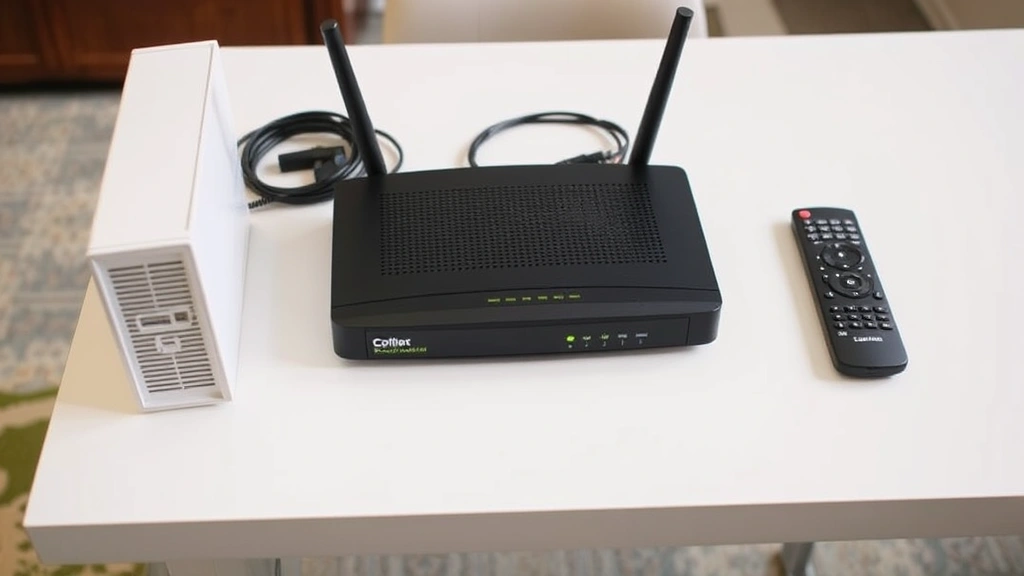
Step 4: Discuss Equipment Return Ask about the equipment return process and deadlines. Xfinity typically provides instructions for returning modems, routers, cable boxes, and remote controls. Understand whether you need to return equipment in person or if you can mail it.
Step 5: Confirm Final Bill Date Establish the exact date your service will terminate. This prevents confusion about when to expect your final bill and ensures you have alternative service in place before the cutoff.
Step 6: Get Confirmation Details Request your cancellation confirmation number, the representative’s name, and the cancellation date. Ask for this information via email for your records. Screenshot or print this confirmation as proof of your cancellation request.
Step 7: Verify Cancellation A few days after your cancellation request, log into your Xfinity account to confirm the cancellation is processing. If the status hasn’t changed, call back to verify the cancellation was recorded correctly.
Returning Equipment
Returning Xfinity equipment promptly is crucial to avoid additional charges on your final bill. Xfinity typically charges $50 to $150 or more for unreturned equipment, so taking this seriously protects your wallet.
What Equipment to Return: Most customers need to return the cable modem, wireless router, cable boxes, and remote controls. Your cancellation representative will provide a specific list of items associated with your account. Don’t assume—get a complete inventory before returning anything.
Return Methods: Xfinity offers several return options. You can drop equipment at a local Xfinity store, use UPS or FedEx to ship it (Xfinity sometimes provides prepaid labels), or schedule a technician pickup. Choose the method that’s most convenient and safest for your equipment.
Inspection Before Return: Before returning equipment, ensure everything is in good working condition and clean. While normal wear is expected, heavily damaged equipment might result in additional charges. Take photos of the equipment’s condition before returning it as documentation.
Keep Your Receipt: Always get a receipt or confirmation number when returning equipment, whether in person or by mail. This proves you returned the items and protects you from being charged for equipment Xfinity claims never arrived.
Follow Up: After returning equipment, monitor your account for any unreturned equipment charges on your final bill. If charges appear that shouldn’t be there, contact customer service immediately with your return receipt as proof.
After Cancellation
Your responsibilities don’t end when your service is terminated. Follow these steps to ensure a clean break from Xfinity and protect yourself from future issues.
Review Your Final Bill: When your final bill arrives, carefully review all charges. Look for early termination fees, equipment charges, prorated service costs, and any credits applied. If anything seems incorrect, contact Xfinity within 30 days to dispute the charges.
Cancel Auto-Pay: If you had automatic payments set up with Xfinity, confirm they’ve been canceled. Check your bank or credit card statements for a few months after cancellation to ensure no unexpected charges appear.
Update Your Email: If you were using an Xfinity email address, update your email address on any accounts or services that use it. Xfinity may deactivate your email shortly after cancellation, potentially locking you out of important accounts.
Request Confirmation of Cancellation: Ask Xfinity to send you written confirmation that your account has been fully canceled and all equipment has been received. This documentation is valuable if any issues arise later.
Monitor Your Credit: Keep an eye on your credit report for any unexpected collections or negative marks related to unpaid Xfinity balances. If you dispute charges and they’re not resolved, they could appear on your credit.
Just like understanding how to cancel an Uber Eats order requires attention to confirmation details, managing your Xfinity cancellation requires thorough documentation and follow-up.
FAQ
What is the typical early termination fee for Xfinity?
Xfinity’s early termination fees typically range from $100 to $300, depending on how much time remains on your contract. The fee decreases as your contract end date approaches. Some promotional offers include lower ETFs after a certain period of service.
Can I cancel Xfinity without paying an early termination fee?
Yes, in certain situations. If you’re moving to an area without Xfinity service, you can usually cancel without fees. Service quality issues, billing errors, and contract disputes may also qualify you for fee waivers. Always ask customer service about options—they sometimes have authority to reduce or waive fees.
How long does it take to cancel Xfinity?
The cancellation process itself takes one phone call or online session, typically 15-30 minutes. However, the full cancellation may take several days to process in Xfinity’s system. Your service will terminate on the date specified during cancellation.
What happens to my Xfinity email after cancellation?
Your Xfinity email address will be deactivated after your service ends. You should update your email address on any accounts using your Xfinity email and set up forwarding or backup before cancellation. After deactivation, you won’t have access to your email account.
Do I have to return equipment in person?
No. While you can return equipment at a local Xfinity store, you can also mail it using a prepaid label or schedule a technician pickup. Choose the method most convenient for you, but always get a receipt or confirmation number for your records.
What if I’m charged for unreturned equipment after cancellation?
Contact Xfinity customer service with your return receipt as proof. If you returned equipment through mail, provide tracking information showing delivery. Dispute the charge if you have documentation proving the equipment was returned.
Can I cancel just one service (internet, TV, or phone)?
Yes. You don’t have to cancel all Xfinity services at once. You can cancel individual services while keeping others. However, bundled discounts may no longer apply if you remove services from your package.
How do I know if my cancellation went through?
Log into your Xfinity account online and check your account status. You should see a cancellation date and pending service termination notice. You’ll also receive a confirmation email and final bill within a few days. If you don’t see confirmation within three days, call back to verify.

Related Posts

Superscript in Google Docs: Expert Tips

Strikethrough in Excel: Easy Steps for Beginners
