
How to Hide Wires? Expert Tips for Neat Spaces
How to Hide Wires: Expert Tips for Neat Spaces
Unsightly cables and cords cluttering your home office, entertainment center, or bedroom can instantly make even the most thoughtfully designed space look messy and disorganized. Whether you’re dealing with power cords, charging cables, or audio-visual equipment connections, managing visible wires is one of the most common aesthetic challenges homeowners face today. With the proliferation of electronic devices in modern homes, the problem has only become more pronounced, leaving many people wondering how to achieve that clean, cable-free look without sacrificing functionality.
The good news is that hiding wires doesn’t require expensive renovations or professional installation. By implementing strategic solutions and understanding the various methods available, you can transform chaotic cable situations into organized, visually appealing setups. This comprehensive guide will walk you through practical, tested approaches to conceal wires effectively, whether you’re renting or own your home, and whether you prefer temporary or permanent solutions.
Wall-Mounted Cable Management Solutions
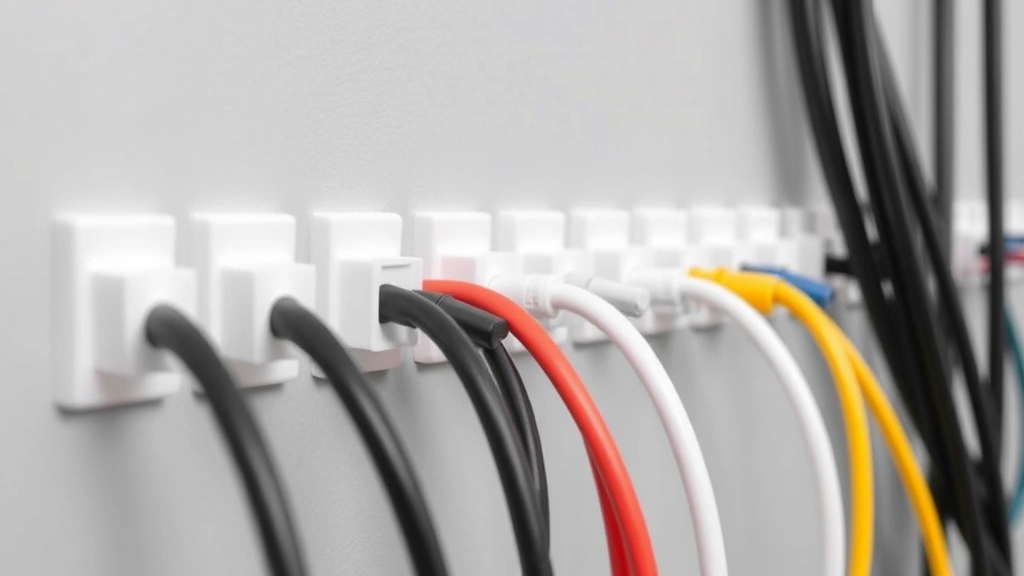
Wall-mounted options represent some of the most effective and visually appealing ways to hide wires while keeping them accessible. Cable raceways are plastic or metal channels that attach directly to your wall surface and conceal wires running along the wall. These come in various sizes and colors to match your décor, making them nearly invisible once installed. The advantage of raceways is that they’re semi-permanent—you can remove them without damaging walls, though they may leave slight adhesive residue.
To install cable raceways, start by measuring the distance your wires need to travel. Clean the wall surface thoroughly with a damp cloth and allow it to dry completely. Most raceways use self-adhesive backing; peel and stick them along your planned route. For a more permanent installation, use small screws or nails for added security. Run your cables through the raceway and secure them with clips or ties inside the channel.
Adhesive cable clips offer a minimalist alternative to full raceways. These small clips hold individual wires against the wall and are nearly invisible, especially when matched to your wall color. They work best for organizing a few cables rather than managing large bundles. Space clips approximately 12 inches apart along the cable’s length to prevent sagging.
Another excellent option involves using paintable cable covers that you can match to your wall color exactly. These hollow tubes slide over cables and can be painted with your wall color for seamless integration. This method works particularly well for vertical cable runs behind televisions or along corners.
Consider visiting This Old House for additional wall-mounted cable management techniques and professional recommendations.
Behind-Furniture Wire Concealment
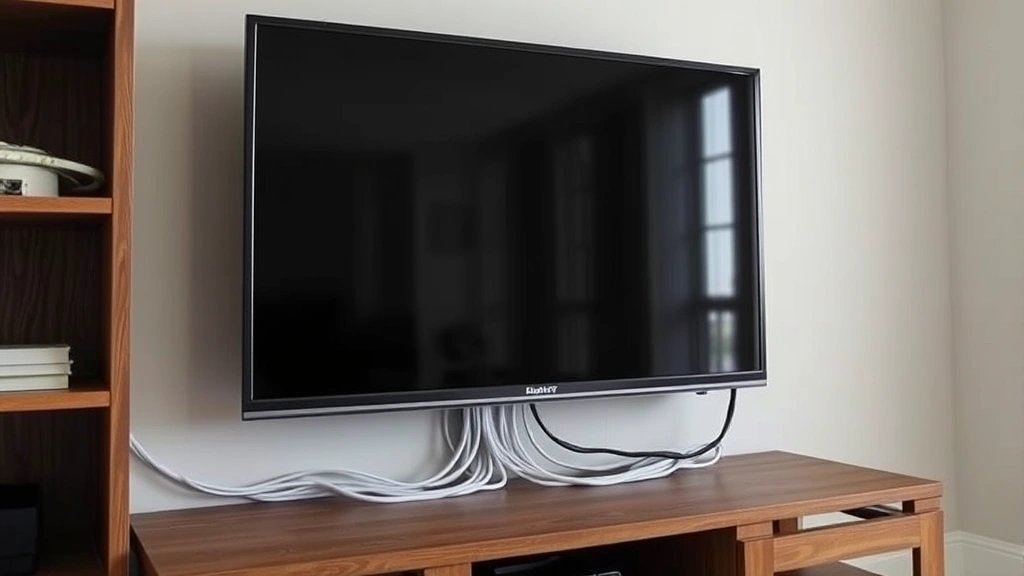
One of the simplest approaches to hiding wires involves strategic furniture placement. Position entertainment centers, desks, and shelving units to naturally conceal cables running behind them. This method is particularly effective for entertainment setups where multiple cables connect televisions, sound systems, and streaming devices.
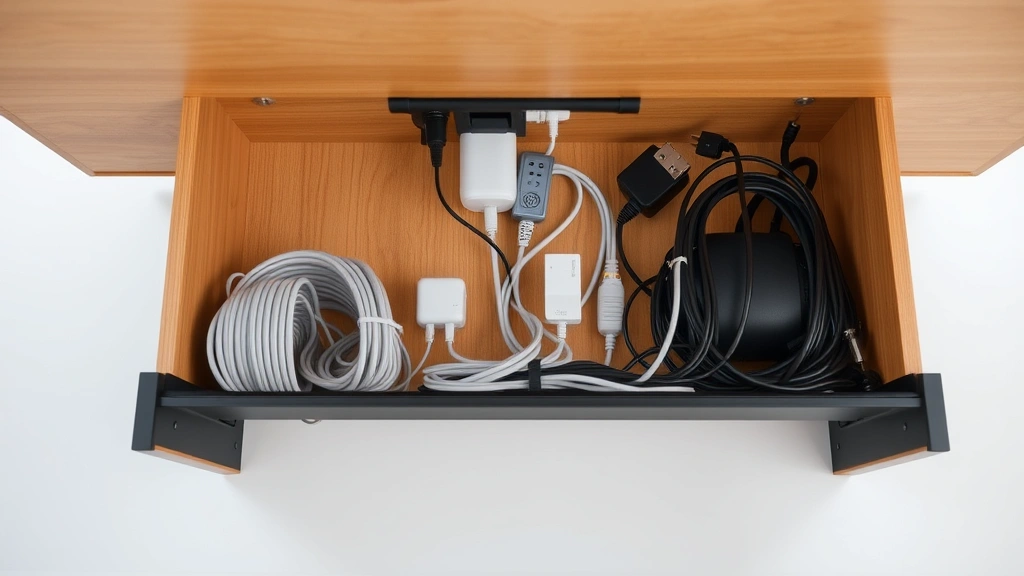
Cable management boxes sit behind or beneath furniture and contain the chaotic mess of power strips, surge protectors, and bundled cables. These boxes have openings for cables to enter and exit while keeping the actual tangle hidden from view. Many designs include ventilation to prevent heat buildup from multiple devices.
When arranging furniture to conceal wires, ensure adequate spacing for air circulation around devices that generate heat. Don’t compress cables too tightly behind furniture, as this can damage insulation and create fire hazards. Leave at least a few inches of clearance behind televisions and audio equipment.
Under-desk cable trays mount beneath desks or tables and organize cables running to computers, monitors, and peripherals. These trays keep wires suspended beneath the desktop surface, completely hidden from view while remaining accessible for adjustments. Adhesive-backed options require no drilling, making them perfect for renters.
Cable sleeves or fabric cord covers bundle multiple wires together and can be routed behind furniture or along baseboards. These flexible sleeves expand to accommodate various cable thicknesses and compress when full, creating neat, organized bundles that look intentional rather than messy.
In-Wall Wire Installation
For those seeking the most permanent and seamless solution, running cables inside walls provides the ultimate clean aesthetic. This approach requires more effort and planning but delivers professional results that completely eliminate visible wires. Before beginning any in-wall installation, consult your local building codes and consider hiring a licensed electrician, particularly for power cables.
In-wall rated cables differ from standard cables—they’re specifically designed to be safely placed inside walls and meet fire safety requirements. Never use regular extension cords or non-rated cables inside walls, as they can create fire hazards. Check your cables for labels indicating they’re approved for in-wall use.
Conduit systems provide protective channels for cables running through walls. Rigid conduit offers maximum protection but requires professional installation. Flexible conduit works for some applications and is easier to work with than rigid options. Running conduit through walls typically involves:
- Identifying the cable route from source to destination
- Determining if you can access the wall cavity without major demolition
- Feeding conduit through wall cavities between studs
- Pulling cables through the conduit once installed
- Finishing wall openings with outlet boxes or trim rings
For existing walls without accessible cavities, surface-mounted conduit offers a compromise. Metal or plastic conduit runs along the wall surface and can be painted to blend with walls. While not completely invisible, well-installed surface conduit looks professional and organized.
Behind-wall installation works best during new construction or major renovations when walls are already open. Planning cable routes during the framing stage prevents costly retrofitting later. If you’re undertaking this project, Family Handyman offers detailed guides for various in-wall installation scenarios.
Desktop and Workspace Organization
Home offices and workspaces present unique challenges since cables for computers, monitors, printers, and peripherals converge in a small area. Effective desktop wire management involves both hiding cables and ensuring they remain accessible for troubleshooting and adjustments.
Cable management clips and organizers designed specifically for desks keep wires neatly bundled and routed along desk edges or legs. Silicone clips grip cables without damaging them and can be repositioned as needed. Velcro cable ties offer reusable bundling options that don’t permanently attach to cables.
Consider implementing a power management system with a central surge protector positioned behind your desk or inside a cable box. Running all device power cords to this single location eliminates multiple cables scattered across your workspace. Choose surge protectors with USB ports to reduce the number of individual power adapters needed.
Under-desk cable trays, mentioned earlier in furniture concealment, excel in workspace settings. These suspended trays keep cables organized beneath the desktop surface where they’re completely hidden but remain accessible. Some designs include built-in power strips for additional convenience.
For cable runs that must cross desktop surfaces, cable sleeves or spiral wraps bundle wires together and can be color-coordinated to your workspace aesthetic. Label cables at both ends using small tags or label makers, making it easy to identify which cable connects to which device—particularly helpful when troubleshooting or replacing equipment.
Renter-Friendly Temporary Methods
If you’re renting your home or prefer non-permanent solutions, numerous damage-free methods exist for hiding wires without jeopardizing your security deposit. These approaches use adhesive backing, magnetic mounting, or simple positioning without requiring holes, nails, or screws.
Command adhesive cable clips and similar products from major retailers use removable adhesive that won’t damage painted walls. These clips hold cables securely while remaining completely removable. The adhesive residue can be gently rubbed off without leaving marks on most wall finishes.
Furniture rearrangement offers the simplest temporary solution. Position desks, entertainment centers, or shelving to naturally conceal cable routes. This approach costs nothing and can be adjusted whenever you rearrange your space. Ensure furniture placement doesn’t block ventilation for heat-generating devices.
Fabric cable covers and sleeves hide cables without permanent installation. These flexible tubes slide over cables and can be routed behind furniture, along baseboards, or across open spaces. They’re particularly effective for creating the appearance of intentional design rather than chaotic cabling.
Adhesive-backed cable trays mount under desks without drilling, making them ideal for renters. These trays organize multiple cables in a confined space and can be removed cleanly when you move. Ensure the wall surface is clean and dry before application for maximum adhesive strength.
For entertainment setups, furniture cable management boxes sit behind televisions or entertainment centers and contain power strips and bundled cables. These boxes are completely portable and require no installation—simply position them and route cables through openings.
Check out Family Handyman’s cable management solutions for additional renter-friendly options and detailed installation instructions.
Professional-Grade Cable Systems
For those wanting the most comprehensive, long-term solution, professional-grade cable management systems offer durability and flexibility. These systems are commonly used in commercial settings but work equally well in residential environments.
Structured cabling systems involve planning and installing a comprehensive network of conduits, raceways, and outlet boxes throughout your space. This approach works best during construction or major renovation but provides permanent, organized infrastructure for all future cables. Professional installers can design systems that anticipate future technology needs.
Raceway systems with modular components allow you to expand and modify your cable management as your needs change. These systems use interlocking channels and connectors that let you create custom configurations. Unlike simple adhesive clips or basic raceways, modular systems can accommodate significant cable volume changes without requiring replacement.
For complex entertainment or technology setups, professional cable management services design and install customized solutions. These services assess your equipment, plan optimal cable routes, and implement solutions that balance aesthetics with functionality. While more expensive than DIY approaches, professional installation ensures safety compliance and optimal performance.
Wireless technology integration represents the ultimate long-term solution. As wireless charging, Bluetooth connectivity, and WiFi-based devices become more prevalent, you can gradually reduce the number of visible cables in your space. Investing in wireless peripherals and charging solutions eliminates cable management challenges entirely.
Major home improvement retailers like Lowe’s and Home Depot carry extensive selections of professional-grade cable management products, including advanced raceways, conduit systems, and modular components.
FAQ
What’s the safest way to hide power cords?
Never bundle power cords tightly or place them under carpets, as this creates fire hazards. Use cable management solutions that allow air circulation, and ensure cords aren’t kinked or damaged. For permanent in-wall installations, use only in-wall rated cables and conduit systems. When bundling cords temporarily, use velcro ties or cable sleeves that can be easily removed and adjusted.
Can I hide cables inside drywall?
Yes, but only if you use proper in-wall rated cables and conduit systems. Standard cables aren’t designed for in-wall installation and create fire risks. Always check local building codes before running any cables through walls, and consider hiring a licensed electrician for power cables. For non-power cables like network or audio, you have more flexibility, but proper conduit still protects cables from damage.
What’s the best cable management solution for renters?
Adhesive-backed options like Command clips, removable cable sleeves, and furniture-based concealment work best for renters. These solutions require no permanent installation and can be completely removed without wall damage. Furniture rearrangement to hide cables also costs nothing and provides flexibility when you move.
How do I organize cables behind my television?
Start by using a power strip or surge protector as your central hub, routing all device power cords to this single location. Use cable ties or velcro straps to bundle cables together, keeping them organized and preventing tangling. Label cables at both ends for easy identification. Consider a cable management box to hide the power strip and bundled cables completely. For a more permanent solution, run cables through wall-mounted raceways or inside the wall using proper conduit.
Are wireless solutions worth the investment?
Wireless technology continues improving and becoming more affordable. Investing in wireless charging pads, Bluetooth peripherals, and WiFi-enabled devices gradually eliminates cable management needs. While initial costs may be higher, wireless solutions provide cleaner aesthetics and greater flexibility long-term. Start with high-priority cables—like charging cables for frequently used devices—and transition to wireless gradually.
What products should I avoid when hiding wires?
Avoid standard extension cords for in-wall installation, as they lack proper fire-safety ratings. Don’t bundle cables too tightly under furniture, which can damage insulation. Never run power cords under carpets or rugs. Avoid cheap adhesive solutions that may fail or damage walls. Don’t compress cables behind furniture where they could overheat. Finally, avoid DIY in-wall installations without understanding local building codes—improper installation creates serious safety hazards.

Related Posts

Superscript in Google Docs: Expert Tips

Strikethrough in Excel: Easy Steps for Beginners
