

How to Create a Facebook Business Page: Expert Guide
How to Create a Facebook Business Page: Expert Guide
So you’ve decided it’s time to take your business online, and Facebook seems like the logical first step. Smart move. With nearly three billion monthly active users, Facebook remains one of the most powerful platforms for reaching customers, building community, and establishing your brand’s digital presence. But here’s the thing—just throwing up a business page and hoping for the best won’t cut it. You need strategy, structure, and a solid understanding of how to set everything up correctly from day one.
Creating a Facebook Business Page might seem straightforward on the surface, but there’s more nuance to it than you’d think. The difference between a page that gathers dust and one that becomes a genuine marketing asset often comes down to how well you set it up initially. We’re talking about everything from choosing the right category and filling out your profile strategically to understanding Facebook’s algorithm and planning your content approach.
This guide walks you through every step of the process, from account creation to optimization strategies that’ll actually drive engagement. Whether you’re launching a service-based business, selling physical products, or building a personal brand, you’ll find actionable advice that translates directly into results.
Getting Started: What You’ll Need
Before you dive into creating your Facebook Business Page, let’s talk about prerequisites. You’ll need a personal Facebook account first—this is non-negotiable. If you don’t have one already, set one up using your email address. Make sure it’s an account you’re comfortable using professionally, because your name will be associated with the business page as an admin.
Beyond that, gather the essential information about your business. Have your business name finalized, a clear description of what you do, your business contact information, website URL (if you have one), and your business hours. You’ll also want to think about your visual branding—specifically, a profile picture and cover photo. These don’t need to be professional photo shoot caliber, but they should represent your brand clearly and look intentional.
Consider your business category carefully. Facebook offers hundreds of options, from “Local Business” to “Shopping & Retail” to “Professional Services.” Choosing the right one affects how your page appears in search results and what features become available to you. If you’re unsure which category fits best, think about how your customers would search for you.
Step-by-Step Setup Process
Alright, let’s get into the actual mechanics of creating your page. Log into your personal Facebook account and look for the menu icon (three horizontal lines) in the top right corner. Click it, then scroll down until you find “Create” or “Pages.” Facebook’s interface changes occasionally, but there’s typically a clear option to create a new page.
Click “Create Page” and you’ll be prompted to choose a page type. This is where that business category research comes in handy. Select the category that best describes what you do. Next, you’ll enter your business name. Be precise here—this is what people will search for and find. Avoid cute spellings or abbreviations unless that’s genuinely your business name. Facebook takes this seriously and won’t let you change it frequently after creation.
After naming your page, you’ll need to add a profile picture. Upload a clear image that represents your business. For most businesses, this is either a logo or a professional headshot if you’re a solopreneur. The image will be cropped to a circle, so make sure the important part of your image is centered. Next comes the cover photo—this is the large banner image at the top of your page. Think of it as your storefront window. It should reflect your brand’s aesthetic and values.

Once you’ve completed these basics, Facebook will ask you to add some initial information like your business address, phone number, and website. Fill these out accurately. This information helps potential customers find and contact you. If you don’t have a website yet, you can skip this for now, but adding one later is important for credibility.
Optimizing Your Business Information
This section is where many business owners get lazy, and it shows. Your business information is essentially your digital storefront’s welcome mat. Don’t skimp on it. Start with your “About” section—this is your elevator pitch. You have a limited character count, so make every word count. Describe what you do, who you serve, and what makes you different. Don’t just list services; explain the value you provide.
Your business description should answer the question every potential customer asks: “Why should I choose you?” If you need help articulating this, consider how you’d answer tell me about yourself in a professional context—apply that same clarity here.
Add detailed contact information. Include your phone number, email address, and physical location if you have a storefront. Add your business hours—be specific about which days and times you’re available. Nothing frustrates potential customers more than unclear hours. If you’re open “by appointment,” say so explicitly.
Fill out the “Website” field with your URL if you have one. If you don’t yet have a website, this is a good reminder that one strengthens your credibility significantly. In the meantime, make sure your Facebook page is polished enough to serve as a temporary online hub. Your page should link to any other social media accounts you maintain. This creates a cohesive online presence across platforms.
Add a clear call-to-action (CTA) button to your page. Facebook offers several options like “Contact Us,” “Learn More,” “Shop Now,” or “Book Now.” Choose the one that best reflects what you want visitors to do. This button appears prominently on your page and makes it easy for interested people to take the next step.
Designing Your Page for Maximum Impact
Your page’s visual presentation matters more than you might think. People make snap judgments about businesses based on visual cues, and your Facebook page is often their first impression. Start with a cohesive color scheme. While Facebook’s layout is fixed, you can maintain brand consistency through your profile picture, cover photo, and the content you post.
Your cover photo deserves serious thought. It should be 820 x 312 pixels for desktop viewing (Facebook will adjust for mobile). Use this real estate strategically. Some businesses use it for promotional messaging, others showcase their best product or service, and some simply display beautiful brand imagery. Whatever you choose, make sure it’s high-quality and clearly represents your business.
Consider creating multiple cover photos for different seasons or campaigns. Facebook lets you change your cover photo easily, so you can refresh it periodically to keep your page feeling current. Just avoid making it too busy or text-heavy—remember, this is a visual element, not a billboard for copy.
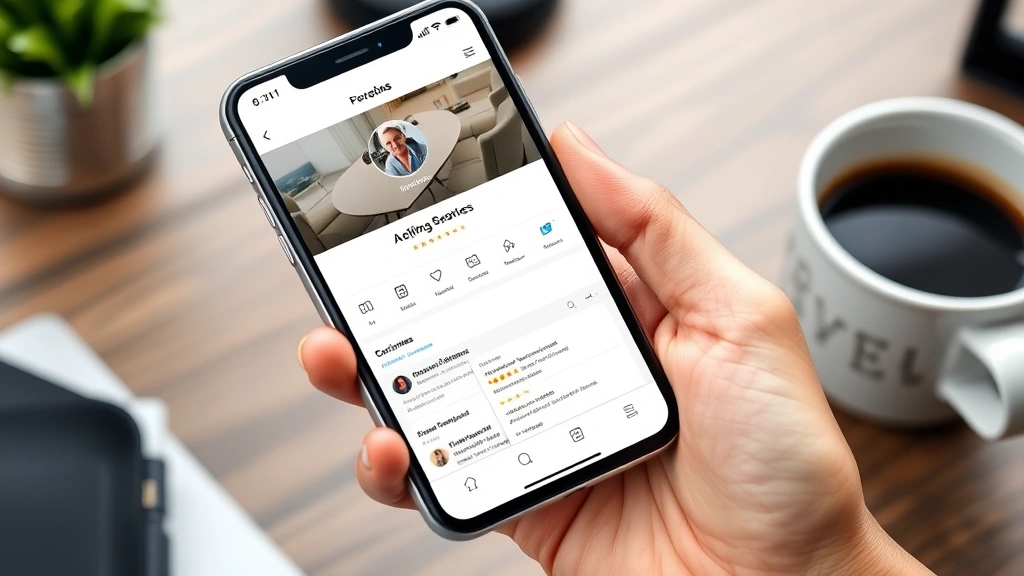
Organize your page sections thoughtfully. Facebook allows you to reorder sections on your page—move the most important information to the top. For a restaurant, that might be “Menu” or “Order Now.” For a service business, it might be “Services” or “About.” Think about what information matters most to your target audience and prioritize accordingly.
Setting Up Essential Features
Facebook offers several features that enhance your page’s functionality. Messenger is one of the most valuable—enable it so customers can message you directly through Facebook. Set up automated responses so people know when you’ll reply, especially if you’re not monitoring messages 24/7.
The Shop feature deserves attention if you sell products. Facebook Shop integrates with your inventory and lets customers browse and purchase directly from your page. Setting it up requires some initial work, but it significantly reduces friction in the buying process. Check out how to copy and paste on laptop basics if you’re working with product information—you’ll likely be copying and pasting product details during setup.
Enable reviews on your page. Customer testimonials and ratings build credibility and trust. Make it easy for satisfied customers to leave reviews by promoting this feature. Respond to all reviews, both positive and negative, professionally and promptly. This shows potential customers that you’re engaged and care about feedback.
Set up your page’s verification process if you’re eligible. A verified badge (the blue checkmark) signals legitimacy and helps customers distinguish your official page from imposters. Eligibility varies by business type, but it’s worth applying for if you qualify.
Create a content calendar and schedule posts in advance. Facebook’s Business Suite lets you plan posts ahead of time, which is invaluable for consistency. You can schedule posts to go live when your audience is most active, even if you’re not online at that moment. Think about how you might schedule a text on iPhone—scheduling on Facebook works similarly, giving you control over timing.
Content Strategy and First Posts
Now comes the part that actually builds your audience: content. Your first few posts set the tone for your page, so make them count. Don’t just post a generic “Welcome to our page!” message. Instead, share something valuable, interesting, or behind-the-scenes that gives people a reason to follow.
Develop a content mix that balances promotional content with educational or entertaining material. A common recommendation is the 80/20 rule—80% valuable, engaging content and 20% promotional. This keeps your audience interested rather than feeling constantly sold to.
Learn how to make a facebook post shareable by creating content that resonates emotionally or provides clear value. Posts that educate, inspire, or entertain get shared more frequently, expanding your organic reach. Similarly, understanding how to make a post shareable on facebook means crafting messages that people actually want to share with their networks.
Post consistently but not obsessively. Aim for at least 3-4 posts per week, but quality matters more than quantity. It’s better to post three excellent posts weekly than seven mediocre ones. Your audience needs to know they can expect regular content from you, but they also need that content to be worth their time.
Use Facebook’s native video feature rather than linking to YouTube. Facebook prioritizes native videos in the algorithm, meaning your video content will reach more people if it’s uploaded directly to Facebook. Videos don’t need to be polished—authentic, behind-the-scenes content often performs better than overly produced material.
Engage with trending topics and conversations relevant to your industry. This keeps your content fresh and shows that you’re current and engaged with your field. Just avoid forced or inauthentic attempts to ride trends—your audience can tell the difference.
Engaging with Your Audience
Creating a Facebook Business Page isn’t a one-way broadcast channel. It’s a conversation. Engagement is the lifeblood of a successful page. Respond to comments on your posts promptly and thoughtfully. When someone asks a question in the comments, answer it publicly so others benefit from the response. This builds community and shows that you’re attentive and helpful.
Use Facebook’s polling feature to ask your audience questions. Polls are simple, low-friction ways to generate engagement and gather valuable feedback about what your audience cares about. The data you collect helps inform future content decisions.
Create events for product launches, webinars, sales, or special promotions. Events create urgency and give people a specific reason to engage with your page. Promote events both on your page and through Facebook’s paid advertising if your budget allows.
Join Facebook Groups related to your industry or customer base. Participate authentically in these communities—answer questions, share insights, and build relationships. When appropriate, mention your page or services, but don’t spam or constantly promote. These groups are about community first, business second.
Monitor what content gets the most engagement and double down on what works. If video gets more engagement than static images, create more video. If educational content outperforms promotional content, shift your mix accordingly. Your audience is telling you what they want—listen.
Analytics and Performance Tracking
Facebook provides robust analytics through Meta Business Suite. These insights are gold if you know how to interpret them. Pay attention to metrics like reach (how many people saw your content), impressions (how many times your content was displayed), engagement rate (likes, comments, shares), and click-through rate.
Track which posts drive the most engagement and which fall flat. Look for patterns—do carousel posts outperform single images? Do morning posts get more engagement than evening posts? Does your audience respond better to certain topics? This data should directly inform your content strategy going forward.
Monitor your follower growth over time. A steady increase indicates that your content resonates and your page is becoming more visible. If growth plateaus, it might be time to experiment with different content types or posting frequency.
Pay special attention to your page’s conversion metrics if you’re running promotions or trying to drive sales. Facebook tracks clicks to your website, purchases made through your Shop, and other conversion actions. This tells you whether your page is actually driving business results or just generating vanity metrics.
Use A/B testing to optimize your approach. Try different post formats, posting times, and messaging to see what resonates most with your specific audience. What works for one business might not work for another—the data from your own page is the most relevant guide.
Frequently Asked Questions
Can I create a Facebook Business Page without a personal account?
No, Facebook requires a personal account to create and manage a business page. However, you can use a professional email address and keep your personal account separate from your business activities. You don’t need to share personal content on your personal timeline.
What’s the difference between a Facebook Page and a Facebook Group?
A Facebook Page is a public presence for your business where you broadcast content to followers. A Facebook Group is a community space where members interact with each other. For most businesses, a Page is the right choice, though some businesses maintain both for different purposes.
How long does it take to see results from a Facebook Business Page?
This depends on your definition of results and your industry. You might see engagement within days, but meaningful business impact usually takes weeks or months. Consistency is more important than speed—stick with it for at least 3-6 months before evaluating effectiveness.
Should I pay for Facebook advertising?
Organic reach on Facebook has declined significantly over the years, so most businesses see better results when they combine organic content with paid advertising. You don’t need a huge budget—even $5-10 per day can yield results if targeted correctly. However, start with organic content first and add paid promotion once you have content that performs well.
Can I change my Facebook Business Page name later?
Yes, but Facebook limits how often you can change it. You can change your page name once every 60 days. Choose carefully the first time to avoid unnecessary changes. If you need to change it immediately after creation, do so before you’ve made many posts.
What’s the best way to handle negative reviews or comments?
Respond professionally and empathetically. Never get defensive or argumentative. Acknowledge the person’s concern, apologize if appropriate, and offer to resolve the issue privately through direct message if needed. Potential customers watching this exchange will judge you based on how you handle criticism—respond well and you’ll actually build more trust.
How often should I post on my Facebook Business Page?
Quality matters more than quantity, but consistency matters too. Aim for 3-4 posts per week as a baseline. Some industries benefit from daily posting, while others do fine with 1-2 posts weekly. Monitor your analytics to see what frequency keeps your audience engaged without overwhelming them.

Related Posts

How Long to Boil Lobster Tails: Cooking Guide

How Long to Fly from New York to London? Travel Times
