
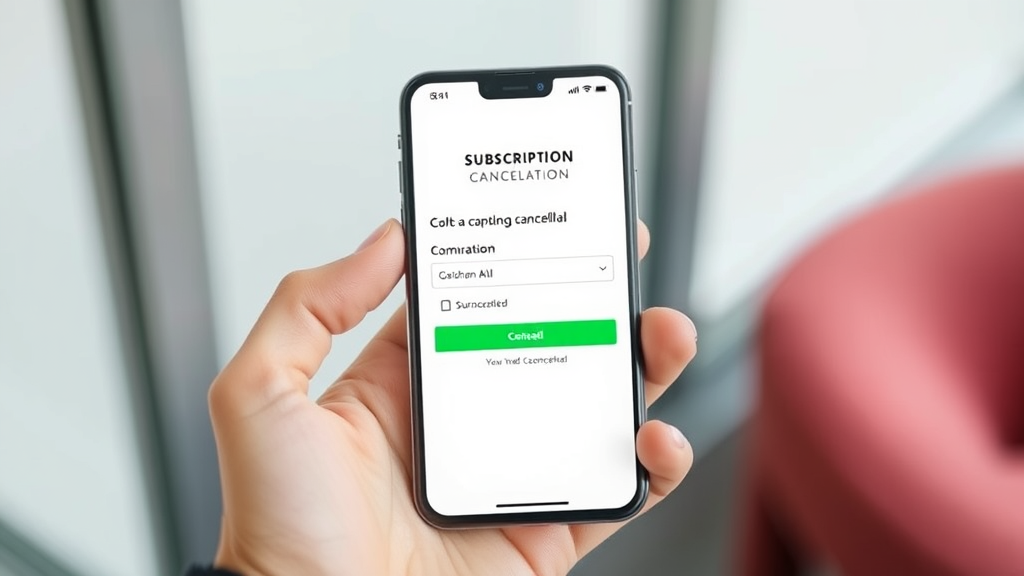
Easily Cancel Your Audible Membership and Save Money
Audible has revolutionized how millions of people consume books and audio content, offering an extensive library of audiobooks, podcasts, and original programming. However, subscription services can add up quickly, and you may find yourself needing to cancel your Audible membership to manage your monthly expenses or simply because you’re not using the service as much as expected.
Whether you’re looking to temporarily pause your subscription, permanently cancel your account, or explore alternative options to save money, this comprehensive guide will walk you through every step of the cancellation process. We’ll cover multiple methods for canceling your Audible membership, important considerations before making your decision, and valuable tips to help you make the most informed choice about your subscription.
Understanding Your Audible Membership
Before diving into the cancellation process, it’s essential to understand what your Audible membership entails and the different subscription tiers available. Audible operates on a credit-based system where subscribers receive monthly credits that can be exchanged for audiobooks, regardless of the book’s retail price. The most common membership is Audible Plus, which costs $14.95 per month and includes one credit plus access to the Audible Plus catalog of thousands of titles.
Your membership also includes various benefits such as exclusive sales, member discounts on additional purchases, and the ability to return books you don’t enjoy. Understanding these benefits helps you make an informed decision about whether cancellation is truly the best option for your situation. Many users don’t realize they can modify their subscription rather than cancel it entirely, which we’ll explore in detail later.
The official Audible membership page provides comprehensive information about current pricing and benefits, which can help you evaluate whether you’re getting sufficient value from your subscription.
Important Considerations Before Canceling
Before proceeding with cancellation, take time to evaluate your usage patterns and consider whether there might be better alternatives. Review your account to see how many credits you’ve accumulated and whether you have any unused credits that would be forfeited upon cancellation. Unused credits typically expire when you cancel your membership, so it’s wise to use them before initiating the cancellation process.
Consider whether your listening habits are seasonal or if you’re going through a temporary period of reduced usage. Many subscribers find their audiobook consumption varies throughout the year, and a temporary pause might be more appropriate than permanent cancellation. Additionally, check if you have any pre-orders or upcoming releases you’re anticipating, as these considerations might influence your timing.
Review your purchase history to understand your actual cost per book. If you’re consistently using your monthly credits and taking advantage of member sales, you might be getting excellent value even if the monthly fee seems high. Calculate your average cost per audiobook over the past year to make an informed financial decision.
How to Cancel Audible Online
The most straightforward method to cancel your Audible membership is through the official website. Start by logging into your Audible account at audible.com using your Amazon credentials, since Audible is owned by Amazon. Once logged in, navigate to your account details by clicking on your name in the upper right corner and selecting “Account Details” from the dropdown menu.
In your account details page, look for the “Membership details” section, where you’ll find information about your current subscription plan and billing cycle. Click on the “Cancel membership” link, which will typically be located near your membership information. Audible may present you with alternative options before allowing you to proceed with cancellation, such as pausing your membership or switching to a different plan.
Follow the prompts to confirm your cancellation request. Audible will likely ask you to provide a reason for canceling, which helps them improve their service and may trigger offers to retain you as a customer. Be prepared to decline these retention offers if you’re committed to canceling. The system will confirm your cancellation and provide details about when your membership benefits will end.
Similar to managing other digital services, the online cancellation process requires careful attention to confirmation steps. Just as you might need to know how to recall an email in professional settings, understanding each step of the cancellation process ensures you don’t accidentally maintain an unwanted subscription.
How to Cancel Audible by Phone
If you prefer speaking with a customer service representative or encounter difficulties with online cancellation, calling Audible’s customer service is an effective alternative. The customer service number for Audible is 1-888-283-5051, and they’re available Monday through Friday from 5 AM to 9 PM Pacific Time, and weekends from 6 AM to 8 PM Pacific Time.
When calling, have your account information ready, including your email address associated with the account and any relevant order numbers. The representative will verify your identity and can process your cancellation request immediately. Phone cancellation often provides the advantage of speaking with someone who can explain your options and potentially offer alternative solutions you hadn’t considered.
Customer service representatives are trained to handle retention, so expect them to offer alternatives such as membership pauses, plan downgrades, or special promotional rates. While these offers can be valuable, stay focused on your goal if you’re determined to cancel. Be polite but firm about your decision, and ask for confirmation of your cancellation via email.
Canceling Through Mobile Apps
Canceling Audible through mobile apps can be more complex due to platform-specific policies from Apple and Google. If you subscribed to Audible directly through the iOS App Store, you’ll need to cancel through your Apple ID subscription management settings rather than through the Audible app itself. Similarly, Android users who subscribed through Google Play must manage their subscription through Google Play Store settings.
For iOS users, go to Settings > [Your Name] > Subscriptions, find Audible in your list of subscriptions, and select “Cancel Subscription.” The process is similar to other iOS management tasks, such as knowing how to unhide apps or manage other device settings. Android users should open the Google Play Store, tap the menu icon, select “Subscriptions,” find Audible, and choose “Cancel subscription.”
If you subscribed directly through Audible’s website but access the service through mobile apps, you’ll need to cancel through the website method described earlier, as the mobile apps don’t typically provide cancellation functionality for web-based subscriptions.
Money-Saving Alternatives to Cancellation
Before completely canceling your membership, consider several alternatives that can help you save money while maintaining access to Audible’s services. The “Pause Membership” option allows you to temporarily suspend your subscription for up to three months, during which you won’t be charged but will retain access to your existing library. This option is perfect for busy periods when you know you won’t have time for audiobooks.
Audible also offers the ability to switch to different membership tiers. If the standard membership feels too expensive, consider downgrading to Audible Plus, which provides access to thousands of included titles for a lower monthly fee. You can also explore annual membership options, which typically offer savings compared to monthly billing.
Take advantage of Audible’s frequent sales and promotions. Members often receive exclusive discounts on additional book purchases, and Audible regularly runs sales where books are available for significantly reduced prices. Building a wishlist and purchasing during sales can maximize your value per dollar spent.
Consider sharing your account with family members through Amazon’s Household sharing feature, which allows you to share certain benefits and split the cost. Additionally, many public libraries now offer digital audiobook services through apps like OverDrive or Libby, providing free alternatives for some of your listening needs.
What Happens After You Cancel
Understanding what occurs after cancellation helps you plan accordingly and avoid any surprises. Your Audible membership benefits will continue until the end of your current billing cycle, meaning you can still use any remaining credits and access member benefits during this period. However, any unused credits will be forfeited when your membership officially ends, so use them before the cancellation date.
All audiobooks you’ve purchased or obtained through credits will remain in your library permanently, and you can continue listening to them even after cancellation. You’ll also retain access to any free content you’ve added to your library. However, you’ll lose access to Audible Plus catalog titles that weren’t purchased with credits or money.
Your account information and purchase history will be preserved, making it easy to reactivate your membership in the future if desired. Audible often sends promotional offers to former members, including discounted reactivation rates and special deals to encourage return subscribers.
After cancellation, you’ll no longer receive monthly credits, member discounts, or access to exclusive sales. If you decide to make future audiobook purchases without a membership, you’ll pay full retail prices, which are typically much higher than using monthly credits.
Troubleshooting Common Issues
Some users encounter difficulties during the cancellation process, often related to account access or subscription management confusion. If you can’t locate the cancellation option on the website, ensure you’re logged into the correct account and that your membership is active. Sometimes, previously canceled or paused memberships require reactivation before they can be properly canceled.
Gift memberships and promotional subscriptions may have different cancellation procedures or restrictions. If your membership was gifted to you, contact customer service for assistance, as the cancellation process might require additional verification steps. Similarly, if you’re participating in a promotional trial, the cancellation options might be limited until the promotional period ends.
Technical issues with the website or app can sometimes prevent successful cancellation. Try using different browsers, clearing your cache, or accessing your account from a different device. If problems persist, calling customer service is often the most reliable solution, as representatives can process cancellations manually and troubleshoot account-specific issues.
Just as you might need to understand specific Mac functionality or iPhone features for technical troubleshooting, resolving Audible cancellation issues may require trying multiple approaches or seeking direct support.
Be aware that some subscription management confusion arises from having multiple Amazon accounts or sharing accounts with family members. Verify that you’re attempting to cancel the subscription from the correct account, and check with other household members who might have access to shared Amazon services.
The Federal Trade Commission’s guidance on subscription cancellations provides valuable information about your rights as a consumer and what companies are required to provide during the cancellation process.
Frequently Asked Questions
Will I lose my audiobooks if I cancel my Audible membership?
No, you will not lose audiobooks that you purchased with credits or money. These remain in your library permanently and can be downloaded and listened to even after cancellation. However, you will lose access to Audible Plus catalog titles that you didn’t specifically purchase. Any books you obtained through your monthly credits are considered purchased and will remain available to you indefinitely.
What happens to unused credits when I cancel?
Unused credits are forfeited when your Audible membership is canceled. This is why it’s recommended to use all your credits before initiating the cancellation process. Credits do not convert to cash refunds, and there’s no way to recover them once your membership ends. Make sure to check your account for any accumulated credits and use them on audiobooks you’re interested in before canceling.
Can I cancel my Audible membership immediately?
While you can initiate the cancellation process immediately, your membership benefits will continue until the end of your current billing cycle. This means if you cancel mid-month, you’ll still have access to member benefits, can use credits, and participate in member sales until your next billing date. Immediate cancellation that stops all benefits right away is typically not available unless there are special circumstances.
Is there a way to pause my membership instead of canceling?
Yes, Audible offers a “Pause Membership” option that allows you to temporarily suspend your subscription for up to three months. During the pause period, you won’t be charged monthly fees, but you’ll retain access to your existing audiobook library. This option is ideal if you’re going through a busy period or want to take a temporary break without losing your membership benefits permanently.
How much notice do I need to give before canceling?
Audible doesn’t require advance notice for cancellation, but processing your cancellation request before your next billing date ensures you won’t be charged for another month. If you cancel after your billing date, you’ll still receive the benefits for that billing cycle, but you won’t be refunded for the current month’s charge. Plan your cancellation timing carefully to avoid unnecessary charges.
Can I reactivate my membership after canceling?
Yes, you can reactivate your Audible membership at any time after canceling. Your account information, purchase history, and previously acquired audiobooks will still be available when you return. Audible often provides promotional offers to former members, including discounted rates for reactivation. However, you won’t recover any credits that were forfeited during the cancellation process.
What if I subscribed through iTunes or Google Play?
If you subscribed to Audible through the iTunes App Store or Google Play Store, you must cancel your subscription through those platforms rather than directly through Audible. For iOS users, manage subscriptions through Settings > [Your Name] > Subscriptions. Android users should use Google Play Store > Menu > Subscriptions. Audible customer service cannot cancel subscriptions that were initiated through app stores due to platform policies.

Related Posts

How Long to Boil Lobster Tails: Cooking Guide

How Long to Fly from New York to London? Travel Times
