
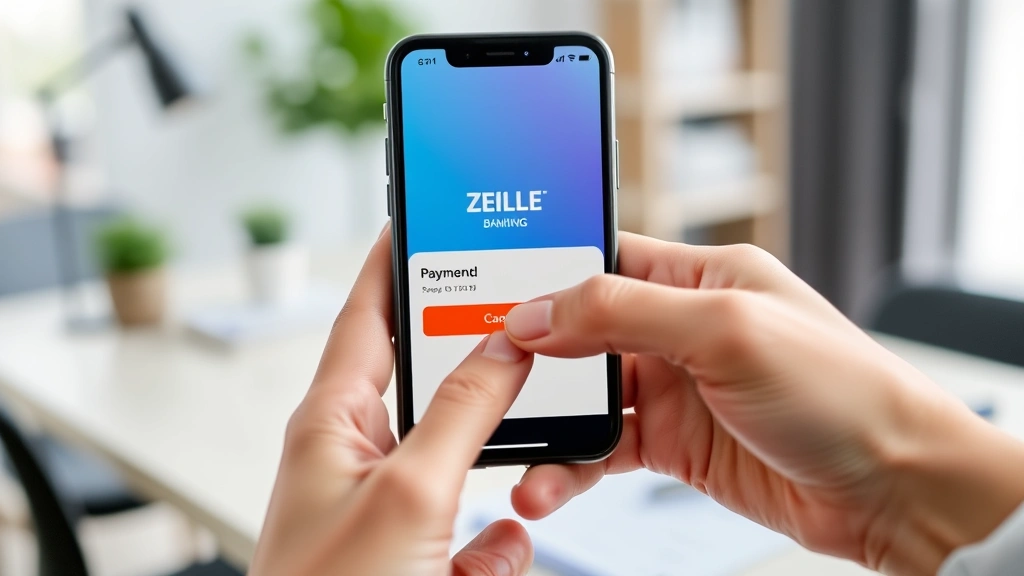
Stop a Zelle Payment? Expert Advice Here
How to Cancel a Zelle Payment: Expert Advice and Step-by-Step Guide
Zelle has become one of the most popular peer-to-peer payment platforms in the United States, allowing millions of users to send and receive money quickly and conveniently. However, mistakes happen. Whether you’ve sent money to the wrong recipient, changed your mind about a purchase, or suspect fraudulent activity, knowing how to cancel a Zelle payment is essential for protecting your finances. The challenge is that Zelle payments are designed to be fast and irreversible, which means your options for stopping a payment depend heavily on timing and whether the recipient has already accepted the funds.
In this comprehensive guide, we’ll walk you through everything you need to know about canceling Zelle payments, including the critical time windows, your bank’s role in the process, and what to do if a payment has already been completed. We’ll also explain preventative measures you can take to avoid costly mistakes in the future, and provide expert advice on handling disputes and fraudulent transactions. By the end of this article, you’ll have a clear understanding of your options and the best course of action for your specific situation.
Understanding Zelle Payments and Their Limitations
Before attempting to cancel a Zelle payment, it’s crucial to understand how the platform works and why canceling payments is so difficult. Zelle is a digital payment network owned by a consortium of major U.S. banks, including Bank of America, Wells Fargo, and JPMorgan Chase. Unlike traditional wire transfers or checks, Zelle payments are designed for speed and convenience, typically completing within minutes.
The fundamental limitation of Zelle is that once a payment is sent and accepted by the recipient, it is generally irreversible. This is by design—the platform prioritizes speed over flexibility. The money moves directly from your bank account to the recipient’s bank account, and there’s no holding period or verification step that allows you to reverse the transaction after it’s been accepted.
However, there is a narrow window of opportunity: if the recipient has not yet accepted or claimed the payment, you may be able to cancel it. This window is typically very small, often just a few hours, which is why quick action is essential. Additionally, if you’ve sent money to someone who doesn’t have a Zelle account or hasn’t registered their information with the service, the payment may remain pending longer, giving you more time to cancel.
It’s also important to note that your ability to cancel a payment depends on your bank’s specific policies and their integration with Zelle. Some banks may offer additional protections or customer service options that others don’t, so your first step should always be to contact your bank directly.
The Critical Time Window for Canceling Payments
The most important factor in successfully canceling a Zelle payment is timing. Understanding the different stages of a Zelle transaction will help you determine whether cancellation is still possible.
Stage 1: Payment Pending (0-30 minutes to several hours)
When you first send a Zelle payment, it enters a pending state. During this period, the recipient has not yet claimed or accepted the funds. This is your best window for canceling the payment. If the recipient doesn’t have Zelle enrolled or hasn’t registered their information, the payment can remain pending for up to 14 days, according to Zelle’s policies. In these cases, you may have significantly more time to cancel.
Stage 2: Payment Accepted (Typically within minutes to a few hours)
Once the recipient accepts the payment or the funds are claimed, the transaction is generally complete and irreversible. At this point, the money has been transferred to their bank account, and cancellation is no longer possible through normal channels.
The exact timing depends on several factors: the recipient’s bank, whether they have Zelle already set up, how quickly they check their notifications, and the time of day the payment was sent. Payments sent during business hours typically process faster than those sent late at night or on weekends.

Step-by-Step Instructions to Cancel a Pending Payment
If you’ve recently sent a Zelle payment and want to cancel it, follow these steps immediately:
Step 1: Open Your Banking App or Website
Log into the mobile app or website of the bank where your Zelle account is linked. Most major banks have integrated Zelle directly into their platforms, so you won’t need to access a separate Zelle app in most cases. If your bank doesn’t have Zelle built in, you may need to use the standalone Zelle app.
Step 2: Locate the Payment History or Recent Transactions
Navigate to your transaction history or the section labeled “Transfers,” “Send Money,” or “Zelle.” Look for the payment you want to cancel. It should show a status such as “Pending,” “Awaiting Acceptance,” or “Not Yet Claimed.”
Step 3: Select the Payment and Look for a Cancel Option
Tap or click on the specific payment you wish to cancel. If the payment is still pending and hasn’t been accepted, you should see a “Cancel Payment” or “Stop Payment” button. This option will only appear if the payment hasn’t been claimed by the recipient.
Step 4: Confirm the Cancellation
Click the cancel button and confirm your request. Your bank may ask you to verify your identity or provide additional information. Once confirmed, the payment should be canceled, and the funds should be returned to your account within one to three business days.
Step 5: Verify the Cancellation
After canceling, check your account balance to confirm the funds have been returned. You should also see the transaction status change to “Canceled” in your transaction history. Keep a record of this confirmation for your records.
Important Note: If you don’t see a cancel option, it likely means the payment has already been accepted by the recipient, and you’ll need to move to the next steps outlined below.
What to Do If the Payment Has Already Been Accepted
If the payment has already been accepted by the recipient and cancellation through your banking app isn’t possible, you still have options, though they’re more limited and time-consuming.
Contact the Recipient Directly
Your first step should be to contact the recipient and explain the situation. If the payment was sent to someone you know—whether it’s a friend, family member, or business contact—they may be willing to return the funds voluntarily. This is the fastest and simplest solution if the recipient is cooperative.
Request a Refund
Politely request that the recipient return the money. Be honest about why you’re asking—whether it was a mistake, duplicate payment, or change of plans. Many people will be understanding and willing to help, especially if you had an existing relationship with them.
Document Everything
Keep records of all communications with the recipient, including messages, emails, or call logs. If you need to escalate the issue to your bank or pursue legal action, this documentation will be valuable.

Contacting Your Bank for Assistance
If the recipient won’t return the funds or is unresponsive, your next step is to contact your bank’s customer service department. While Zelle payments are generally irreversible once accepted, your bank may still be able to help in certain circumstances.
Call Your Bank’s Customer Service
Use the phone number on the back of your debit card or the contact information on your bank’s website. Explain the situation clearly, including the date and time the payment was sent, the recipient’s name, and the amount. Be prepared to provide any documentation you have.
Explain the Circumstances
Describe why you’re requesting assistance. Banks are more likely to help if you can demonstrate that the payment was made in error rather than due to your own negligence. For example, sending money to the wrong phone number is more sympathetic than simply changing your mind about a purchase.
Request a Trace or Investigation
Ask your bank to initiate a trace or investigation into the transaction. While they cannot reverse an accepted payment, they may be able to contact the recipient’s bank and request that they reach out to the recipient about returning the funds. This is a less direct approach but can sometimes be effective.
Ask About Dispute Resolution Options
Inquire about your bank’s dispute resolution process. Some banks may allow you to file a dispute or complaint, which could trigger an investigation. However, be aware that disputing a payment you knowingly sent (even if by mistake) is different from disputing fraudulent activity, and banks may be less sympathetic.
Get Documentation
Ask your bank representative for a reference number, case number, or any documentation related to your request. This will be helpful if you need to follow up or escalate the issue further.
Handling Fraudulent or Unauthorized Transactions
If someone made a Zelle payment from your account without your permission, you have stronger protections under federal law. This situation is treated differently from a payment you made yourself by mistake.
Report the Fraudulent Transaction Immediately
Contact your bank as soon as you discover unauthorized activity. Most banks have dedicated fraud departments and 24/7 hotlines for reporting fraudulent transactions. The sooner you report it, the better your chances of recovering the funds.
File a Formal Dispute
Request that your bank file a formal dispute under the Electronic Funds Transfer Act (EFTA). This federal law protects consumers who have unauthorized transfers made from their accounts. Your bank is required to investigate and, if they determine the transaction was indeed unauthorized, reverse it.
Provide Evidence
Gather any evidence that the transaction was unauthorized. This might include showing that you didn’t have access to your device at the time, that your password was compromised, or that you received a suspicious email or text message asking for your information.
Review Your Account Security
After reporting the fraud, take steps to secure your account. Change your password, enable two-factor authentication, review your account settings, and monitor your account regularly for additional suspicious activity. You might also want to review our guide on how to make money in one hour to understand different financial situations you might find yourself in.
Consider Freezing Your Accounts
If you believe your personal information has been compromised, consider placing a fraud alert or credit freeze with the three major credit bureaus: Equifax, Experian, and TransUnion.
Preventative Measures and Best Practices
While knowing how to cancel a Zelle payment is important, preventing mistakes in the first place is even better. Here are best practices to help you avoid costly errors:
Verify the Recipient’s Information Before Sending
Double-check the recipient’s phone number or email address before confirming the payment. A single digit wrong can send your money to a stranger. If you’re sending to a new contact, consider sending a small test payment first to confirm you have the correct information.
Use Saved Contacts
Most banking apps allow you to save frequently used contacts. Use this feature to reduce the risk of typos. Once a contact is saved, you can simply select it from a list rather than typing the information each time.
Review Payment Details Before Confirming
Take a moment to review the recipient’s name, the amount, and any notes before hitting the final “Send” button. This extra step takes just a few seconds but can prevent significant mistakes.
Set Transaction Limits
Many banks allow you to set daily or per-transaction limits on Zelle payments. Consider setting a limit that matches your typical payment needs. This can help prevent large unauthorized transfers if your account is compromised.
Enable Notifications
Make sure you have notifications enabled for all Zelle transactions. This way, you’ll be alerted immediately when a payment is sent, allowing you to act quickly if something is wrong. Check out our article on how to block no caller ID for more information about securing your communications.
Use Strong Authentication
Enable two-factor authentication on your banking app. This adds an extra layer of security and makes it harder for someone to access your account without your knowledge.
Understand Your Bank’s Zelle Policies
Different banks may have slightly different policies regarding Zelle cancellations and dispute resolution. Familiarize yourself with your specific bank’s policies by reviewing their website or calling customer service. This knowledge will be invaluable if you ever need to cancel a payment.
Keep Records
Maintain a record of all Zelle transactions, including the date, time, recipient, and amount. This documentation can be helpful if you need to dispute a transaction or file a complaint with your bank.
For more information on managing your finances and avoiding costly mistakes, visit the FixWiseHub Blog where we offer comprehensive how-to guides and tutorials on various topics.
FAQ
Can I cancel a Zelle payment after it’s been sent?
Yes, but only if the payment is still pending and hasn’t been accepted by the recipient. The window for cancellation is typically very small—often just a few minutes to a few hours. If the payment has already been accepted, you cannot cancel it through normal channels. Your only option would be to contact the recipient and request a refund or contact your bank to investigate.
How long does a Zelle payment stay pending?
If the recipient has Zelle enrolled and their information is registered, payments typically complete within minutes. However, if the recipient hasn’t enrolled with Zelle or hasn’t registered their information, the payment can remain pending for up to 14 days. This extended pending period gives you more time to cancel if needed.
What should I do if I sent money to the wrong person?
Immediately check if the payment is still pending and attempt to cancel it through your banking app. If it’s already been accepted, contact the recipient and politely request a refund. If they’re unresponsive or unwilling to return the funds, contact your bank’s customer service and explain the situation. Document all communications for your records.
Are Zelle payments protected by the EFTA?
Yes, Zelle payments are covered by the Electronic Funds Transfer Act (EFTA), which provides consumer protections against unauthorized transfers. If someone makes a Zelle payment from your account without your permission, you have the right to file a dispute and request that your bank investigate and reverse the transaction. However, payments you made yourself—even if by mistake—are generally not protected under EFTA.
Can my bank force the recipient to return a Zelle payment?
Your bank cannot force a recipient to return funds from an accepted Zelle payment. However, they can contact the recipient’s bank and request assistance in reaching out to the recipient. Some recipients may be cooperative if they understand it was a mistake. If the recipient refuses to return the funds, your options are limited to small claims court or other legal action, which may not be practical for smaller amounts.
What’s the difference between canceling and disputing a Zelle payment?
Canceling a payment means stopping it before it’s been accepted by the recipient. Disputing a payment means challenging it after it’s already been completed. Disputes are typically used for unauthorized transactions or fraudulent activity. If you knowingly sent a payment but made a mistake, a dispute may not be successful, though your bank should still investigate.
How can I prevent Zelle payment mistakes in the future?
Verify recipient information carefully before sending, use saved contacts, review payment details before confirming, enable notifications, set transaction limits, and enable two-factor authentication. Taking these preventative steps can significantly reduce the risk of costly mistakes. For more information on managing various aspects of your life, check out our guide on how to call from no caller ID.
What if I sent a duplicate Zelle payment by mistake?
If you’ve sent the same payment twice, immediately try to cancel the second payment if it’s still pending. If both payments have been accepted, contact the recipient and explain the situation. Most people will understand and be willing to return the duplicate payment. If they’re uncooperative, contact your bank and explain that you sent a duplicate payment by mistake. Document everything and keep records of your attempts to resolve the issue.

Related Posts

Superscript in Google Docs: Expert Tips

Strikethrough in Excel: Easy Steps for Beginners
